Create Company Profile
Introduction
Company Profiles enable you to establish and manage legal entities within the platform. Each company profile contains essential registration details, management information, and operational data required for compliance, reporting, and relationship tracking across accounts and portfolios.
Use this feature to create new companies, define their structure within holdings, and configure company-specific settings such as LEI codes, regulatory identifiers, and account numbering preferences.

Permission Requirement
Companies – View, Modify, Create permissions required to access and manage company profiles. If you do not have access, contact your Administrator to request the required permissions.
Steps to Create or Edit a Company
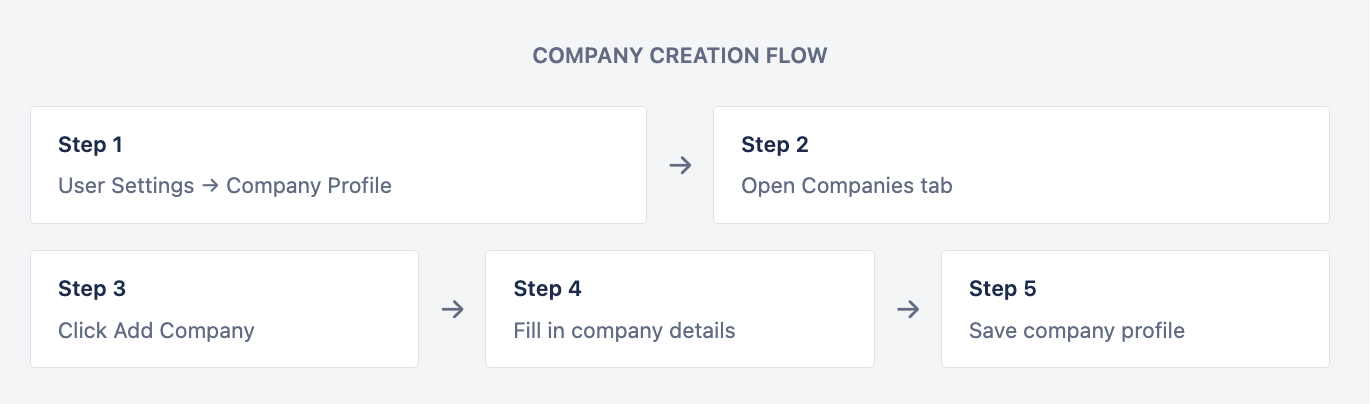
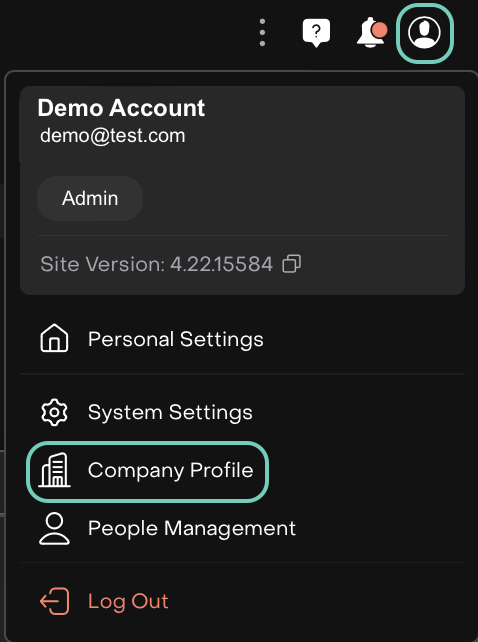
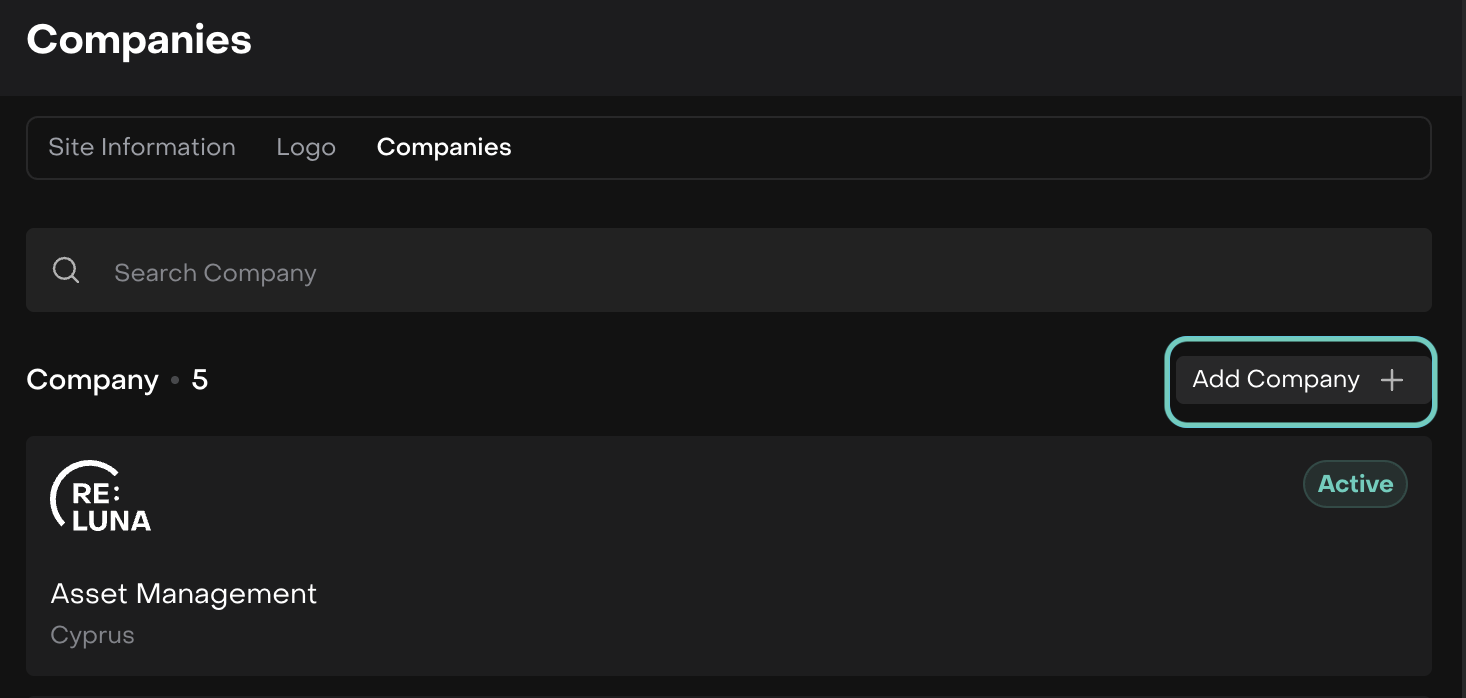
From the main menu page, go to User Settings icon > Find Company Profile.
Open Companies tab > Click on the Company to edit the existing Company
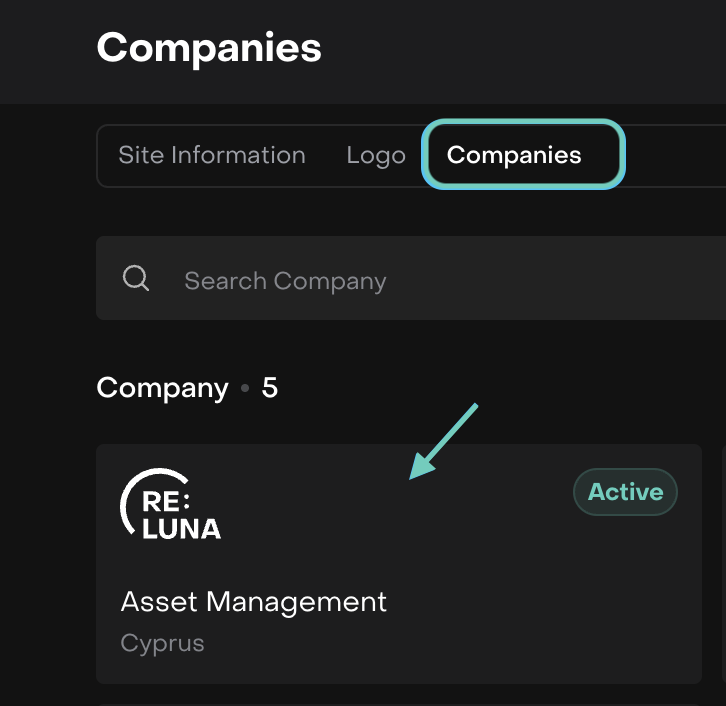
Or click Add Company to create a new Company
Company Information Fields
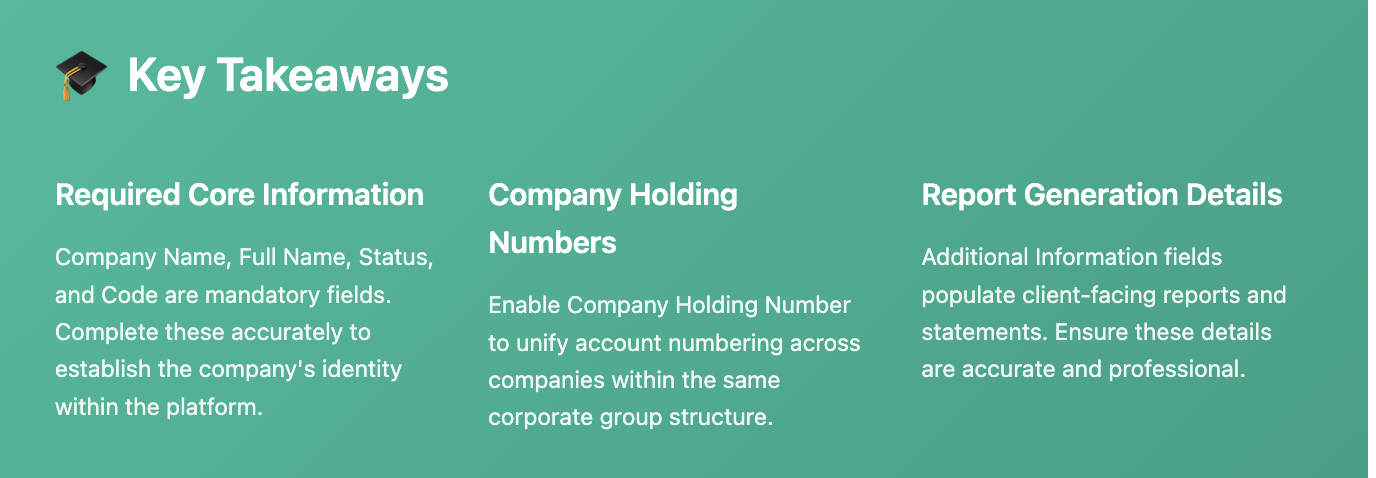
Complete the required and optional fields to establish the company's core identity and regulatory information.
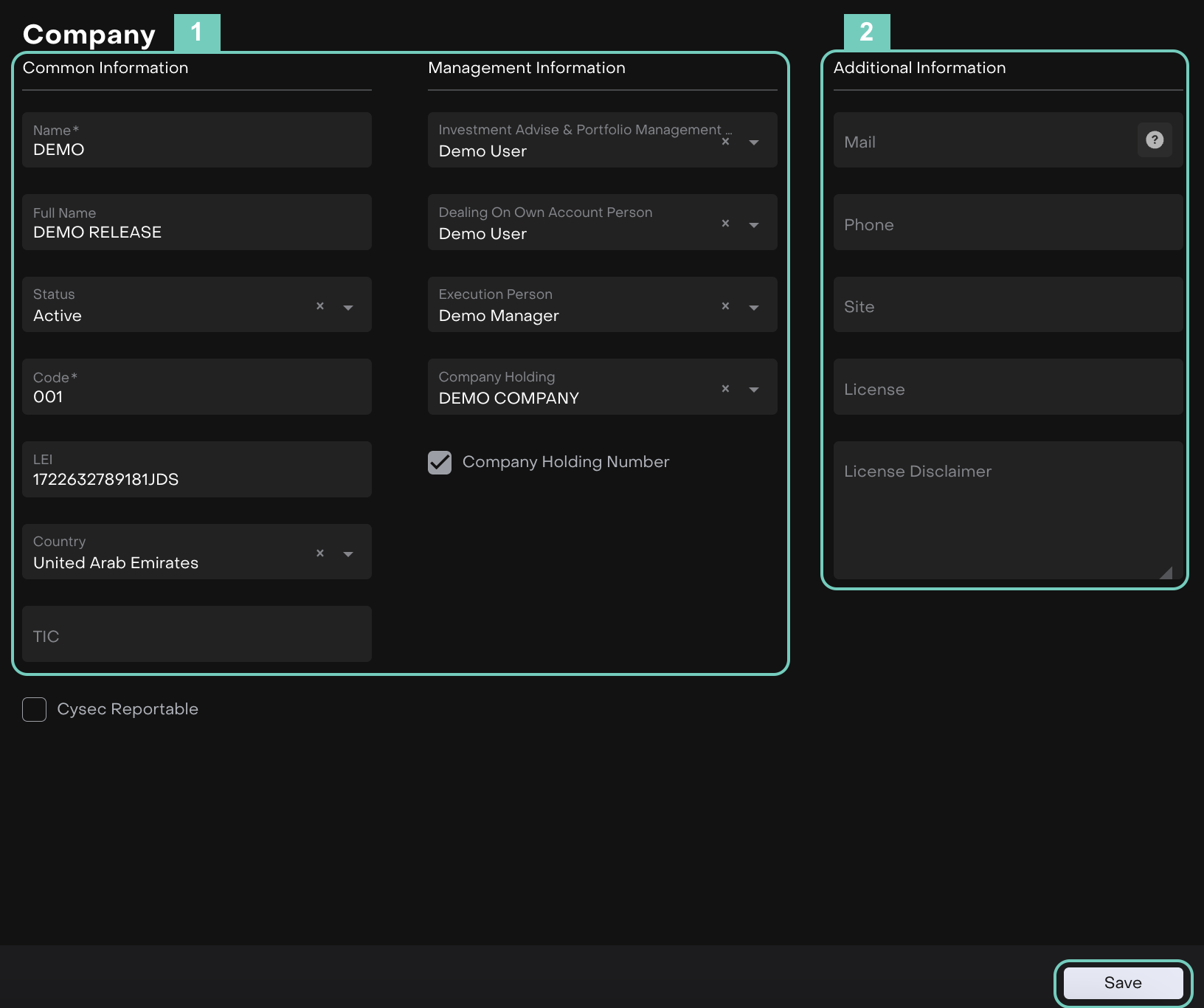
Section 1: Company Information
The Company form is organized into sections. Section 1 contains two subsections: Common Information and Management Information.
Common Information
Field | Description |
|---|---|
Name* | Short name used for display throughout the platform. This name appears in dropdowns, lists, and quick references. |
Full Name | Complete legal name of the company as registered with authorities. Used in official reports and documentation. |
Status | Current operational status. Determines company visibility and functionality across the platform. |
Code* | Unique internal identifier for the company. Used for system references and integrations. |
LEI | Legal Entity Identifier – 20-character alphanumeric code (ISO 17442 standard) for regulatory reporting and transaction identification. Format: 4-digit LOU code + "00" (reserved) + 12-digit unique entity code + 2-digit checksum. |
Country | Country of registration and primary operations. Used for compliance and reporting requirements. |
TIC | Tax Identification Code for the company's jurisdiction. |
Management Information
Field | Description |
|---|---|
Investment Advice & Portfolio Management | Assign user responsible for investment advice and portfolio management functions for this company. |
Dealing On Own Account Person | Designate the person responsible for proprietary trading activities conducted by the company. |
Execution Person | Assign user responsible for trade execution and order processing for this company. |
Company Holding | Link this company to a Company Holding structure if it belongs to a corporate group. |
Company Holding Number | Enable this checkbox to assign unified account numbers across all companies within the same holding structure. |
Company Holding Number
When Company Holding Number is enabled, all accounts linked to companies within the same holding will receive identical account numbers. This is essential for corporate group structures requiring unified numbering across subsidiaries.
Section 2: Additional Information
Configure contact details and legal information used in report generation and client communications.
Field | Description |
|---|---|
Email address for official company communications. Appears in generated reports and statements. | |
Phone | Primary contact phone number displayed in client-facing documentation. |
Site | Company website URL for reference in reports and communications. |
License | Regulatory license information, registration numbers, and authority references. |
License Disclaimer | Company-specific disclaimer text regarding licensing that appears in generated reports and statements. |

Report Generation
Information entered in Additional Information (Section 2) appears in client-facing reports. Ensure accuracy and completeness for professional presentation.
Additional Settings
Cysec Reportable – Enable this checkbox if the company is subject to Cyprus Securities and Exchange Commission (CySEC) reporting requirements.
Saving and Managing Companies
After completing all required fields, save the company profile to make it available across the platform.
Save – Click Save to store the company details and create the profile.
All Companies list – The new company appears in the Companies tab list.

Edit existing companies – Click on any company in the list to modify its details.
Company relationships – Link companies to holdings, accounts, and portfolios as needed.
Company Holding Number
If you enable Company Holding Number, all accounts linked to companies within the same holding will receive identical account numbers. This is useful for corporate group structures where unified numbering is required across subsidiaries.