Statement of Eligible Funds (Regulatory Report)
AVAILABLE IN: 

Introduction
In the platform, you can automatically generate the Statement of Eligible Funds report with just a few clicks. This report summarizes the Assets Under Management (AUM) of all Retail Clients month-by-month for the period you request. It helps you understand eligible monthly AUM totals for regulatory and internal reporting.
Permission Requirement
Tab / Feature | Permission Level | Description |
|---|---|---|
Reports | View, Modify, Create | Grants access to the Reports module. |
Company Reports > Statement of Eligible Funds | View Only | Allows you to view the Statement of Eligible Funds report(s). |
Key Terminologies
Term (A–Z) | Definition |
|---|---|
AUM (Assets Under Management) | The total market value of assets managed for a Retail Client, calculated at the end of each month. |
Company Reports | A section within Reports where you can generate business-level reports. |
ECB FX Rate | The end-of-month foreign exchange reference rate published by the European Central Bank, used to convert AUM values to EUR. |
Eligible Funds | Monthly AUM amounts considered for the Statement of Eligible Funds report based on platform calculation logic. |
Internal Agreement (Active Mandate) | A mandate type required for a Retail Client to be included in the report’s calculations. |
👉 New to some terms? Check our full Platform Glossary for quick definitions.
Where to Find the Statement of Eligible Funds Report
You can access the report from:
Click the three dots (⋮) > Reports > Company Reports.


If you do not see this feature, please reach out to Support.
Generate the Statement of Eligible Funds Report
On Reports > Go to Company Reports and click Generate Report.

On the pop up window:
Choose Report Type as Statement of Eligible Funds.
Select the Company from the dropdown.
Enter the Start Date and End Date for the reporting period.

End Date must not be before the Start Date and cannot be later than today.
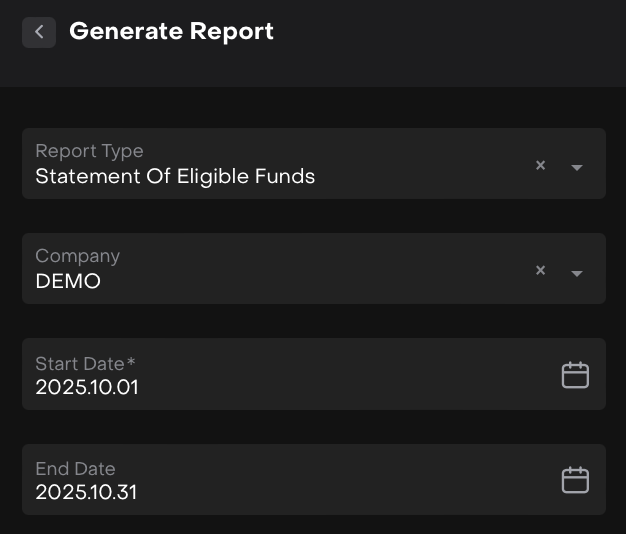
Click Generate Report and find it at the bottom.
Once the report is generated, you will:
Receive it by email, and/or
See it listed under Generated Reports (where you can download, delete or view logs).

How the Platform Calculates the Report
The Statement of Eligible Funds follows a specific calculation logic to ensure the results are accurate and regulatory-aligned.
1. Retail Clients with Active Mandate
The report includes Retail Clients with an Active Mandate = Internal Agreement during the requested period.
2. Base Currency
The report is always generated in EUR. The platform uses the official European Central Bank (ECB) end-of-month FX reference rates to convert values.
3. Monthly AUM Calculation
AUM is calculated at the end of each month in your selected period.
4. Minimum AUM Threshold Logic (20,000 EUR)
The platform applies a standardized AUM threshold per client.

If a Client has 2 (two) or more portfolios in platform, then:
Use Case 1: At least one Client Portfolio ≥ 20,000 EUR
If any of the client’s portfolios have AUM ≥ 20,000 EUR:
→ The platform adds one portfolio with AUM = 20,000 EUR to the report.
Use Case 2: No portfolio ≥ 20,000 EUR, but combined AUM ≥ 20,000 EUR
If all portfolios are below 20,000 EUR individually, but their sum ≥ 20,000 EUR:
→ The platform still includes one portfolio with AUM = 20,000 EUR.
Use Case 3: Combined AUM < 20,000 EUR
If the sum of all client portfolios is below 20,000 EUR:
→ The platform includes the exact combined AUM for that client for the month.
This ensures that each client contributes only one value per month to the report.
What’s Inside the Report?
The Report is generated as an Excel (.xlsx) file. You can download it directly from the platform or through the email notification.
The Excel file contains one main report page and three supporting technical pages to help you review or audit the AUM calculations if needed.
Main Page: Report
This is the primary page you’ll use. It includes:
Largest amount of the month
CIF License Number (if configured on your company profile)
Reporting Year
A table showing the monthly total sum of eligible AUM values during your selected period
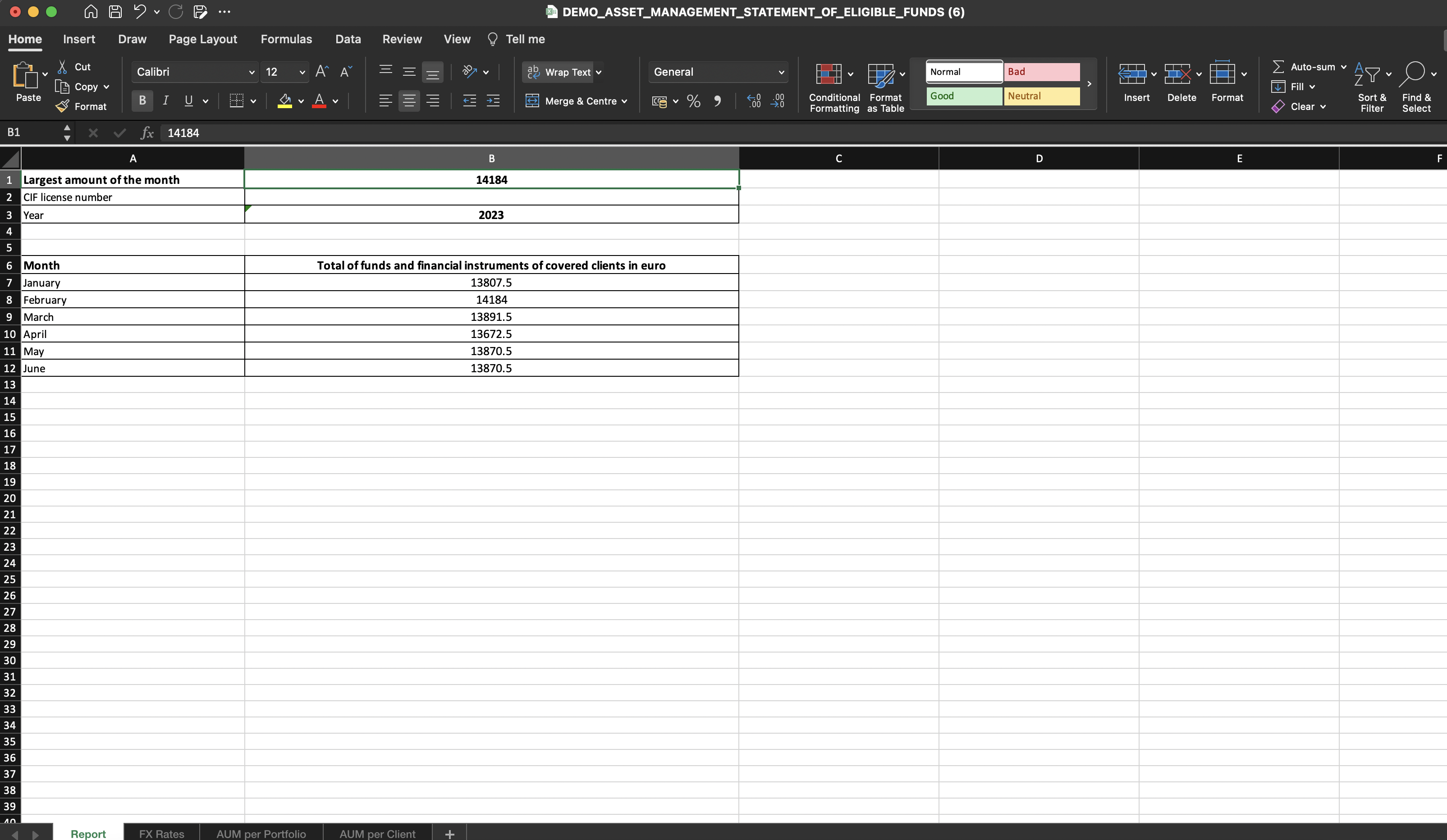
This table reflects the final amounts after applying the platform’s AUM logic.
FX Rate Page
Since AUM is calculated at the end of each month, the FX rate used is the ECB end-of-month rate for the relevant currency.
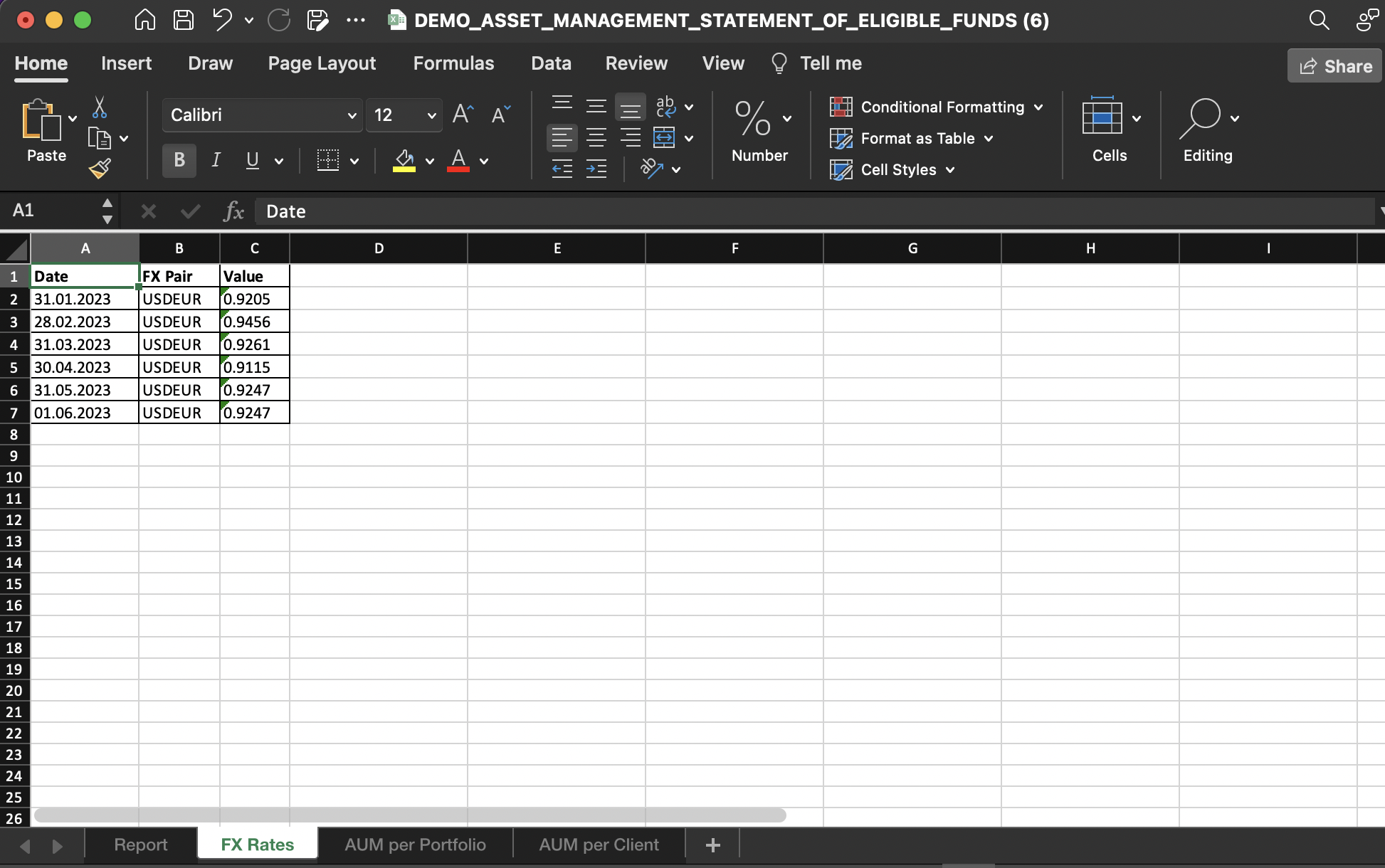
This page shows all ECB FX rates used in the calculations.
AUM per Portfolio Page
Here you can see:
Which portfolio(s) were included in the calculation
The AUM value used for each
How the platform selected the relevant portfolio(s) based on the threshold logic
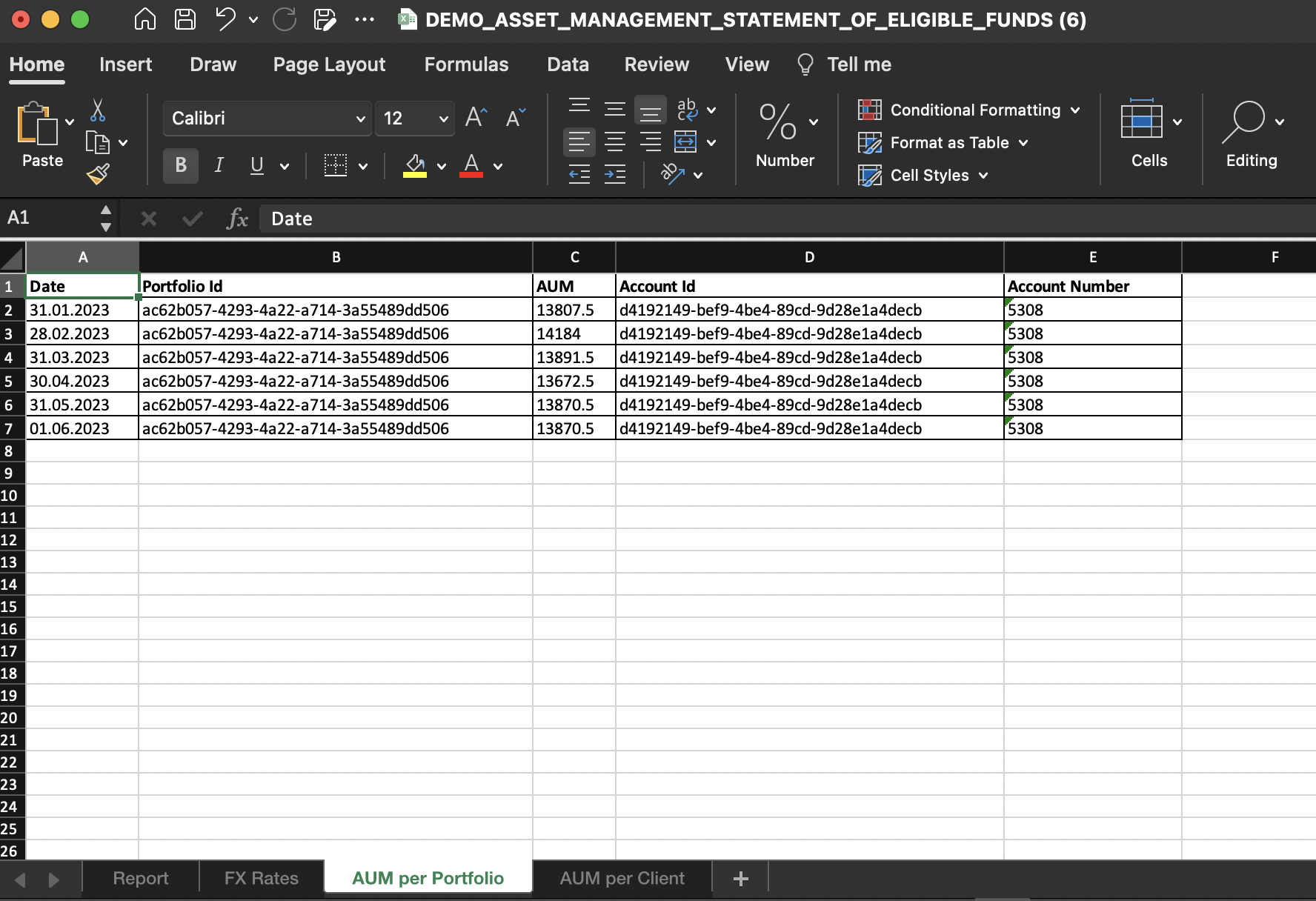
This page is especially useful for auditing or troubleshooting AUM differences.
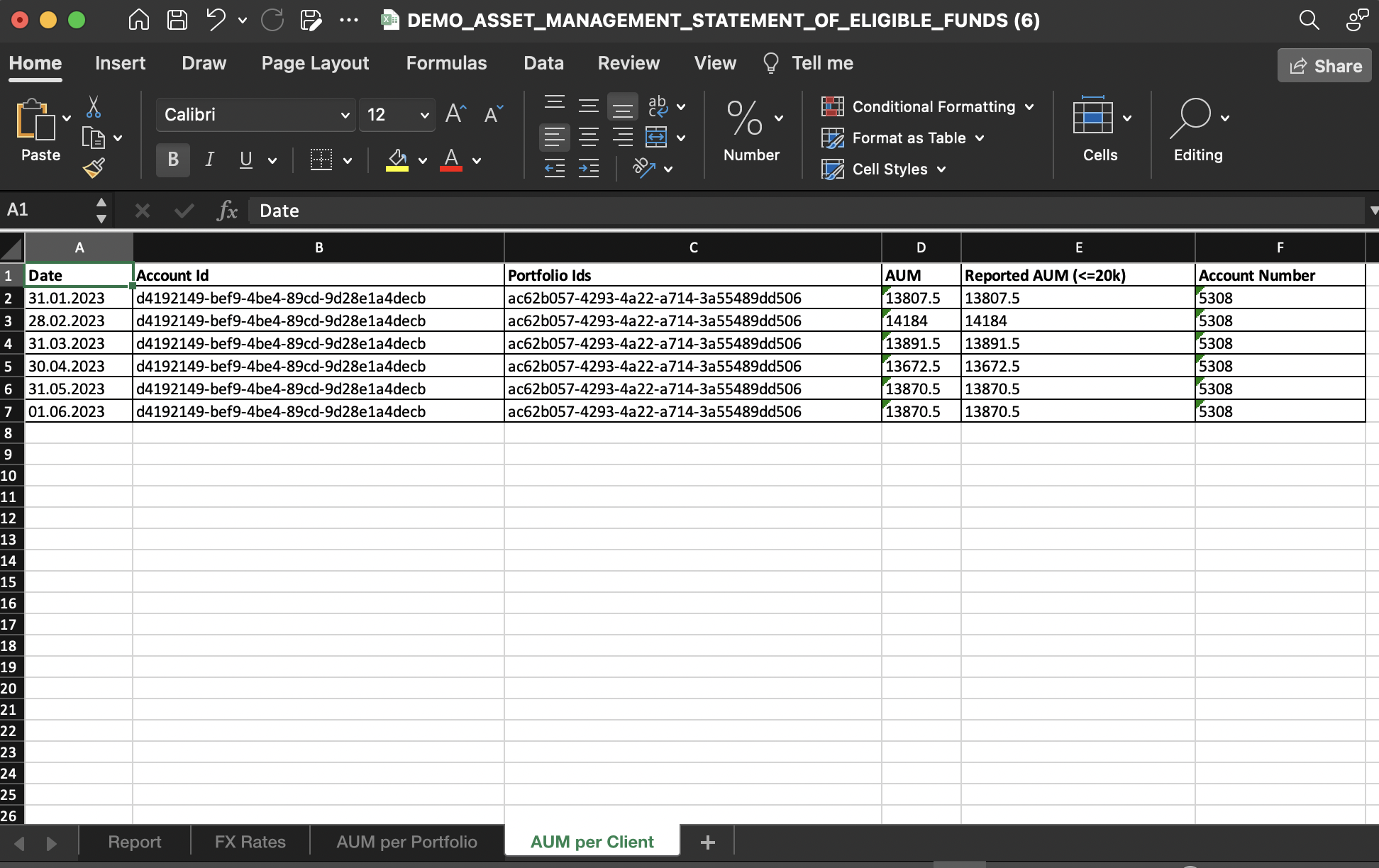
AUM per Client Page
This page organizes calculations per client, making it easier to:
Trace how final AUM per client was derived
Review combined AUMs for clients with multiple portfolios
Confirm which threshold rule was applied