Set Up Account Company Number
Introduction
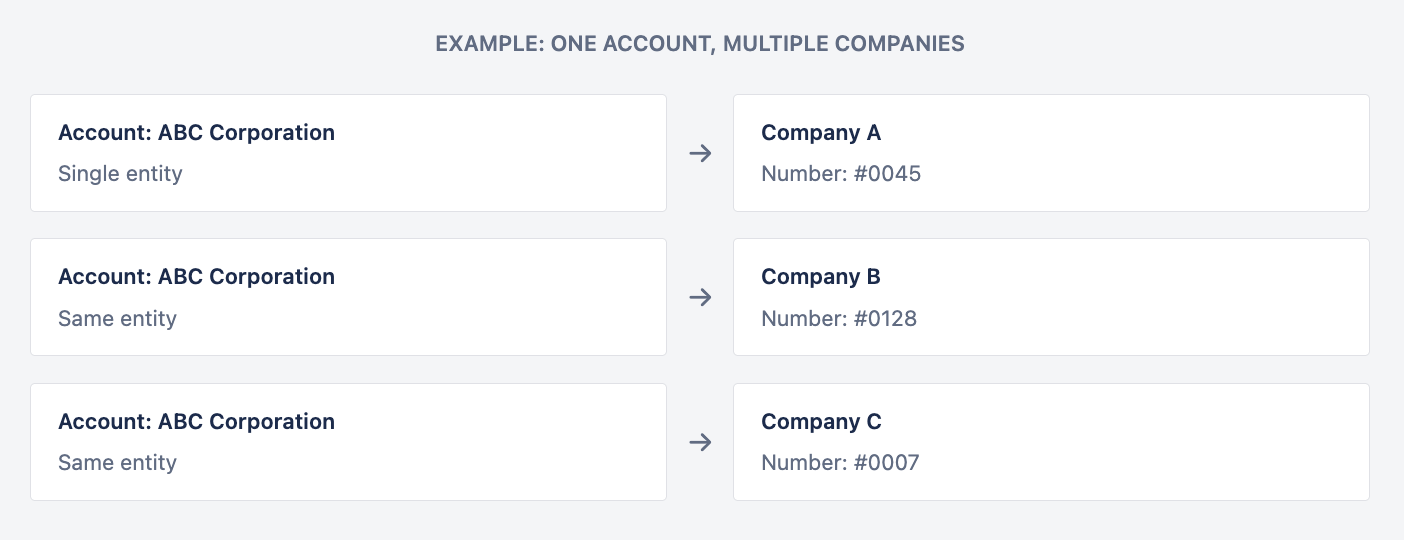
Account Company Number is a unique identifier automatically assigned to each Account within its linked Companies. When an Account is connected to multiple Companies, it receives a separate number for each relationship, enabling precise tracking across multi-company structures.
The numbering system operates on an incremental basis – each Company maintains its own sequence, and numbers are assigned automatically when Account-Company relationships are created.
Linking Accounts to Companies
Create Account-Company relationships to generate Account Company Numbers.
How to Link
Open Account page – Navigate to the Account you want to link.
Edit – Click the Edit button.
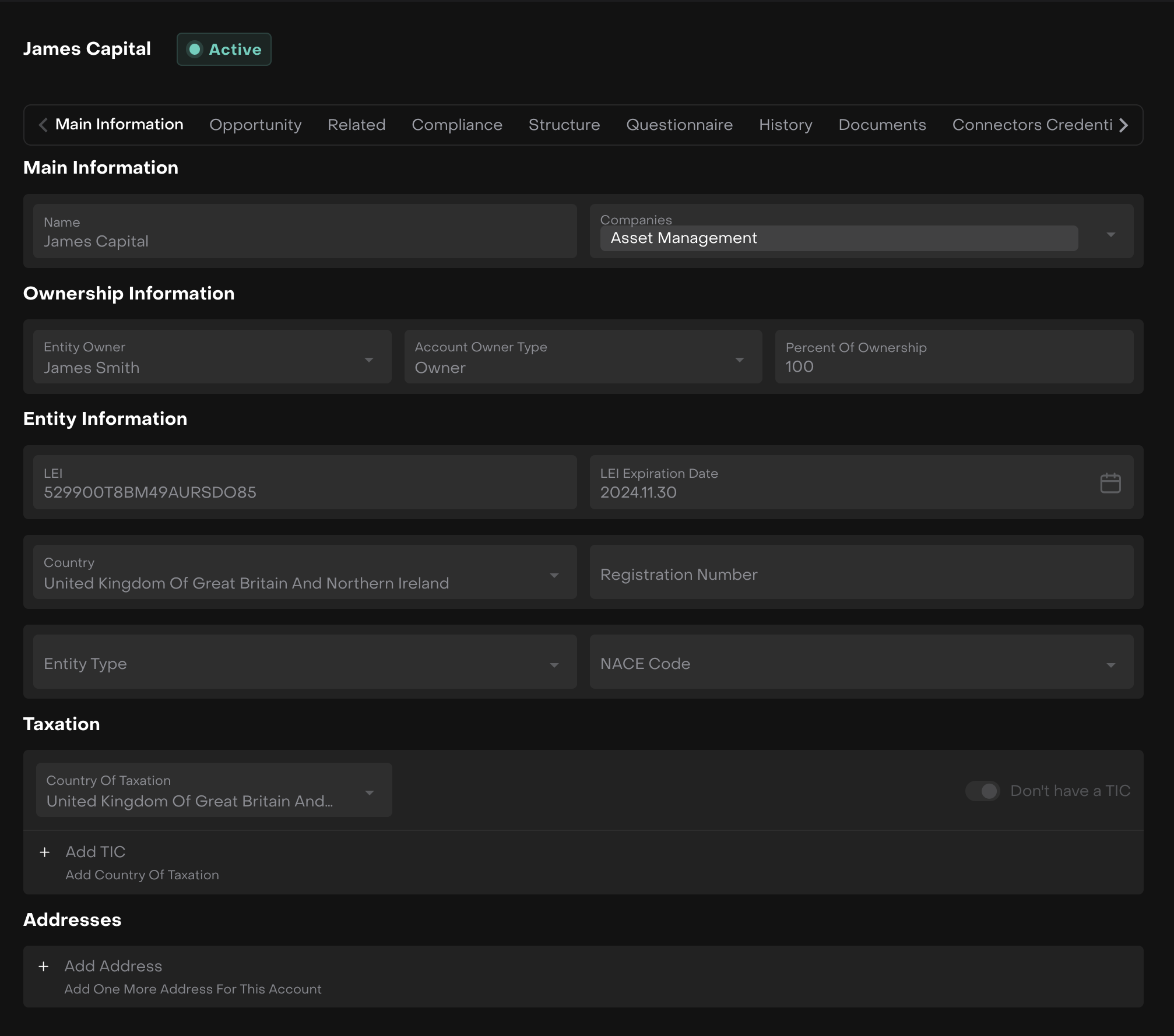
Companies dropdown – Select the Companies control in the Main Information tab.
Select Company – Type the Company name and select from filtered results.
Save – Click Save to create the relationship and generate the Account Company Number.

Automatic Assignment
Account Company Numbers are assigned automatically when you save the Account-Company relationship. No manual configuration is required.
Where to find Account Company Number
After Account-Company relation is saved, Account Company Number for each particular Account could be found in Account Companies table at Compliance tab of an Account page:
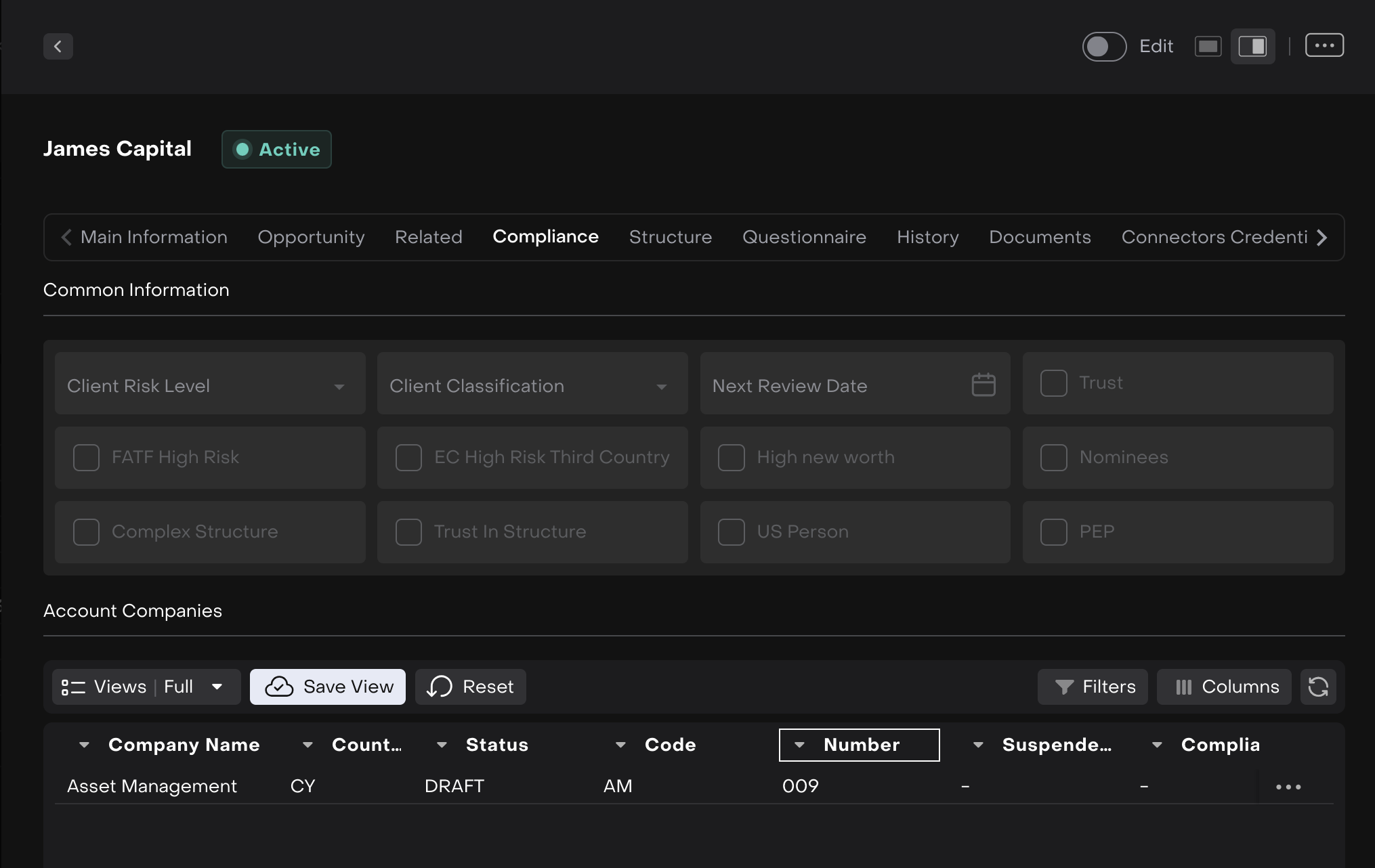
Account Company Number value is set automatically by the system on incremental basis
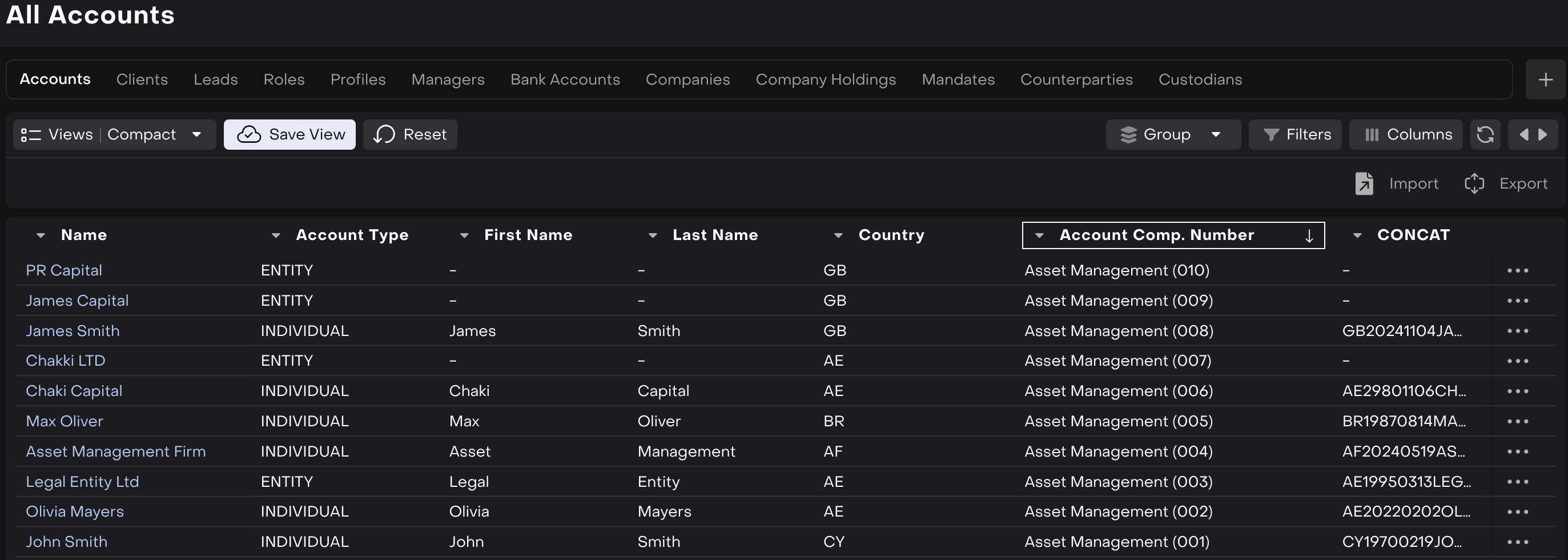
It is also available to find it in the Accounts table in Company Numbers column (with Search option available for Number):
How to set the same Account number for several Companies
Create Company Holding – Set up a new Company Holding or use an existing one.
Add Companies – Add two or more Companies to the Company Holding.
Enable Company Holding Number – Select the Company Holding Number checkbox for these Companies.
Link Account – Add an Account to the Companies within the Holding.
Unified number assigned – The Account receives the same number across all Companies in the Holding.

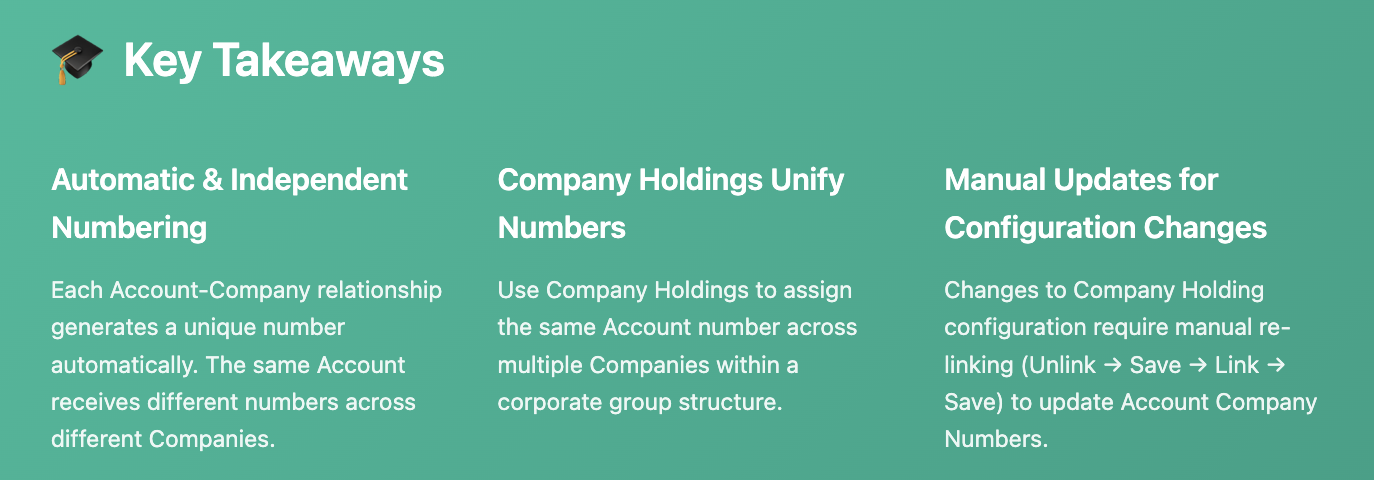
Automatic numbering applies only when the Account-Company link is first created. Changes to Company Holding configuration after relationships are established do not automatically update existing Account Company Numbers.
To update numbers after Holding changes:
Unlink the Account from the Company → Save
Re-link the Account to the Company → Save
The number will regenerate based on current configuration
Understanding Number Assignment
Account Company Numbers follow specific rules to ensure consistency and traceability.
Automatic generation – Numbers are created automatically when Account-Company relationships are saved.
Incremental sequence – Each Company maintains its own sequential numbering based on relationship creation order.
Independent by default – Without Company Holdings, each Account-Company relationship receives a unique number.
Unified with Holdings – Company Holdings enable the same number across multiple Companies in a group.
Manual updates required – Configuration changes to Holdings require manual re-linking to update numbers.