Close Mandate
AVAILABLE IN: 

Introduction
This user guide describes the process of closing mandates, offering step-by-step instruction and valuable insights on how to effectively manage this process.
Close Mandate
To close a mandate:
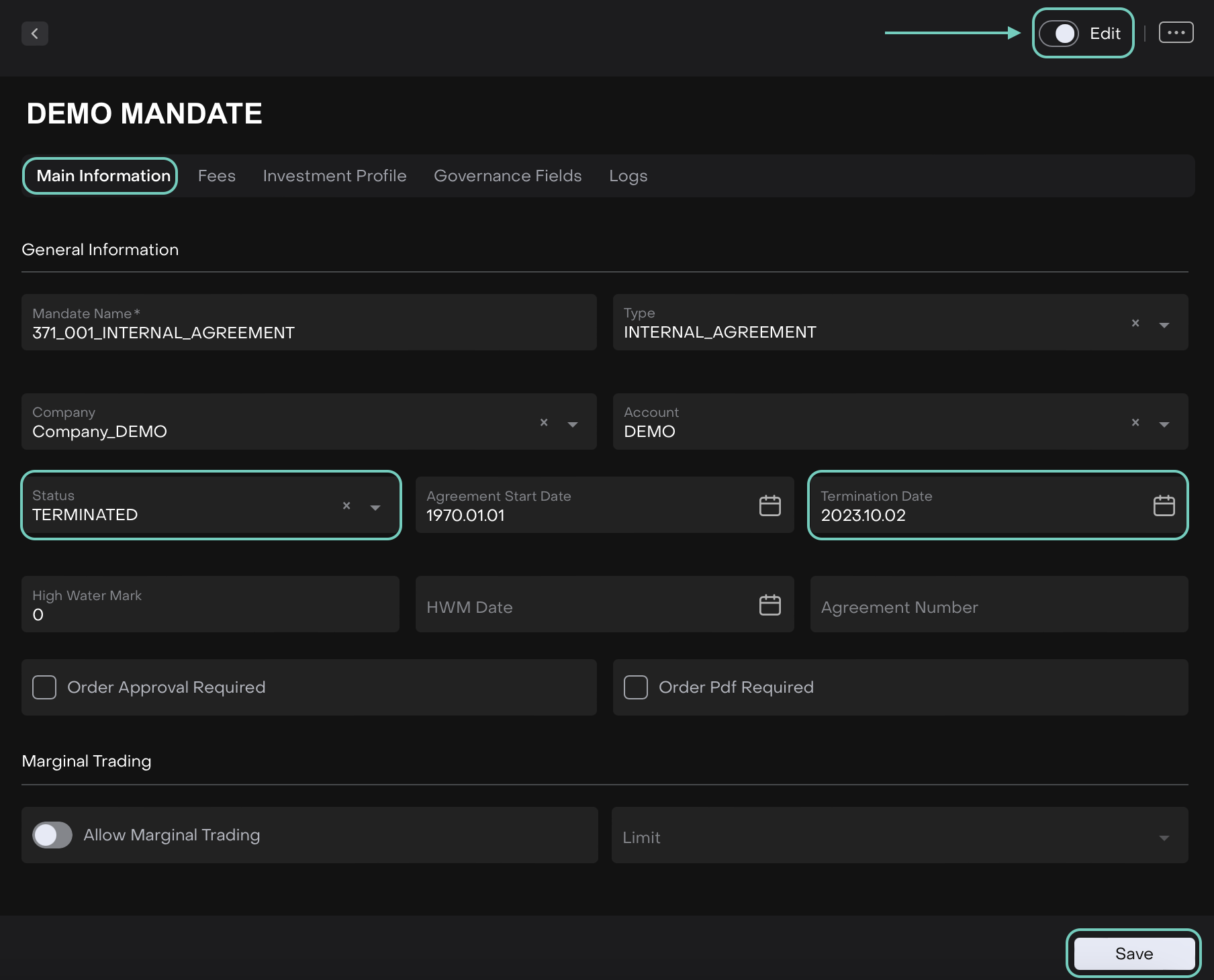
Go to Accounts → Mandates and select the mandate
Toggle ‘On’ the Edit button
Now, set Status = Terminated
Enter the Termination Date on the mandate form

If the mandate is Terminated, it is required to specify the termination date.
Click the Save button