
Manage Marginal Trading
Introduction. What is Marginal Trading?
Marginal trading allows you to create orders even when your bank account has insufficient cash or securities. This means you can trade beyond your available balance, giving you more flexibility in executing your trading strategy.
The platform supports marginal trading for both:
Cash positions – Trade with borrowed funds
Securities positions – Short sell or trade securities you don't currently hold
How to Enable Marginal Trading
Setting Up Marginal Trading
Marginal trading is configured at the Mandate level. Here's how to enable it:
Step 1: Access Mandate Settings
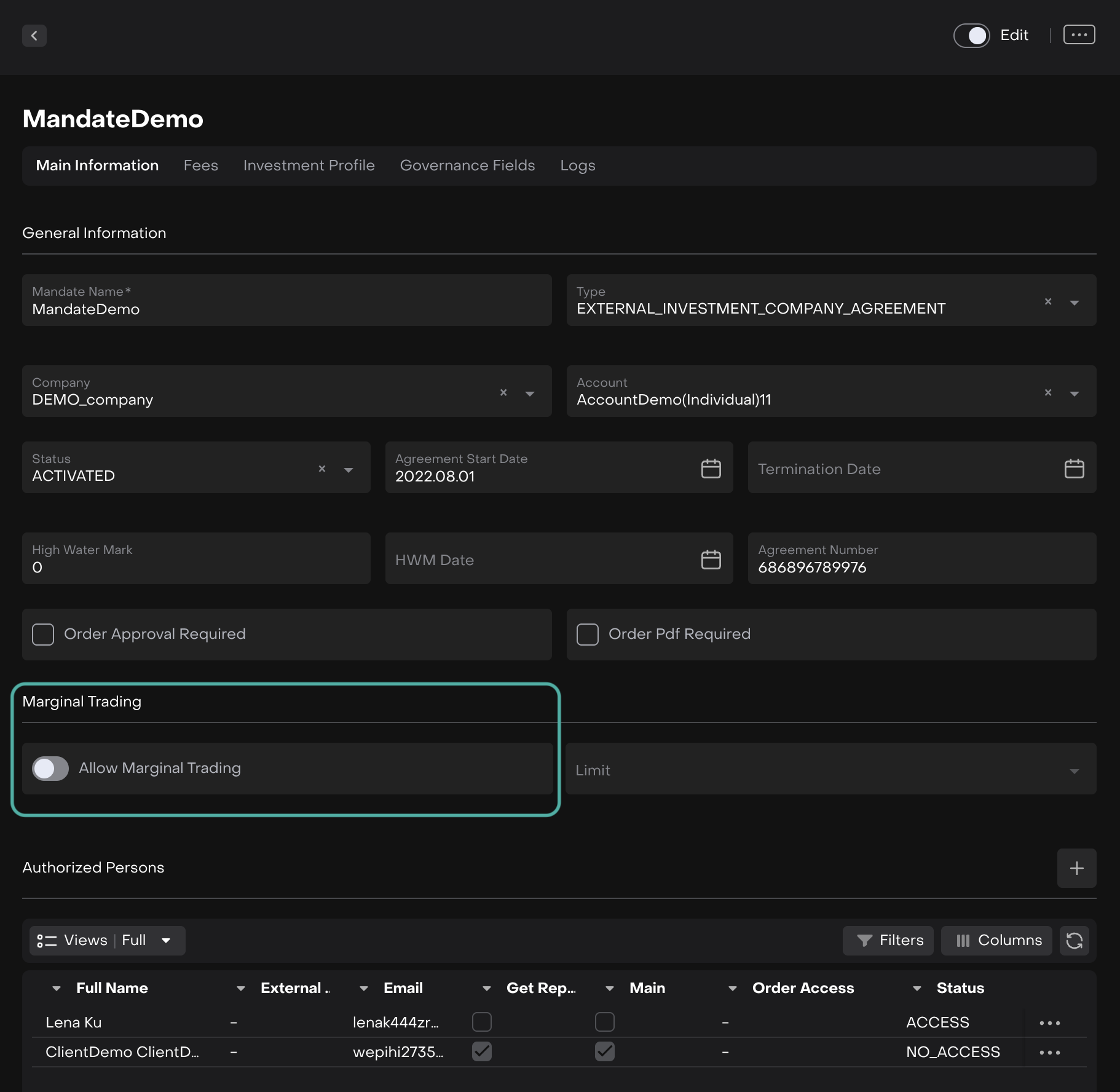
Open the relevant Mandate
Navigate to the Marginal Trading section
Toggle "Allow Marginal Trading" to ON
Step 2: Choose Your Control Option
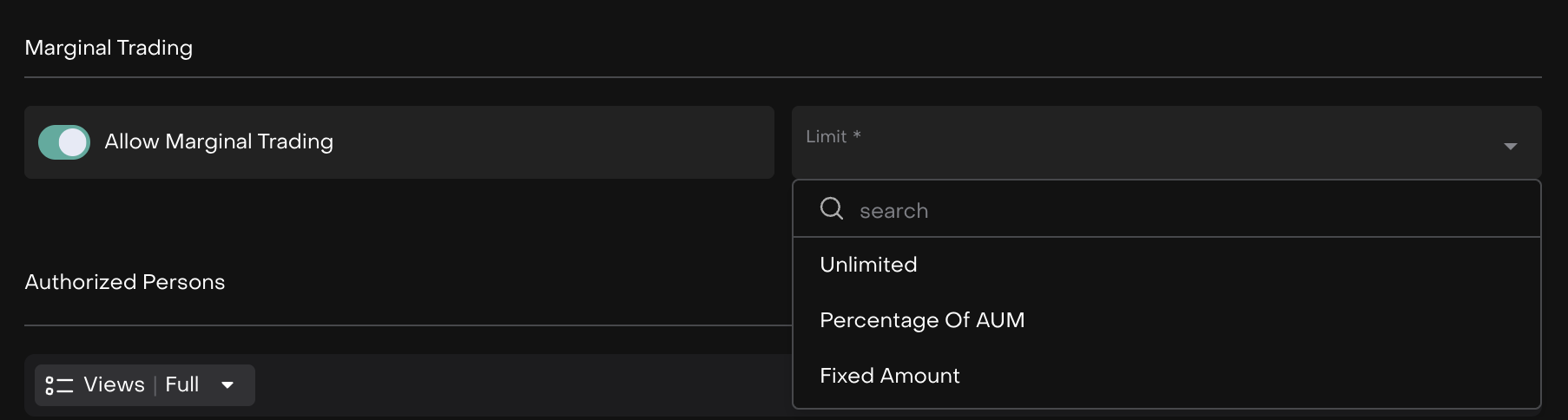
Once enabled, select how you want to control marginal trading limits:
Option | Description | |
|---|---|---|
| 1 | Unlimited | No restrictions - the platform does not control the volume of marginal trading. |
| 2 | Percentage of AUM | Controls marginal trading based on a percentage of the portfolio’s total Assets Under Management (AUM) 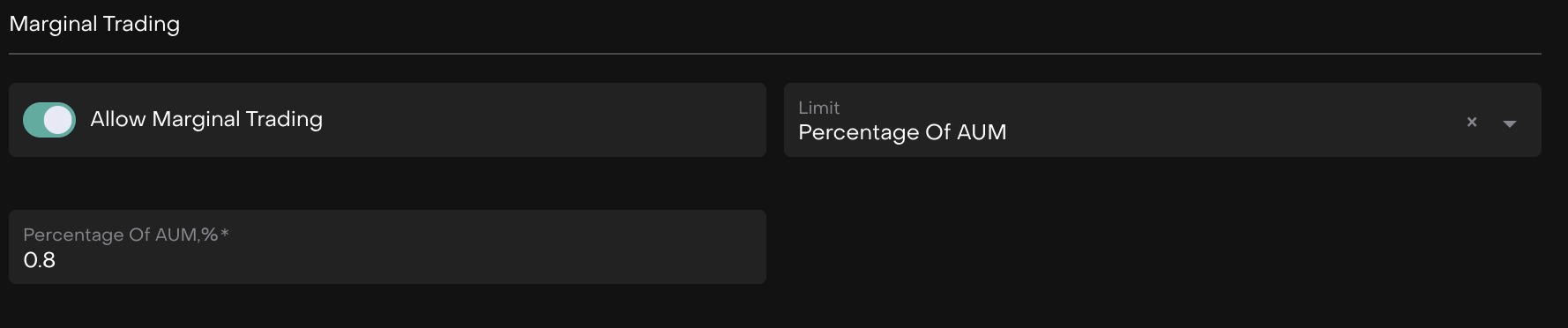 |
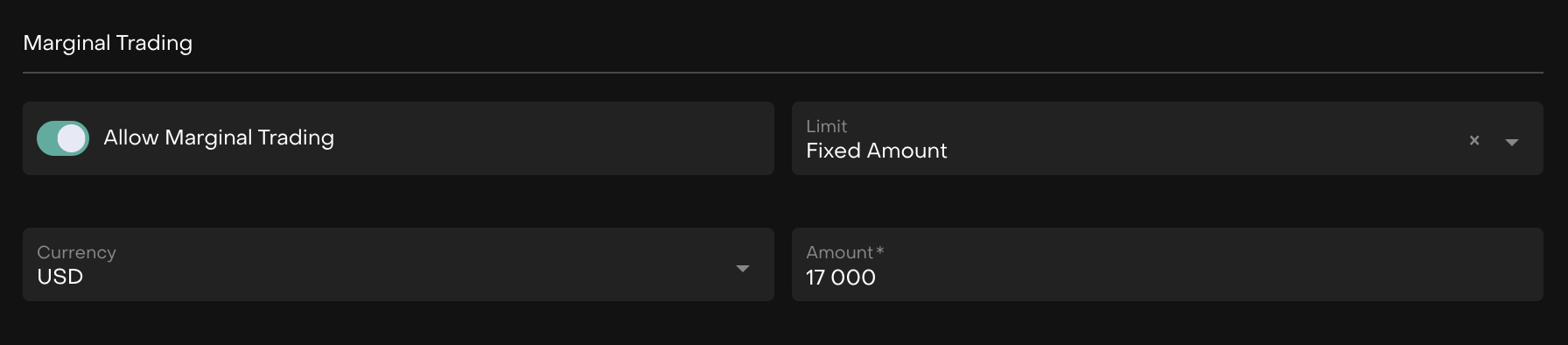
| 3 | Fixed Amount | Sets a fixed monetary limit for marginal trading 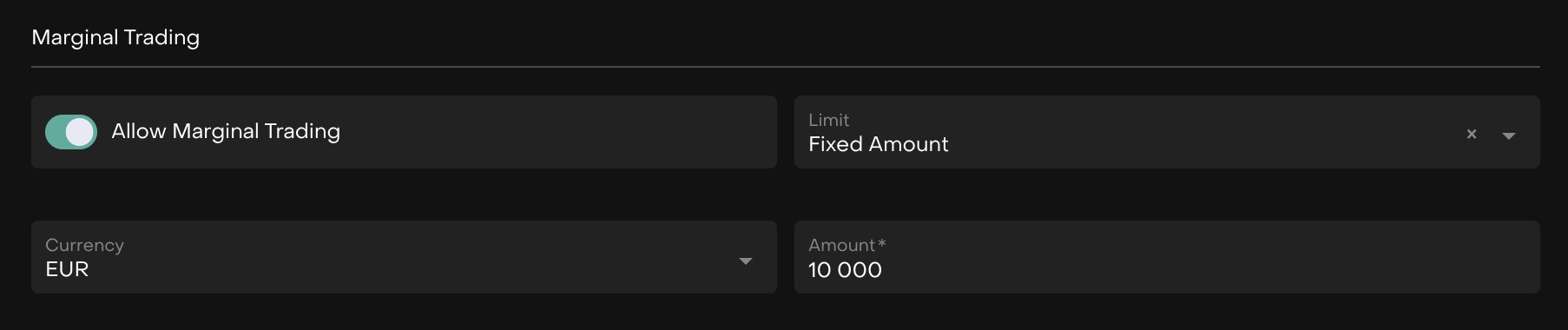 |
How It Works: Placing a Marginal Trade
When you attempt to place an order that exceeds your available balance, the platform will alert you and ask for confirmation.
Example:
Let's say you set a margin limit of USD 17,000 on your Mandate:
When You Place an Order:
If your order requires more cash than you have available, you'll see a confirmation dialog:
⚠️ Confirm Order Creation
There is not enough USD cash (Requested: 312,180.00, Available: 295,934.27) in the client bank account.
Please confirm that you want to make marginal trading.
Your Options:
Cancel – Stop the order and review your position
Confirm – Proceed with the marginal trade

Important: This confirmation ensures you're aware you're trading on margin before the order is placed.
Common Scenarios and Messages
🔹 Not Enough Securities to Sell
What you'll see:
There is not enough [Stock/Bond Name] (requested: 100, available: 50) in the [Account Name] Bank Account.
What this means: You're trying to sell more shares than you own in that specific account.
What to do:
Reduce the order quantity to match available holdings
Check if the securities are in a different account
Confirm if you want to proceed with marginal trading (short selling)
🔹 Not Enough Cash for Purchase
What you'll see:
There is not enough USD cash (requested: 50,000, available: 30,000) in the [Account Name] Bank Account.
What this means: The trade requires more cash than you currently have in that account.
What to do:
Transfer funds to the account
Reduce the order size
Confirm marginal trading to proceed with borrowed funds
🔹 Margin Limit Exceeded
What you'll see:
Marginal value exceeds the allowed amount. Requested: 50,000 USD, Available: 30,000 USD Maximum allowed margin: 15,000 USD
What this means: Even with your margin allowance, you don't have enough buying power.
What to do:
Reduce your order size
Free up margin by closing other positions
Contact your account manager to increase margin limits
🔹 Strategy Withdrawal Issues
Scenario A: Not Enough Cash in Strategy
What you'll see:
There is not enough cash in the Strategy. Requested: 100,000, Available: 80,000 Note: Rebalancing may take time.
What this means: The strategy needs to sell positions to fulfill your withdrawal request.
What to do:
Withdraw a smaller amount
Wait for the strategy to rebalance
Understand this may take additional processing time
Scenario B: Withdrawal Too Large
What you'll see:
Requested Value exceeds Strategy Value. You cannot withdraw more than the total strategy value.
What this means: You're trying to withdraw more money than the strategy is worth.
What to do:
Check your strategy's current value
Reduce the withdrawal amount
Scenario C: Below Minimum Investment
What you'll see:
Strategy value must not be less than minimum investment. Remaining value after withdrawal: 5,000 Minimum required: 10,000
What this means: Your withdrawal would leave the strategy below its minimum investment requirement.
What to do:
Reduce the withdrawal amount
Fully close the strategy if you want to withdraw all funds
🔹 Investment Amount Issues
Too Small:
Investment must not be less than the minimum investment. Requested: 5,000 Minimum required: 10,000
What to do: Increase your investment to meet the minimum.
Too Large:
Investment exceeds available amount in bank account. Requested: 100,000 Available: 75,000
What to do: Transfer more funds or reduce the investment amount.
Working with Multiple Accounts
If you have both Omnibus and Virtual accounts, the error messages will specify exactly which account has the issue.
Example:
✅ Virtual Account: 10,000 shares available
❌ Omnibus Account: 0 shares available
Message: "There is not enough [Stock Name] in the Omnibus Bank Account"
This helps you:
Quickly identify the source of the problem
Decide whether to transfer securities between accounts
Avoid unnecessary investigation time

Tips for Managing Marginal Trading
📌 Set Appropriate Limits Configure margin limits that align with your risk tolerance and trading strategy.
📌 Monitor Your Balances Regularly check available cash and securities across all your accounts.
📌 Read Error Messages Carefully The system provides all the information you need to resolve issues quickly.
📌 Plan for Rebalancing Time Strategy withdrawals may require time for the system to sell positions and free up cash.
📌 Know Your Minimums Be aware of minimum investment requirements for strategies before subscribing or withdrawing.
📌 Use Multiple Accounts Wisely If you have Omnibus and Virtual accounts, understand which account is being used for each trade.