
Personal Assets Management
Introduction
High Net Worth Individuals (HNWIs) often hold a wide variety of assets, some managed by professional firms and others managed personally. The platform gives you a unified dashboard to see all your assets in one place – tangible, intangible or private equity. You can monitor valuations, track income and expenses, and keep an eye on movements in your bank accounts and digital wallets, all from a single interface.
This overview highlights the platform’s integrated approach, helping you stay informed about your entire wealth ecosystem without needing to dive into operational details.

Platform does not support corporate actions on Private instruments.
Key Terminologies
Term (A-Z) | Definition |
|---|---|
Intangible Asset | A non-physical asset with value derived from intellectual, legal, or proprietary rights. Examples include patents, copyrights, trademarks, software and brand recognition, assets that contribute to a company’s value without having a physical form. |
Private Asset | An investment or property not listed or traded on public markets, such as real estate, private equity or direct business investments. These assets are privately managed by individuals or entities. |
Tangible Asset | A physical and measurable property owned by a person or company, such as buildings, land, machinery, vehicles or inventory, assets that have a clear physical presence and value. |
Virtual Portfolio | A collection of investments tracked and managed through the platform without a formal management agreement with the firm. |
👉 New to some terms? Check our full Platform Glossary for quick definitions.
Key Functionality
Allow your Clients to manage tangible and intangible assets separately from the assets managed by the company.
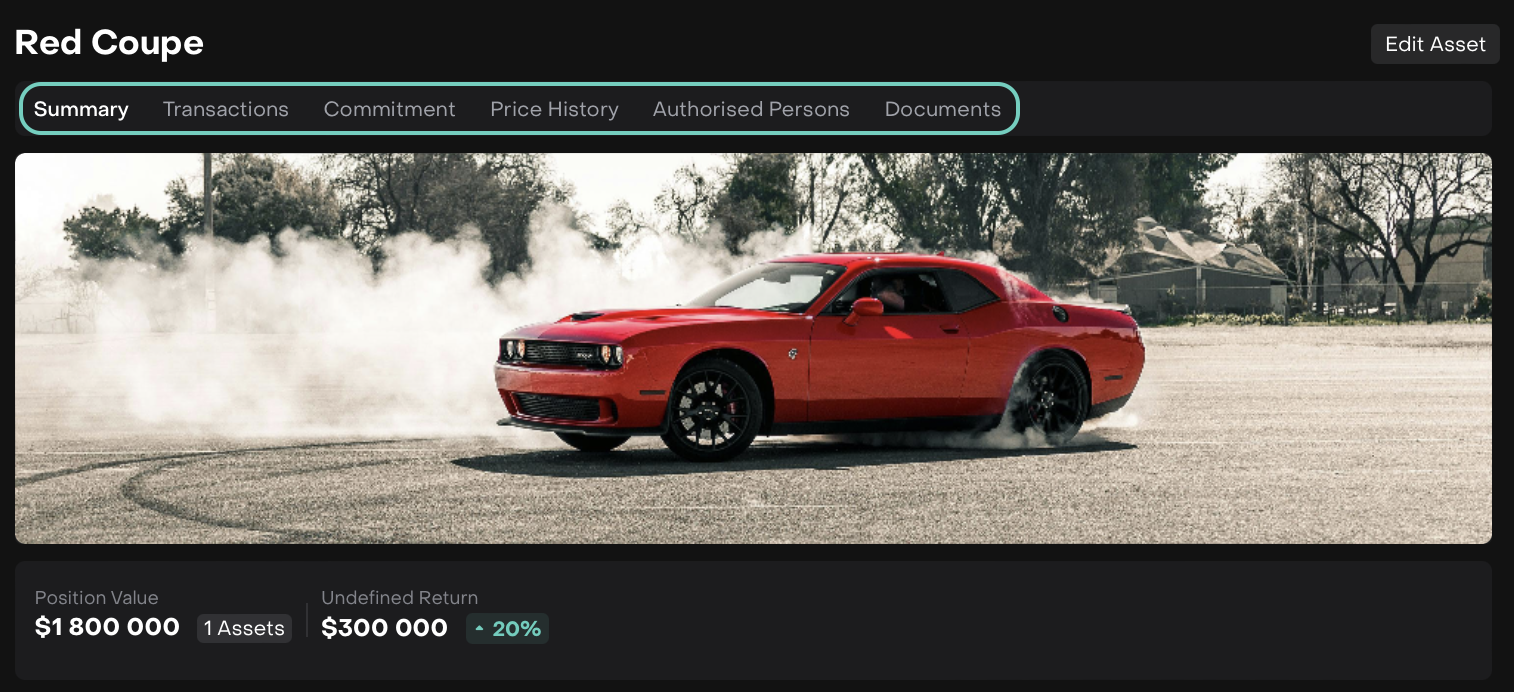
Within the Personal Asset Management module, you can:
Create and manage different types of tangible and intangible assets.
View a consolidated Summary of each asset.
Review and manage all Transactions linked to the asset, including Buy/Sell, Commitment, Income or Expense types.
Track Commitment details such as capital calls or future obligations.
Monitor the asset’s Price History over time.
Manage Authorised Persons, including sharing access with assistants and personal managers.
Upload, store and manage asset-related Documents.
Asset Creation
🔗 Click here to view a details on how to manage Private Assets.
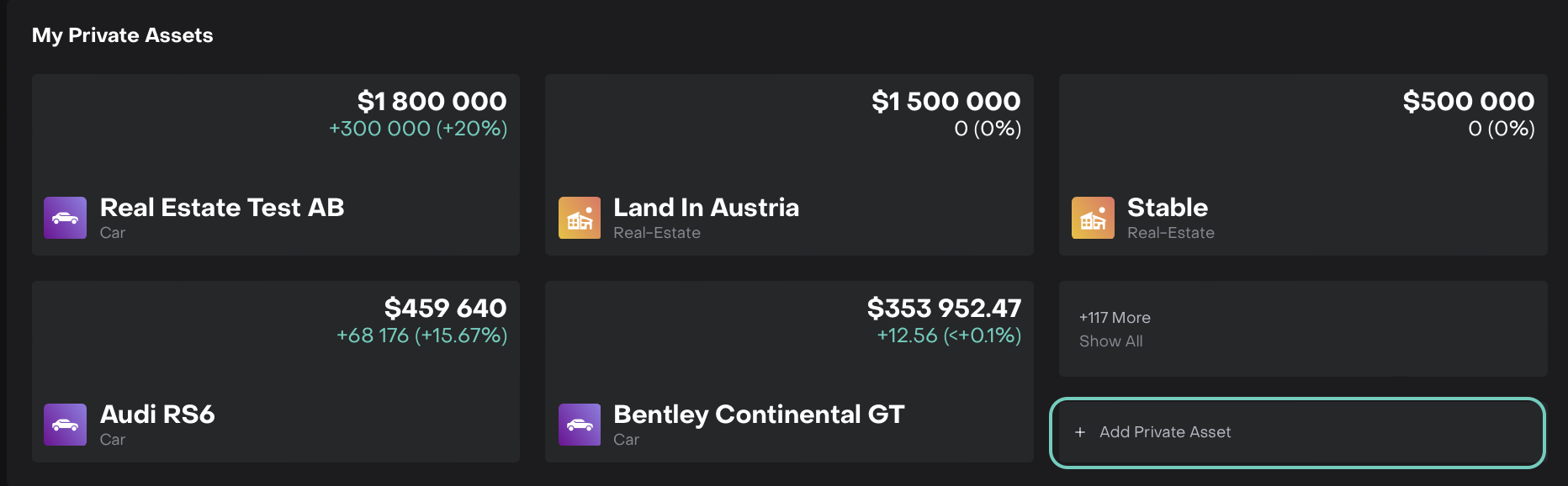
Asset creation from “My Private Assets” Widget

Asset Creation from the Portfolios
To Create Assets:
Asset creation is allowed from the “My Private Assets” widget available on the Dashboard.
When you already have Virtual Portfolio, it is possible to create asset directly to the Portfolio.
While Creating Asset:
Define its type or parameters,
Identify it’s current price, add price history,
Upload Documents.
Asset Management
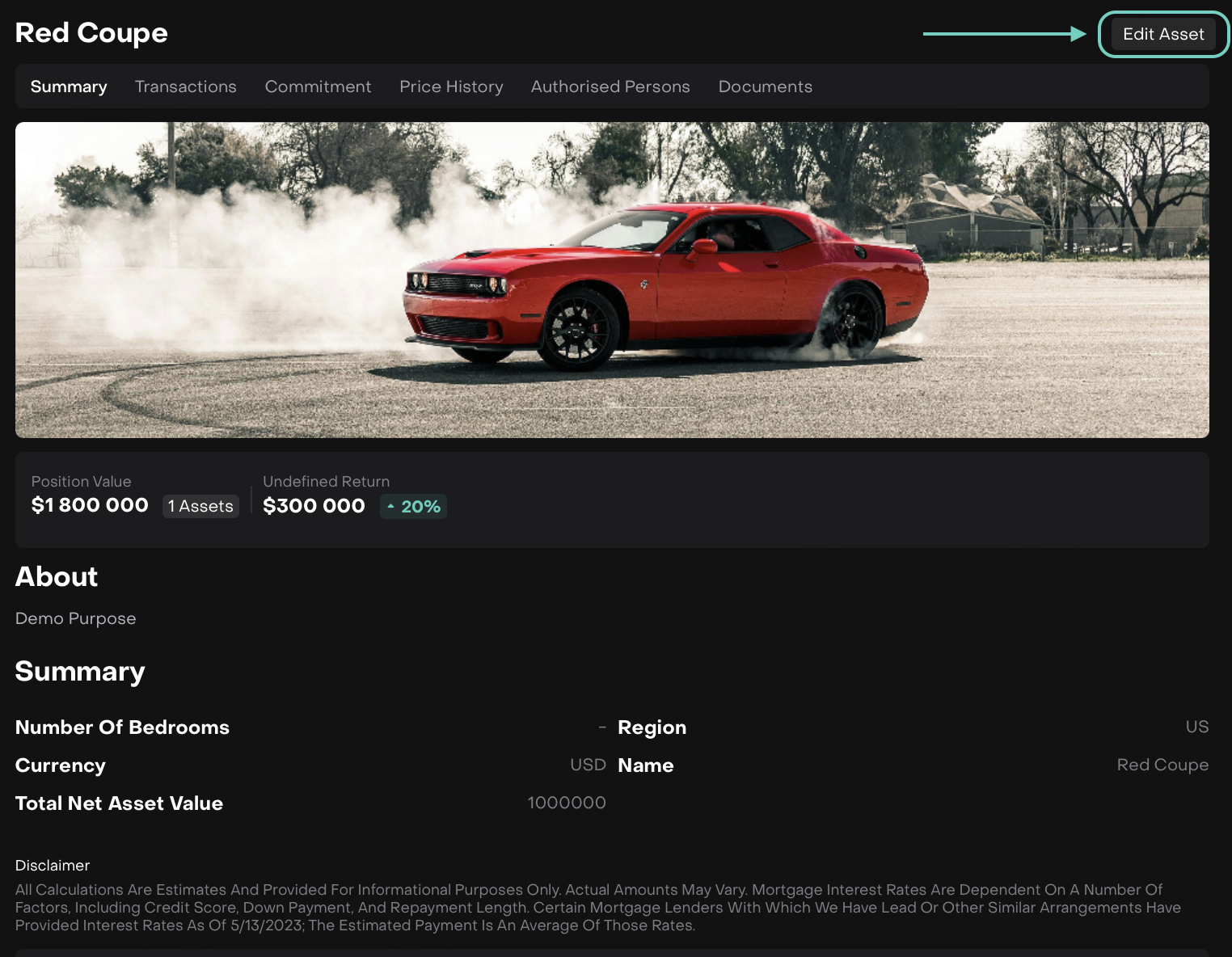
Edit Asset
When Asset is created, you can:
Edit its information,
Update its current price using “Reassessment Process”,
Create transactions related to the asset,
Buy/Sell assets and more.
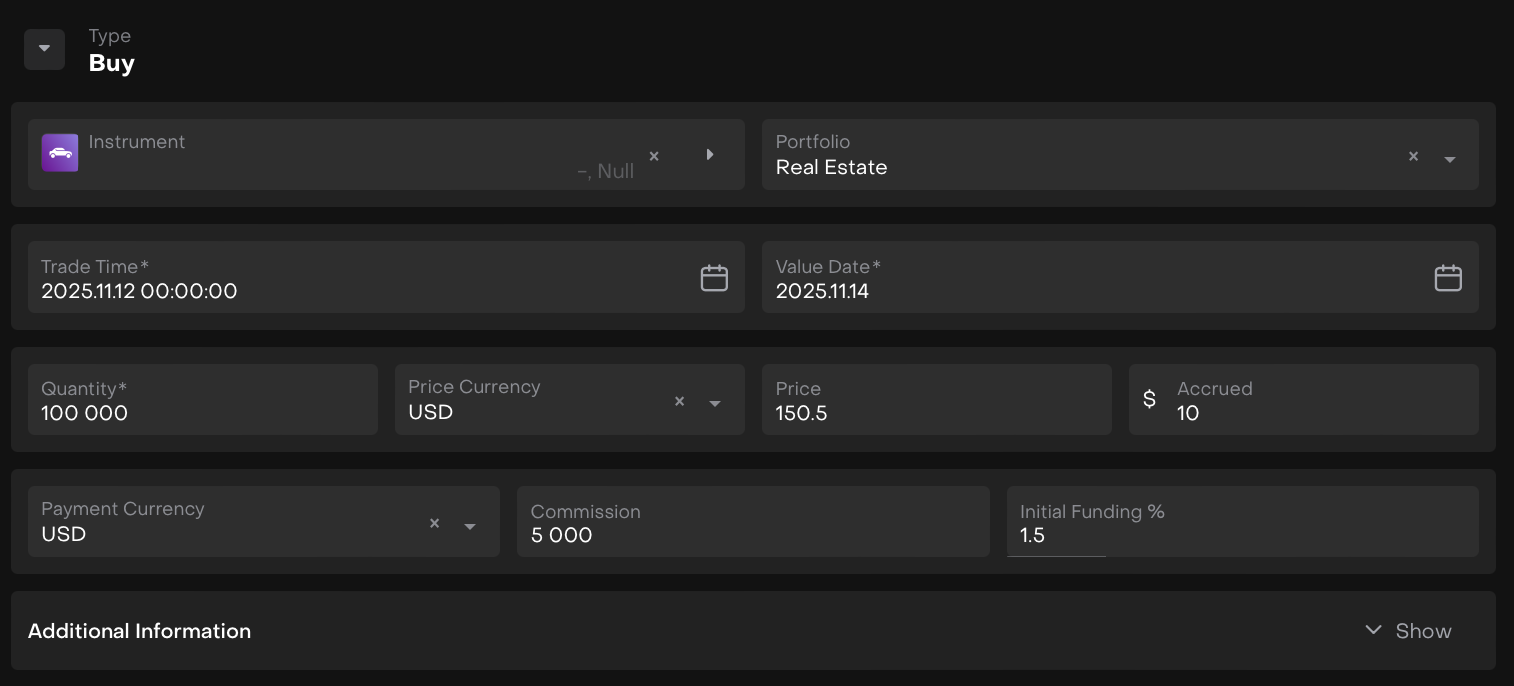
Manage Transactions
Add Transactions to the private assets. Available Transactions Types are:
Buy
Sell
Commitment
Income
Expense
Access Management
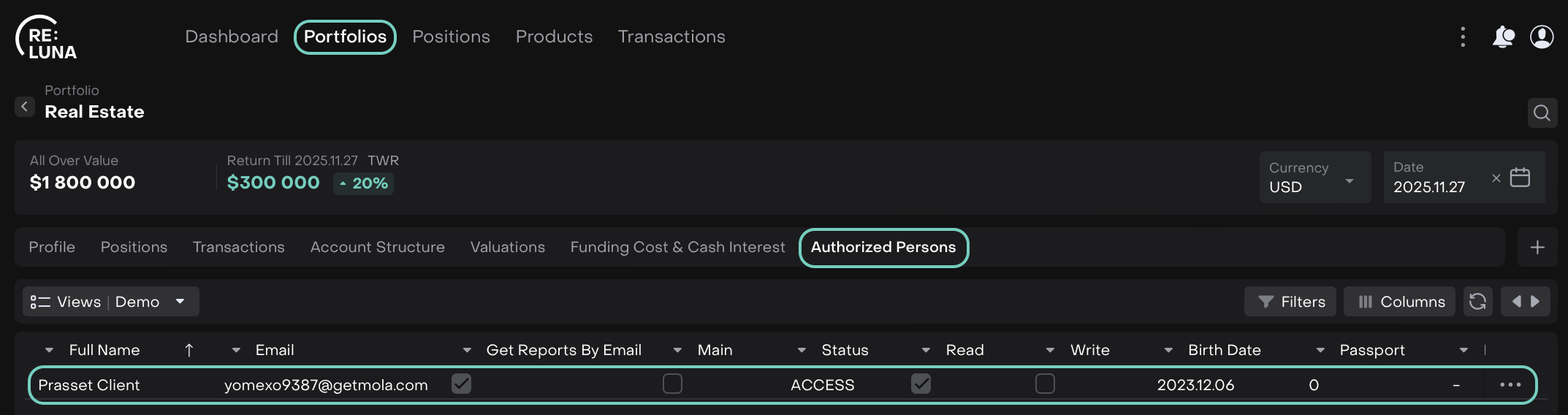
Authorized Person list
Clients can add Personal Manager(s) to a Portfolio with View Only or Modify/Create access.
View Only: Can view Portfolio, Positions, Transactions, and Authorized Persons.
Modify/Create: Can update Portfolio details, create/update Assets and create/update Transactions and more.

Virtual Portfolios created by Clients are always Private.