
Physical Settlement for Unsubscription
AVAILABLE IN: 
Introduction
When you unsubscribe from a strategy, you normally redeem your investment as a cash out. However, in some cases, you can choose a physical settlement, where the securities (and/or cash) are transferred directly from the strategy to your main bank account.

This option allows you to take direct ownership of the assets held in the strategy.
Functioning of Physical Settlement
Physical settlement is restricted to full unsubscriptions.
Partial unsubscriptions are not supported with physical settlement.
You can only use this option when you are redeeming 100% of your investment from a strategy.
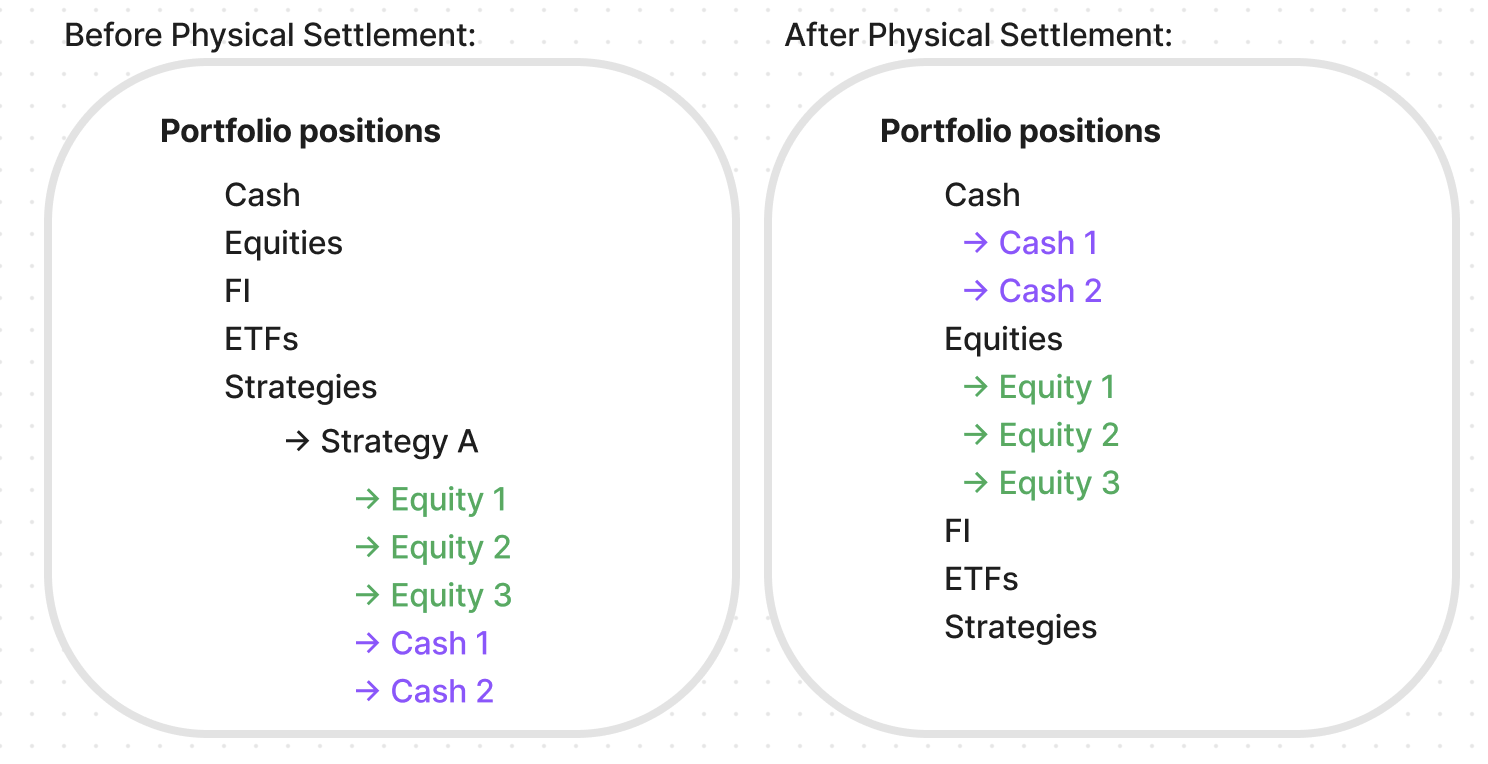
How Physical Settlement Works
Start from the Unsubscription Order Form.
While unsubscribing from a strategy, you can choose Physical Settlement by enabling the option on the order form.
Complete the necessary fields as shown in the table below.
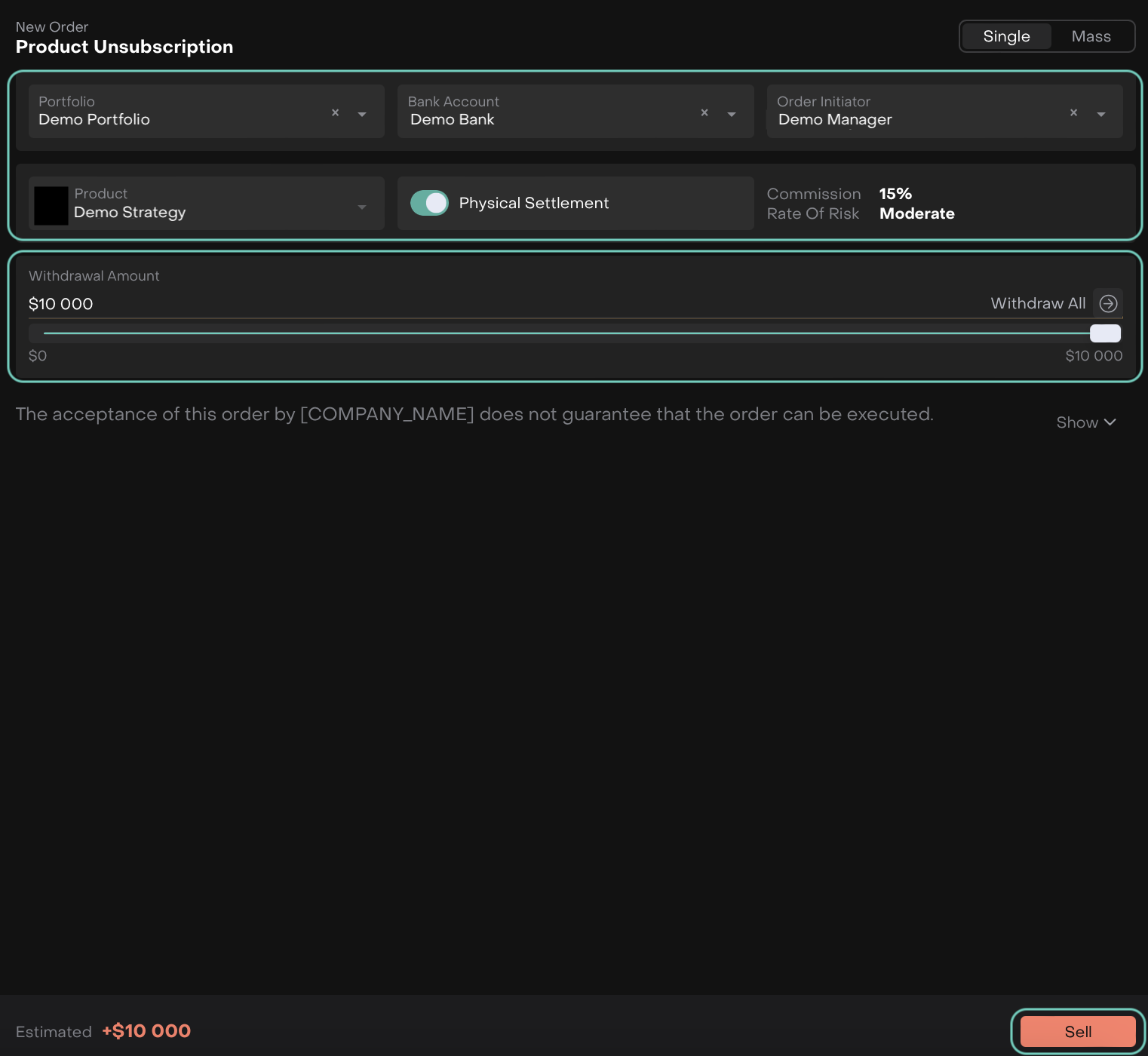
Field / Section | Description |
|---|---|
Portfolio* | Select the portfolio from which you want to redeem the investment. |
Bank Account* | Choose the bank account where the redeemed funds will be transferred. |
Order Initiator* | The person creating the order. |
Product* | Select the strategy you are unsubscribing from. If you clicked Unsubscribe in Marketplace, this will be auto-filled. |
Physical Settlement | Indicates whether the redemption will be settled physically.
|
Withdrawal Amount | Set the amount you wish to redeem. You can use the slider. |
Estimated | Displays the total redemption value for this order. |
Set the Withdrawal Amount – click Withdraw All to redeem the full amount or adjust the slider manually.
Click Sell to proceed.
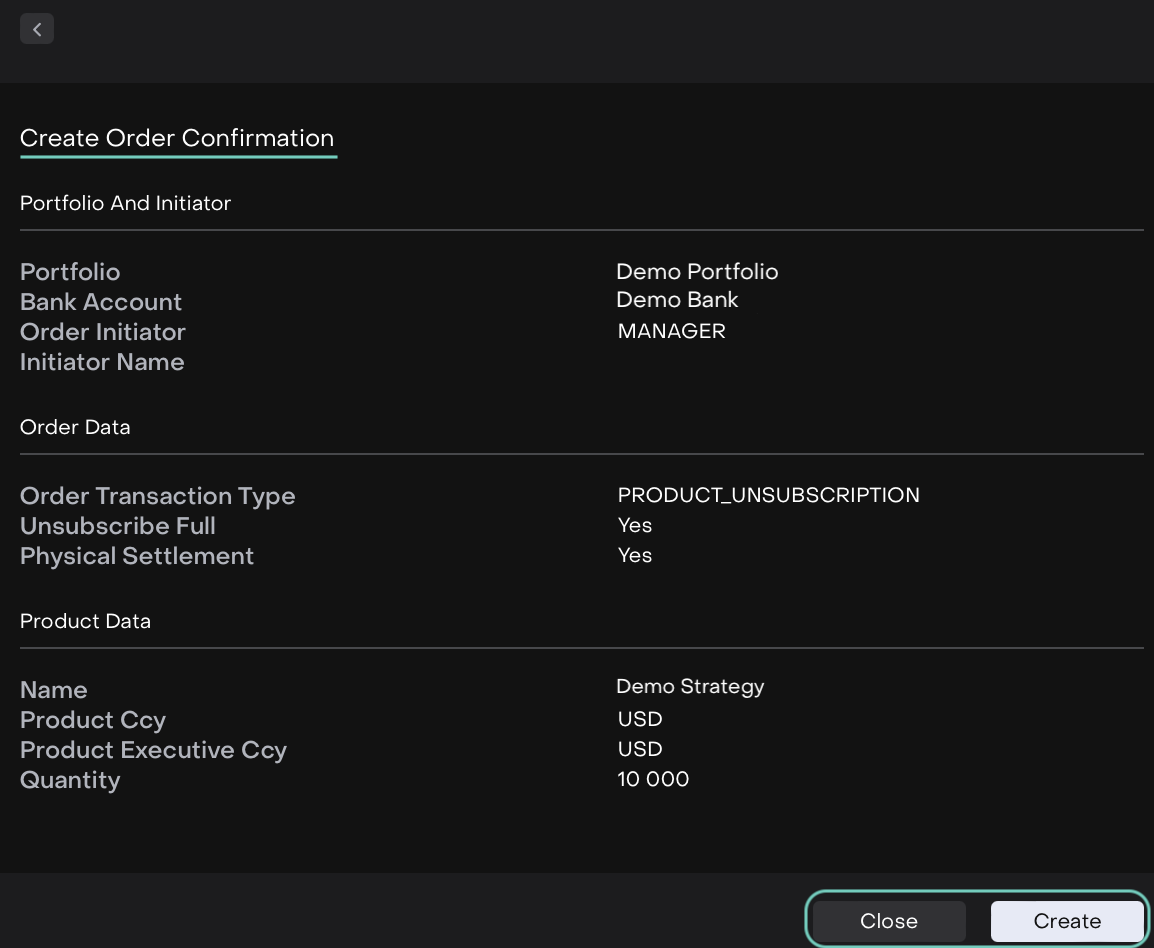
A confirmation page appears. Click Create to finalize the order or Close to return without submitting.
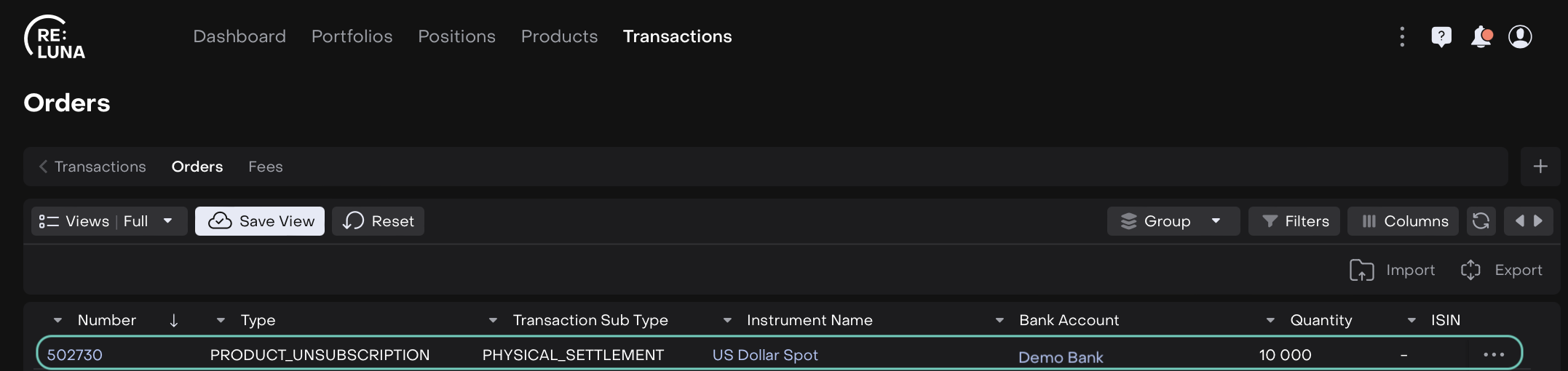
Once the order is confirmed, it appears in the Orders List. Follow the execution process to complete the settlement.
Order Execution
Go to the Orders Execution page from the unsubscribe action.
The platform will always display the list of positions for the selected strategy, with an option to expand and view details.
A toggle is provided for you to decide how the unsubscription will be executed:
Physical Settlement
Cash Transfer Out
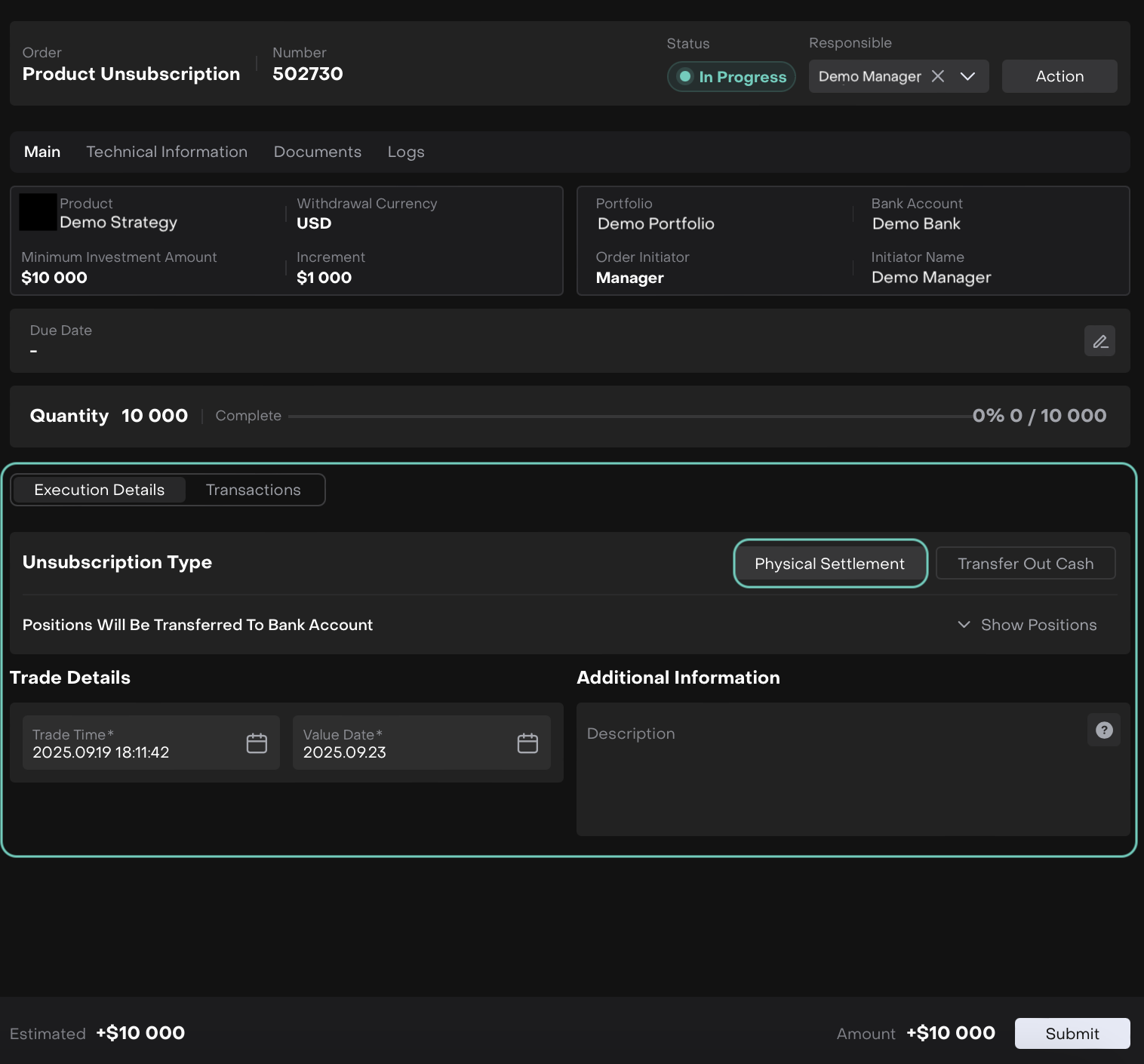
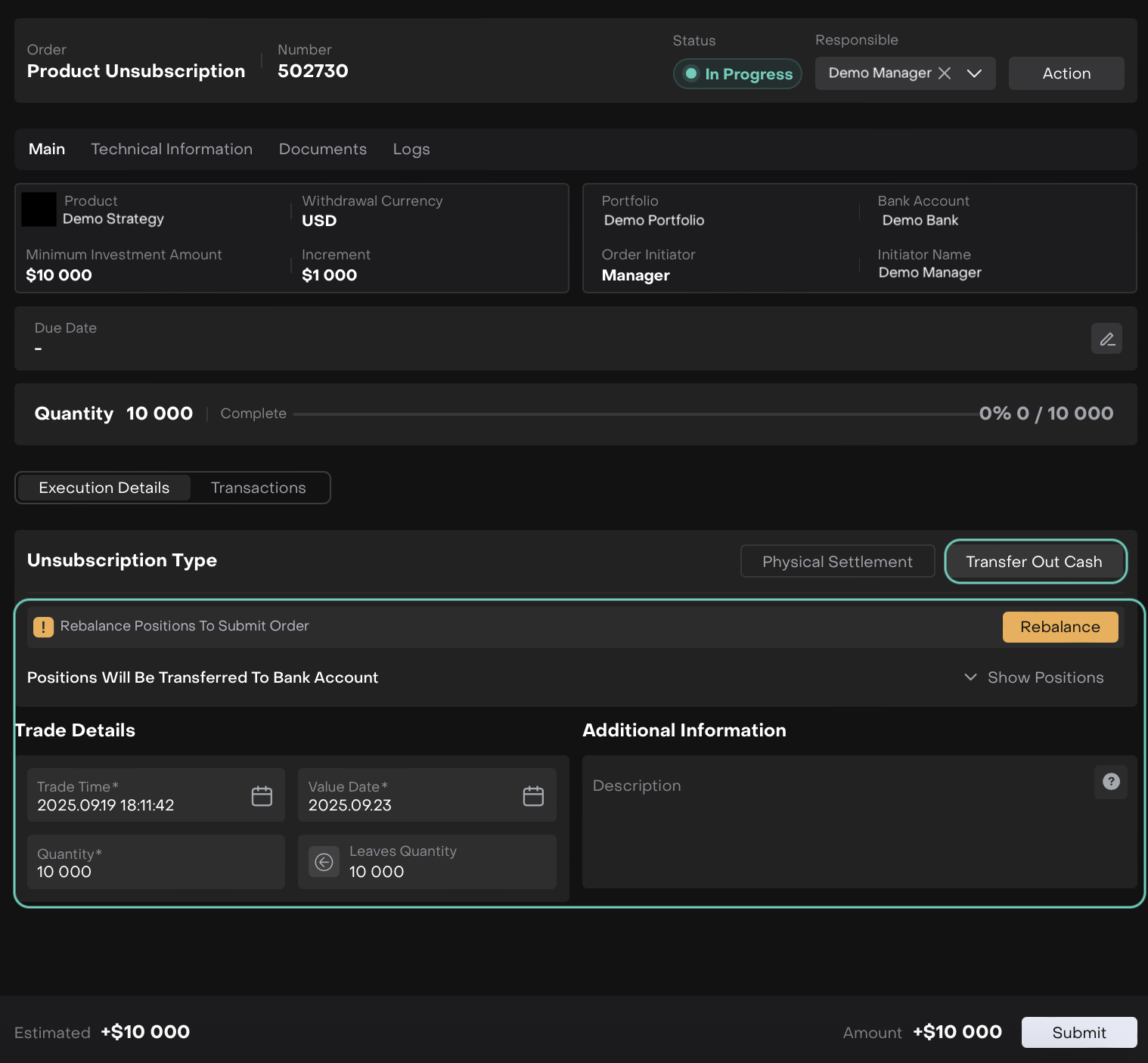
For Transfer Out Cash option, when clicked on Rebalance, the platform takes you to the Execution page.
Start the execution process by clicking on Execute button.
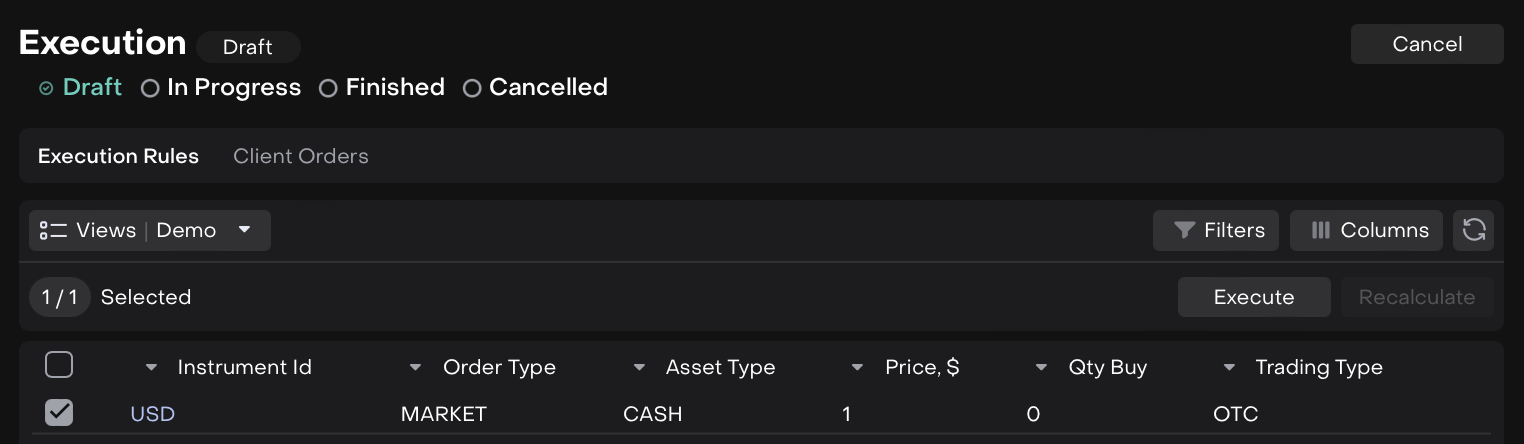
🔗 Learn more here on how to process with Execution Rules and Client Orders tabs.
Once done with rebalancing, now, start to execute the order.
🔗 Learn more here on how to Execute Order.

If you’re unsubscribing via physical settlement, ensure your linked bank account and custody arrangements are set up to accept securities directly.
After execution, the platform will confirm that the order is completed.
The related transactions automatically appear in the Transactions tab, where you can review settlement details.
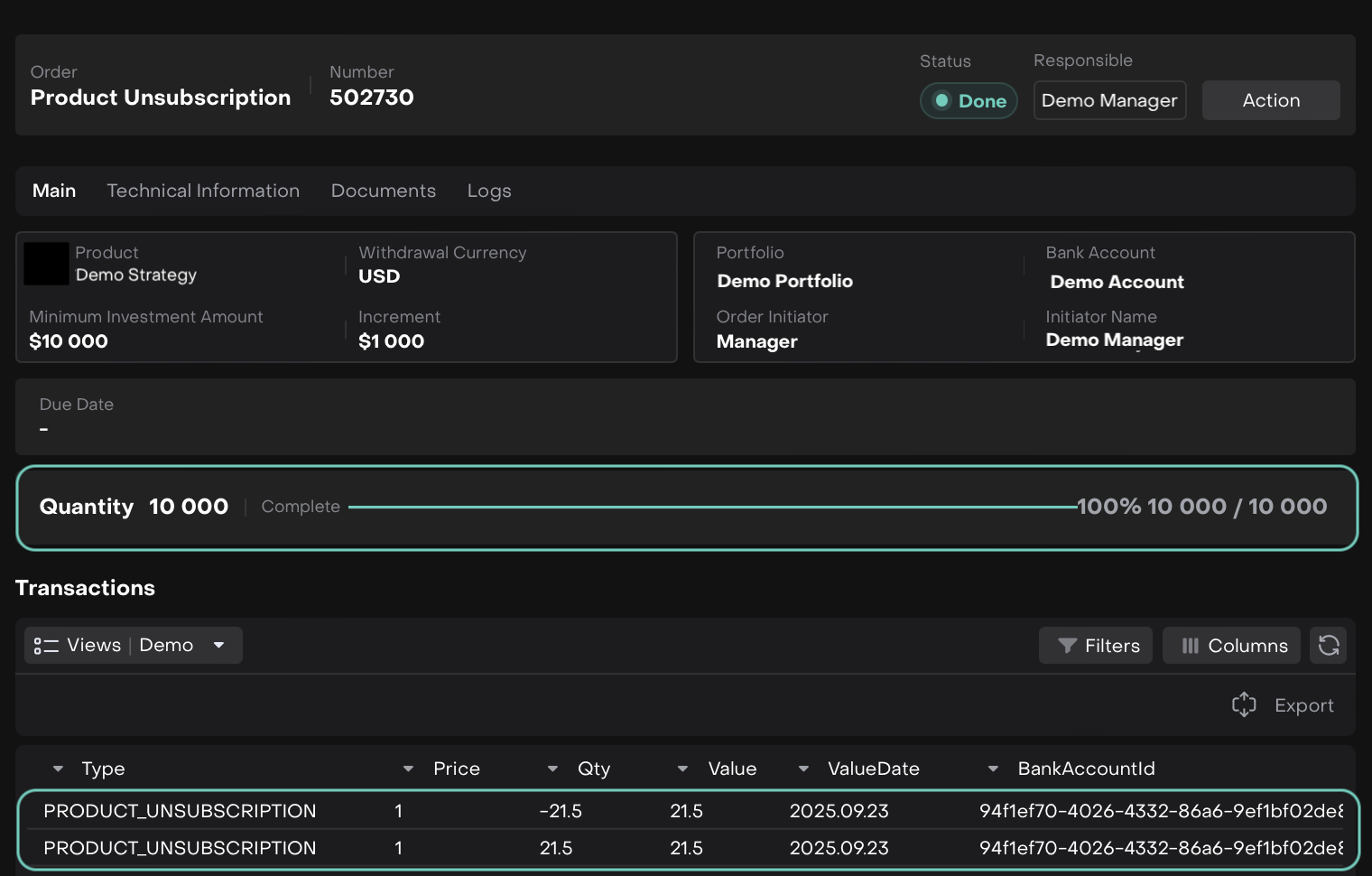
These transactions serve as a permanent record of the unsubscription and settlement.
Withdrawal Completion
After execution, the client’s Position is updated in the bank account.
For physical settlement, both cash and securities are transferred to the bank account.
The strategy balance in the portfolio reflects the withdrawal or is reduced to 0 (for full unsubscribe).
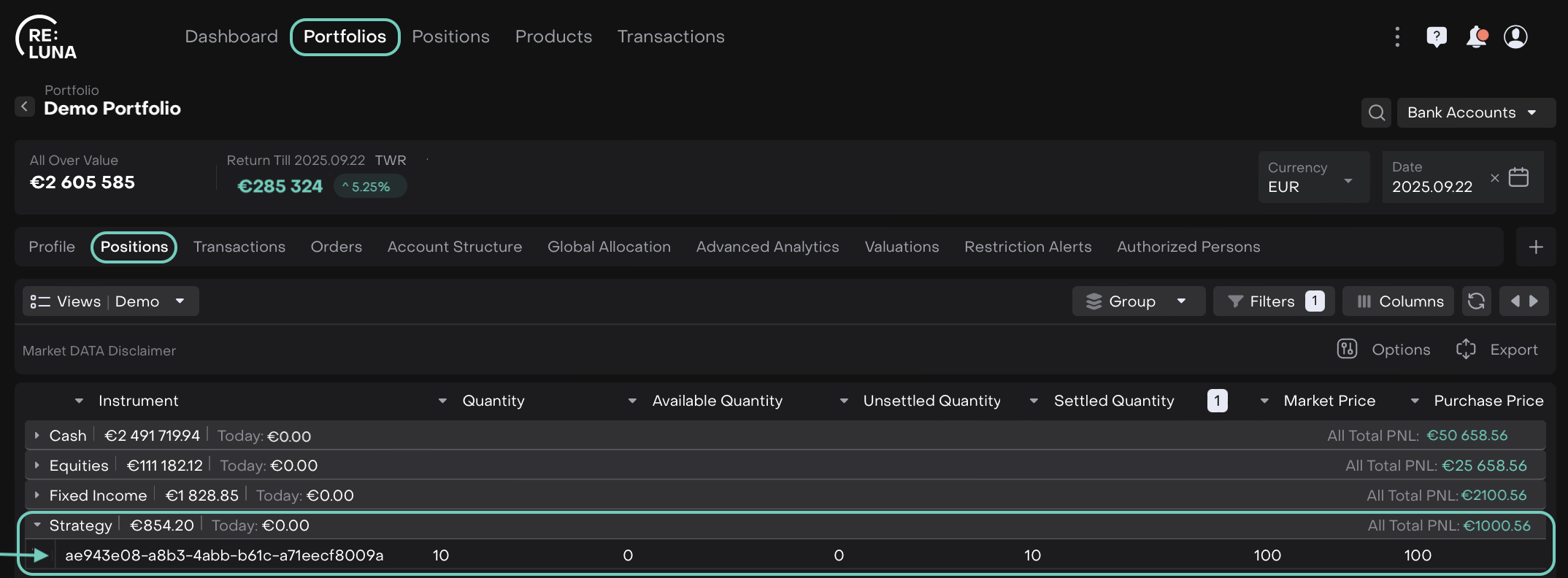
Find it in Portfolios > Positions > Group By Asset Type