
Release 4.25
.jpg?inst-v=ace73a86-59b4-416b-9e19-764250a7d3ed)
🔍Learn What's New:
Dashboard Widget – Change Requests NEW
MANAGER ADMIN
A Change Requests widget is now available on the Dashboard. It helps you manage your requests quickly and efficiently.
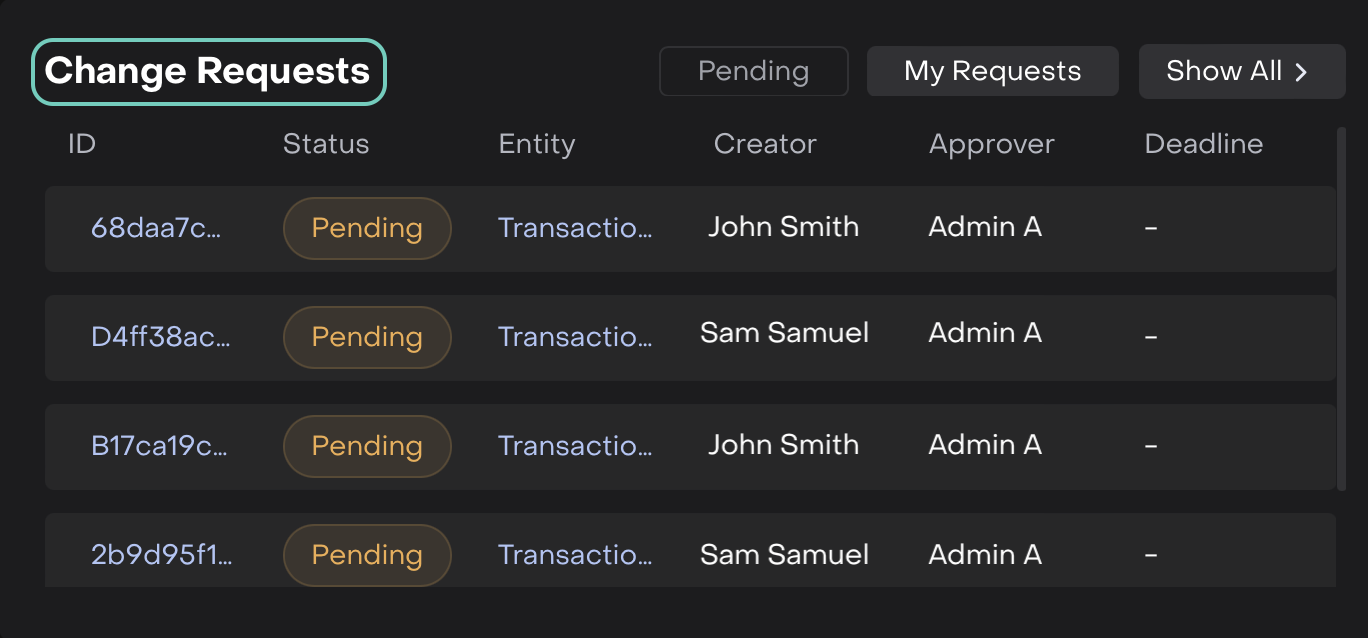
Dashboard Widget: Change Requests
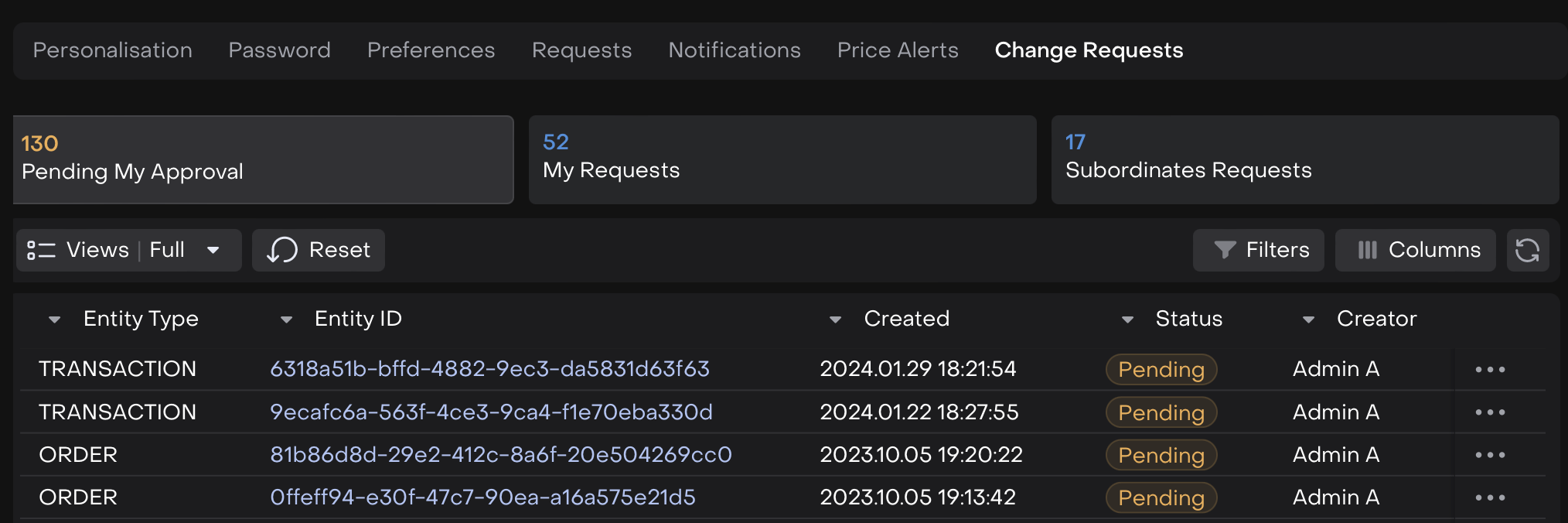
On click of it, redirects to Personal Settings > Change Request tab
Default DMA Type for Orders from Portfolios Positions ENHANCEMENT
TRADER
When creating a new order, either by right-clicking on a position or through New Order creation, the DMA trading type will now be set by default if it’s available.
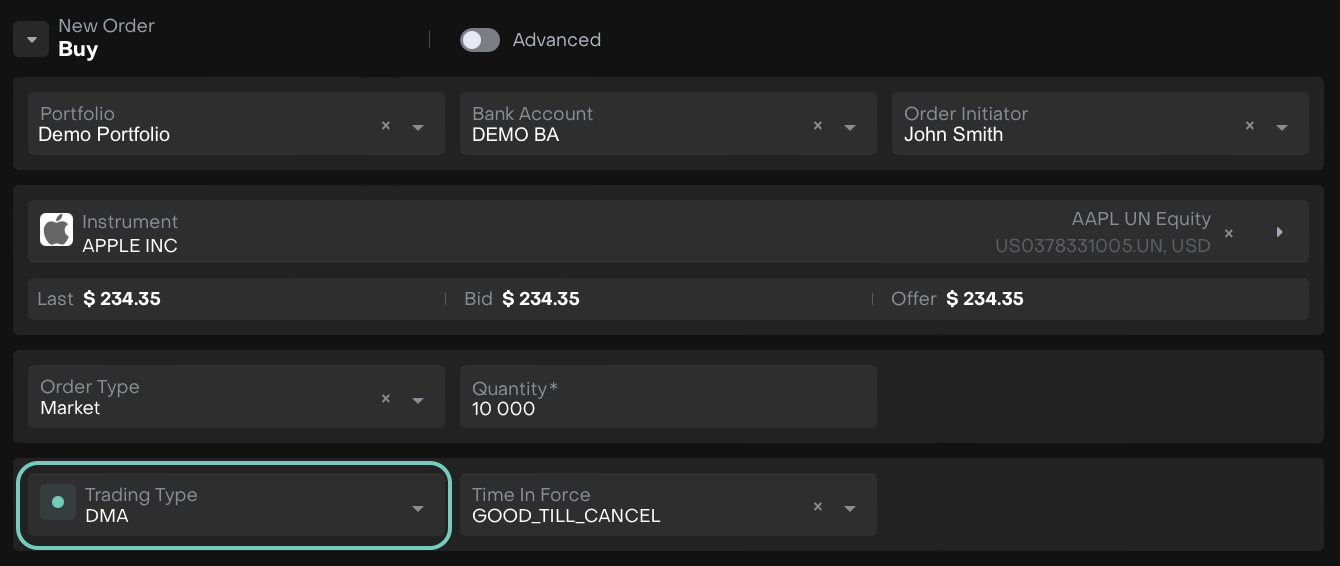
When creating from Portfolios > Positions > New Order
Alert for Non-Tradable InstrumentsENHANCEMENT
TRADER
When placing an order for an instrument with no exchange provided by the broker, the DMA trading type becomes unavailable. An alert appears explaining that DMA orders cannot be placed and advises proceeding with OTC or contacting support.
.png?inst-v=ace73a86-59b4-416b-9e19-764250a7d3ed)
Additional Field in “Create Order” Form ENHANCEMENT
TRADER
When creating an order from Transactions > “…” > Create Order, an info field displaying the Total Quantity will now appear in the footer. This enhancement applies to all order forms (single and mass) and all order types.
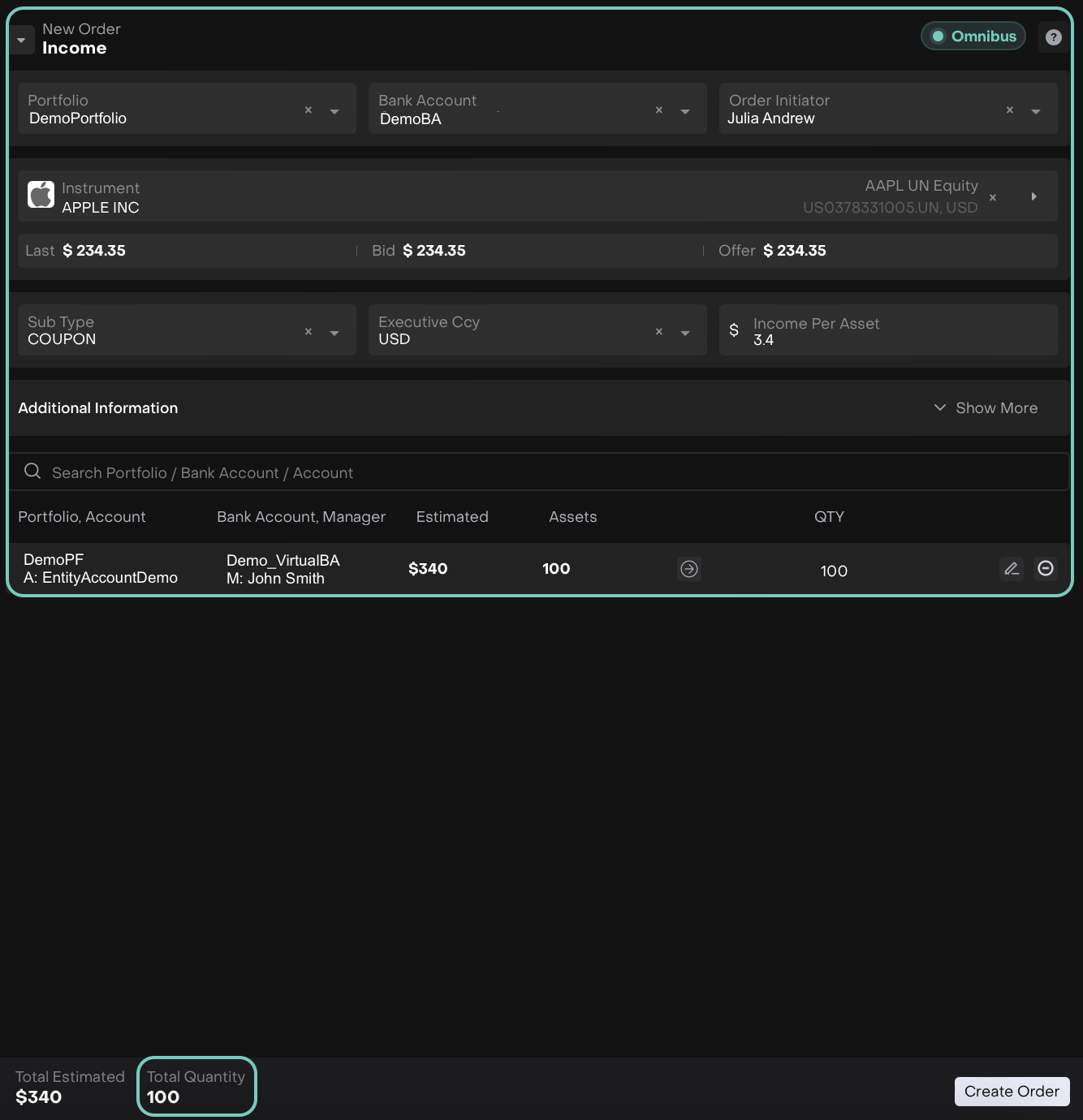
Private Assets Updates ENHANCEMENT
AUTHORIZED USERS ONLY
We’ve enhanced the Private Assets flow to give you better control over your commitments and investment tracking for private instruments.
Added Private Equity Classifications
Within Virtual Portfolios, the Private Equity asset type now supports detailed classification options, allowing you to organize and analyze your investments more effectively.
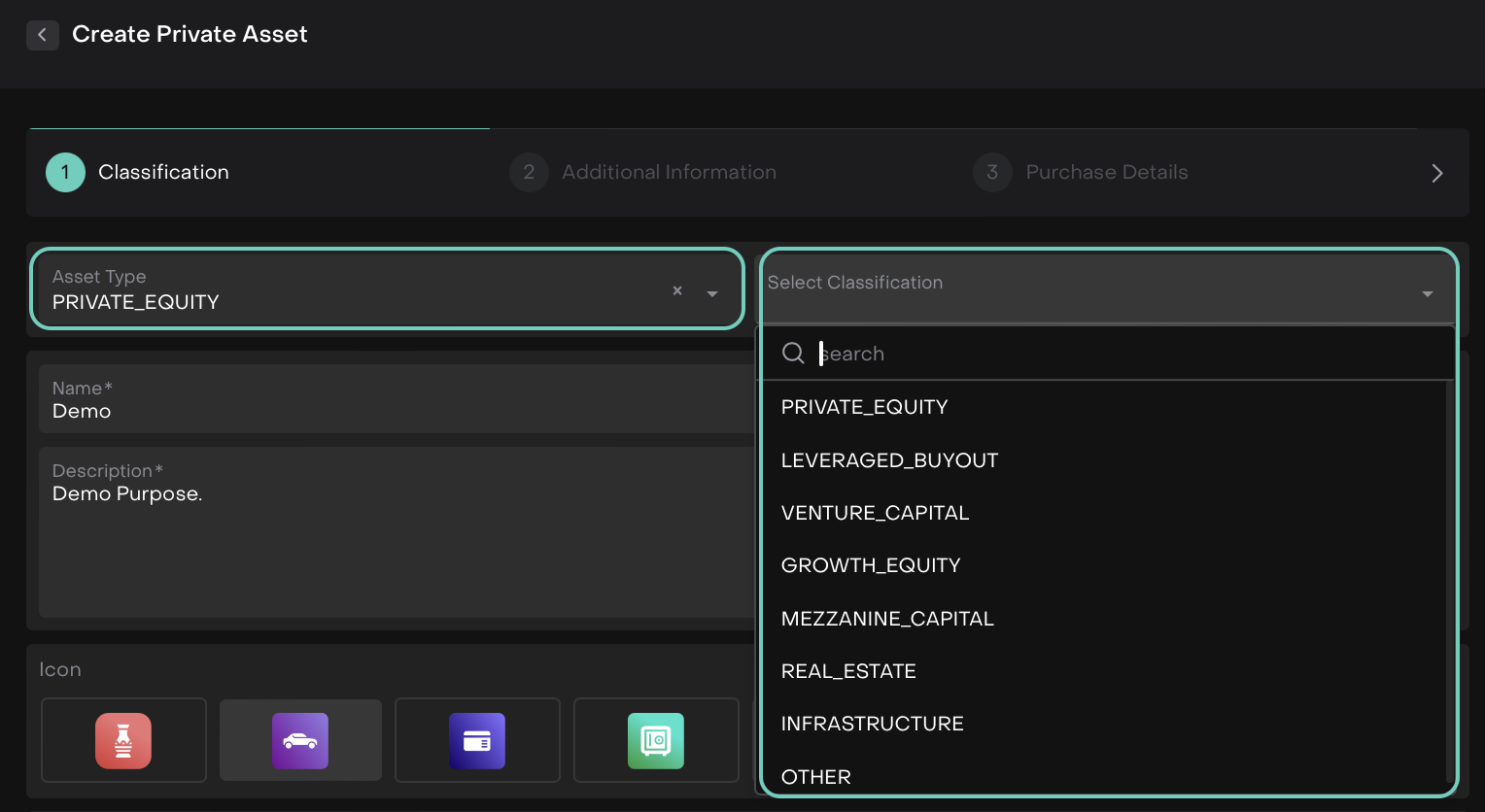
Added Commitments & Updated Creation Flow
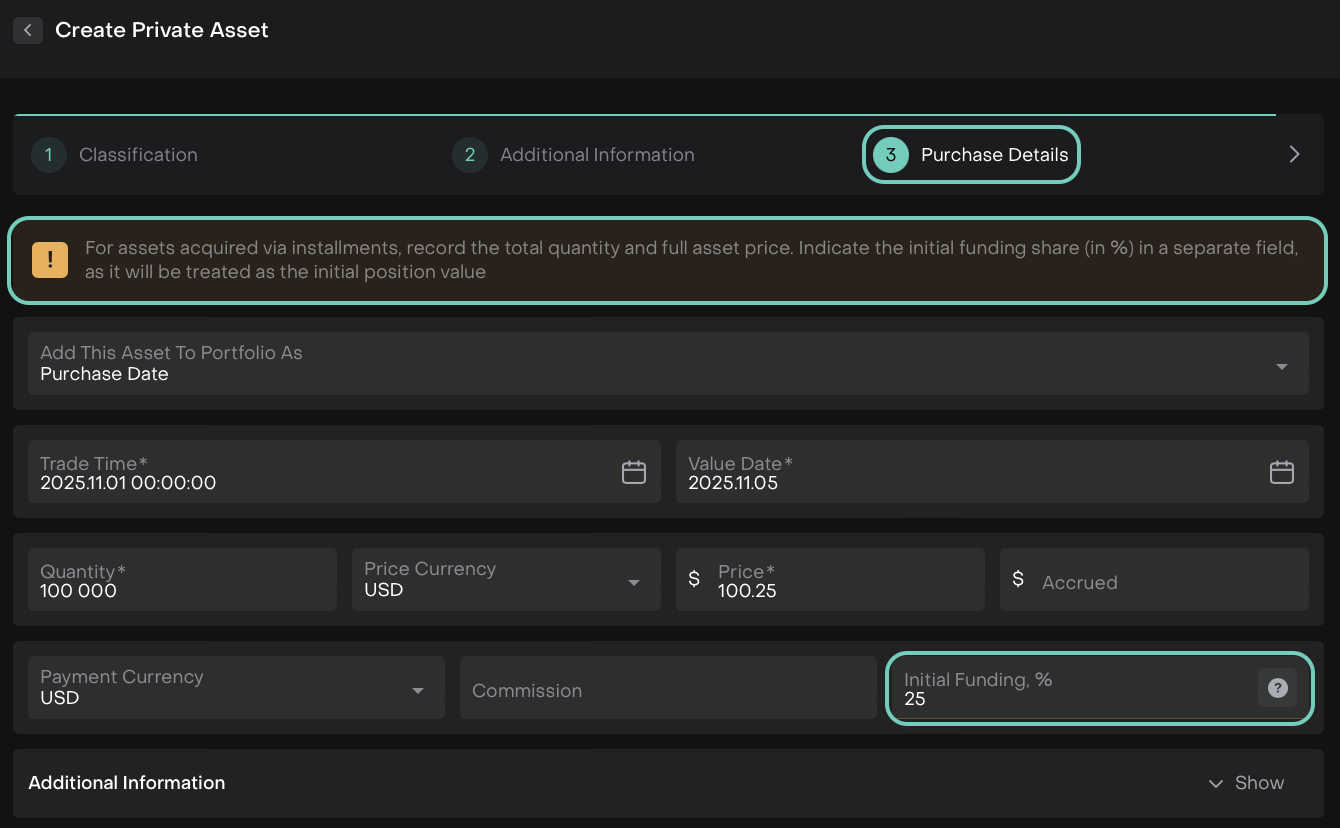
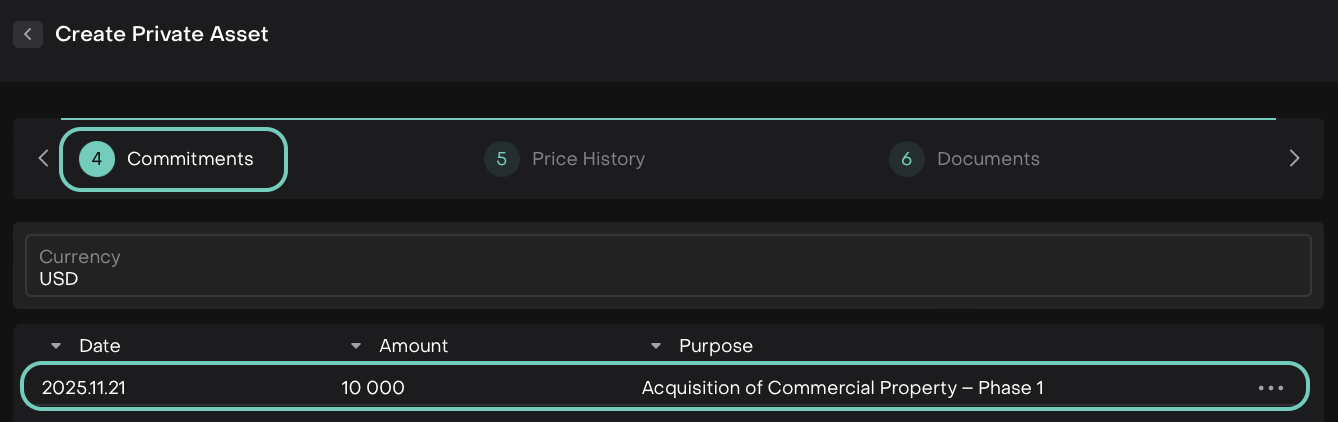
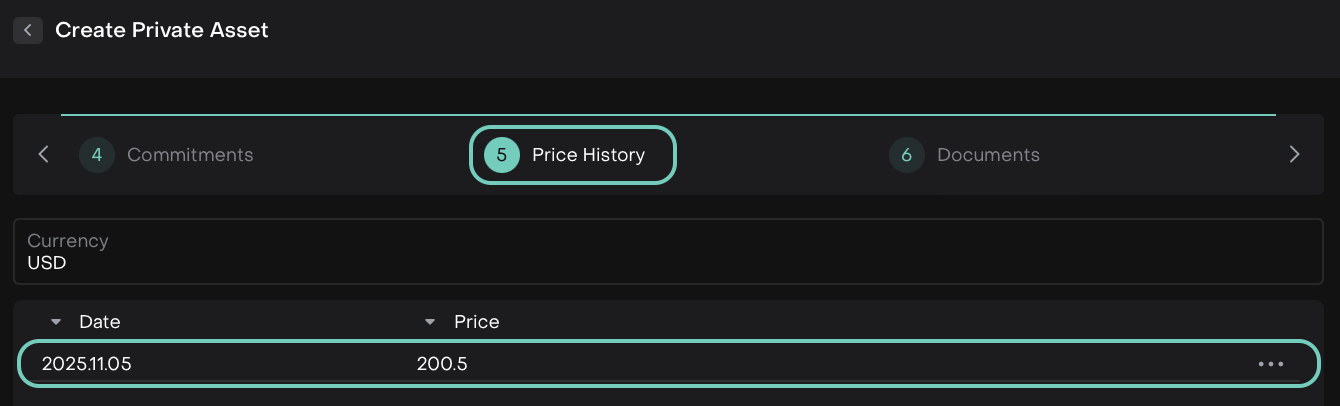
For private instruments (Tangible, Intangible and Private Equity), the Private Asset creation flow now includes a Commitments step and updates to existing steps:
Purchase Details: A new field Initial Funding, % has been added.
Commitments: A new stepper with an editable table to record all future planned payments needed to close the NAV. You can input Date, Amount and Purpose and the table calculates the total sum of commitments.
Price History: It has been now updated and repositioned in the flow.
Commitment Tab in Private Assets
When viewing or editing a private instrument, a Commitments tab is now available.
Record or edit future planned payments (Date, Amount, Purpose).
Check the records by selecting the Date Range or Currency.
See the total sum of commitments at a glance.
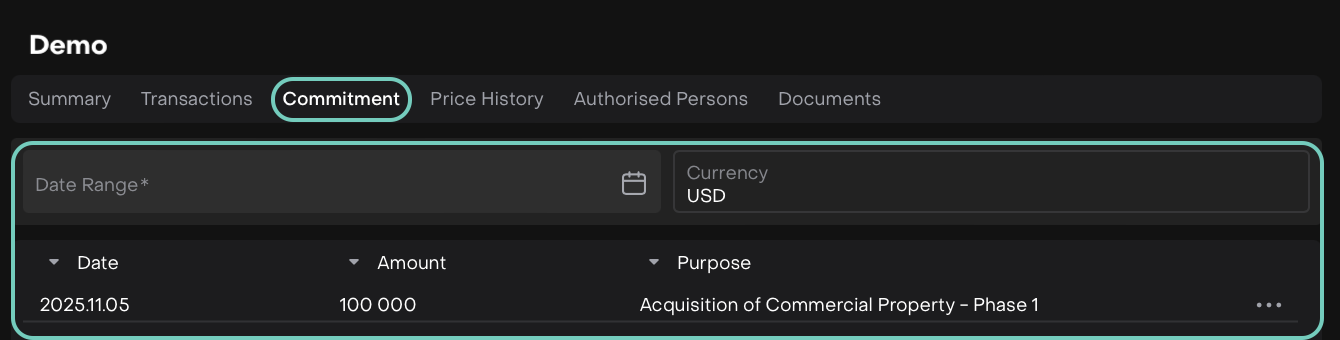
These updates make it easier for you to track, manage, and plan your private asset commitments within the platform.
👉 For more details, refer to the guide here.
We’re finalizing the Commitment transactions - available soon!
Brokerage Fee Updates ENHANCEMENT
MANAGER BACK OFFICE
Minimum Amount for Brokerage Fees
Set a Minimum Amount along with the rate (%) when configuring brokerage markups. Navigate to Accounts > Mandates > Edit > Fee Tab > Add  to apply this.

Adjustment Fee Added for Additional Commissions
Now, Adjust brokerage fees to charge additional commissions:
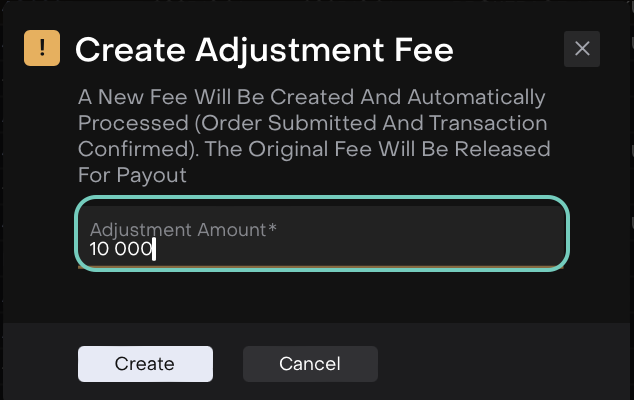
A new fee of type FEE ADJUSTMENT is created, with order auto-submitted and transaction auto-confirmed. The initial fee is released, and status changes to Accrued with Status Reason Awaiting Payout.
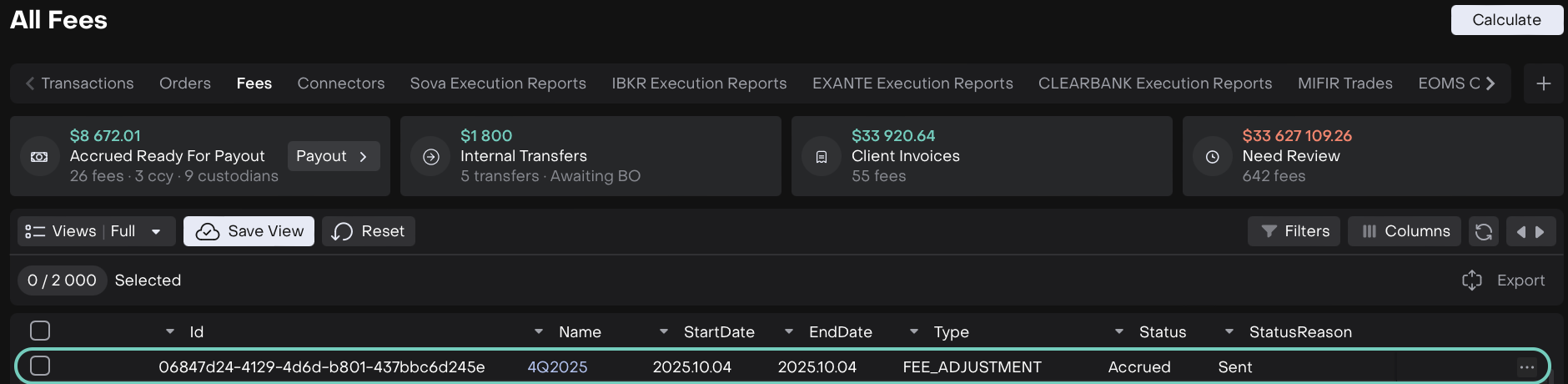
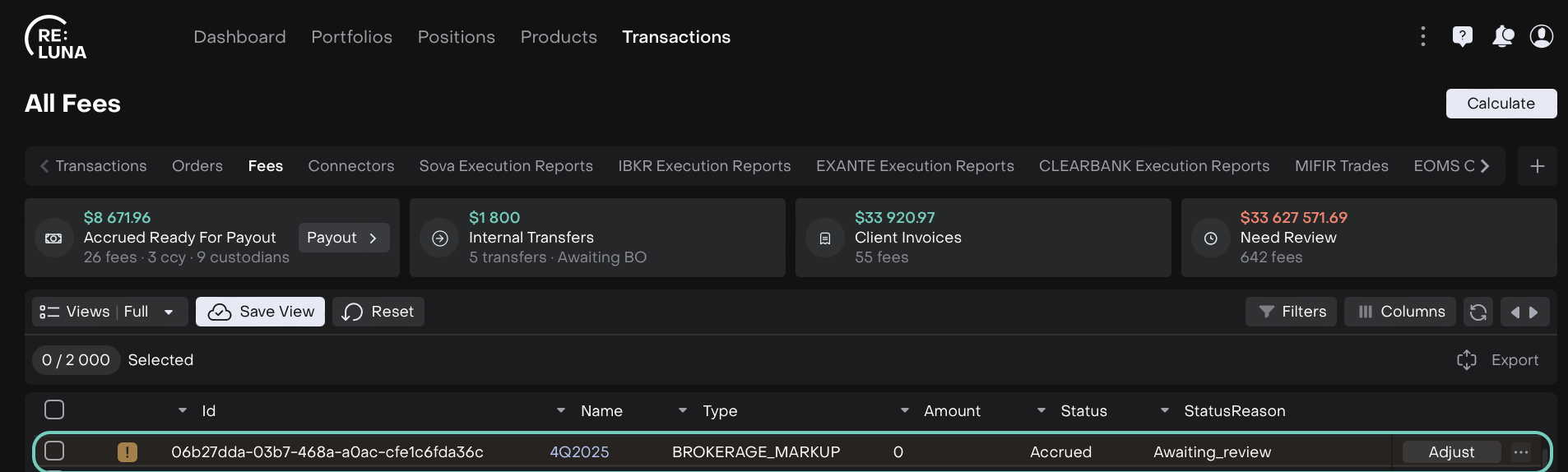
For markups ≤ 0, the Adjust button appears in the table.
For all markups (>0), it’s available via “...” > Adjust in the table or the dialog from Actions.
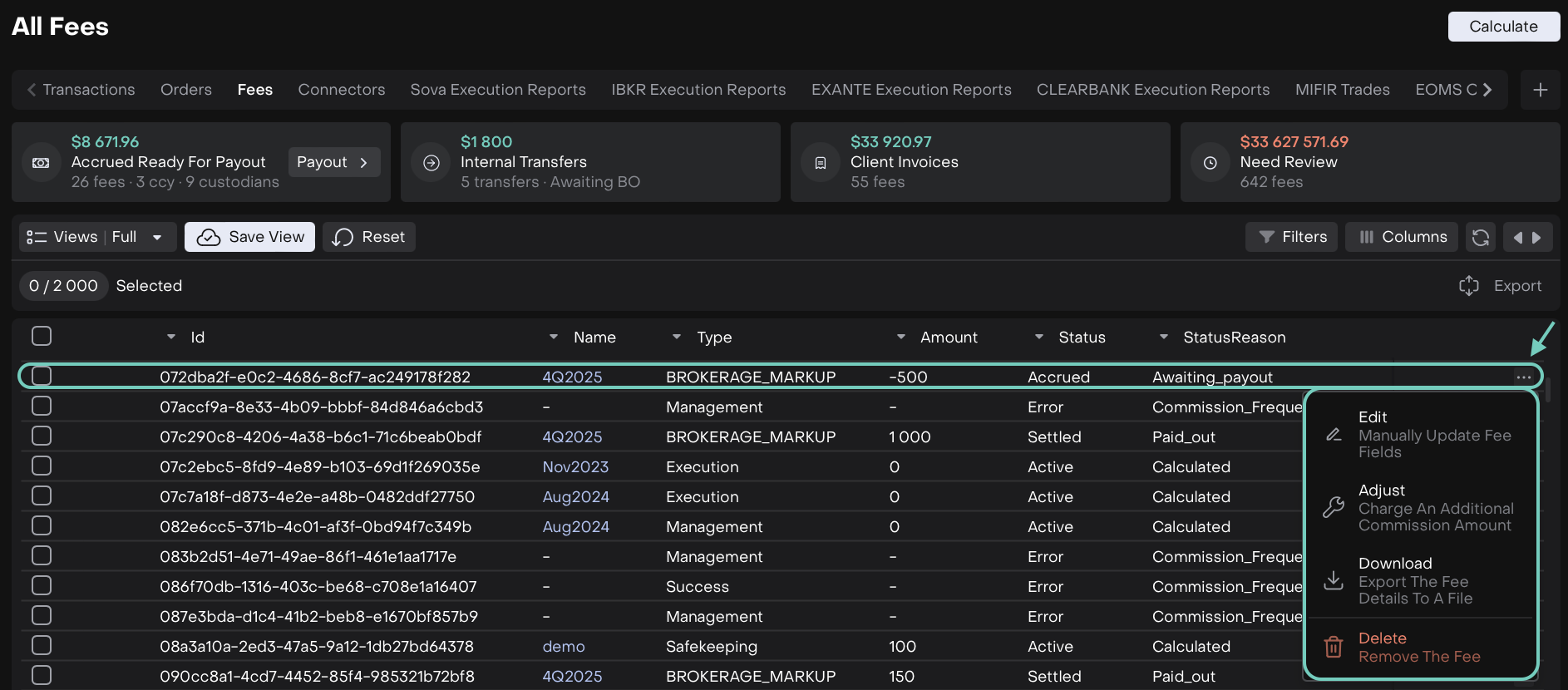
From Main Table
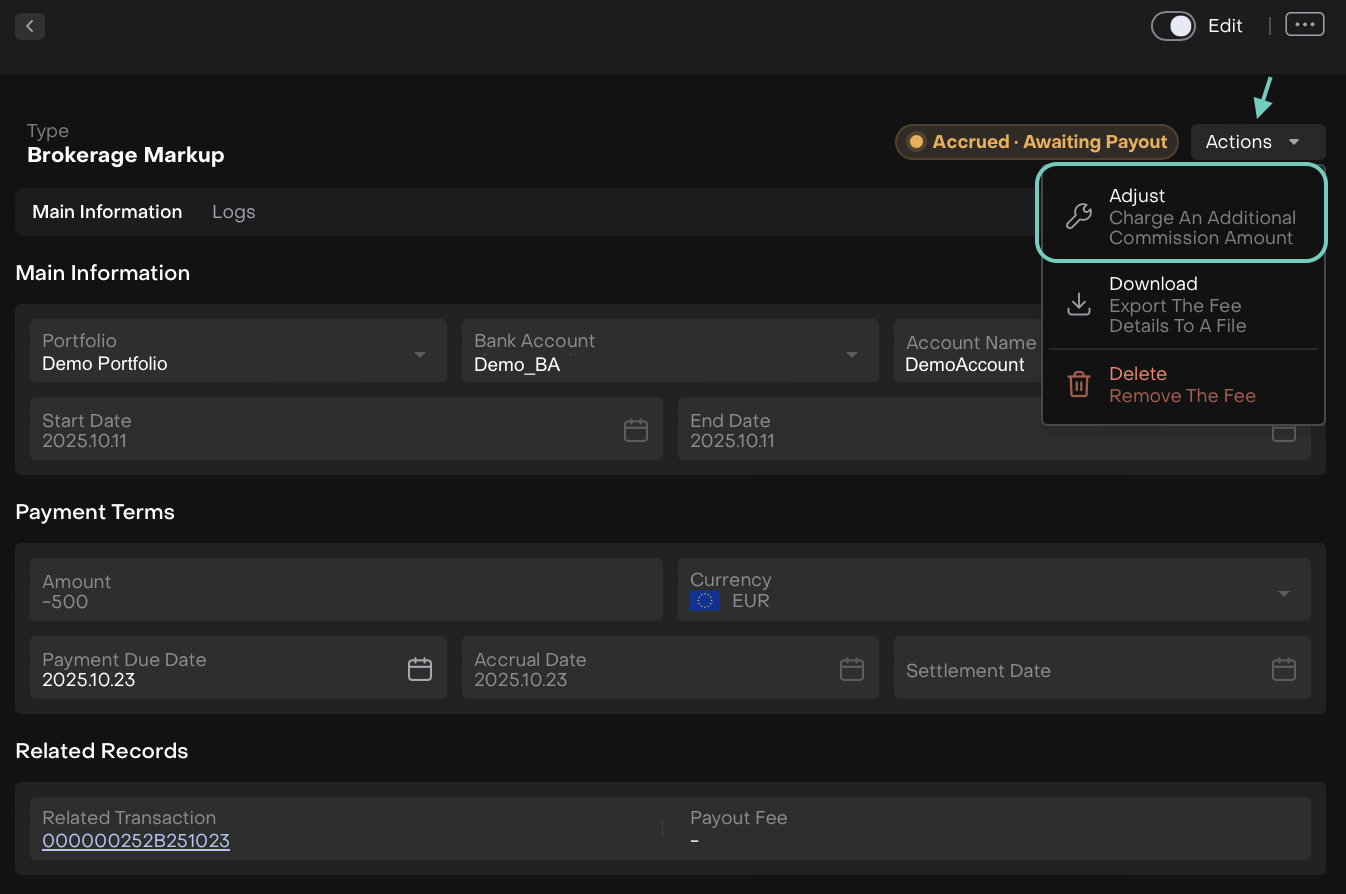
From Actions
Clicking Adjust prompts you to enter the additional Adjustment Amount.
Leads Updates ENHANCEMENT
SALES MANAGER
Export Leads Data to Excel
Easily download all your lead details with the new Export button in the Leads section. Analyze, share or store your data in Excel, all with a single click.

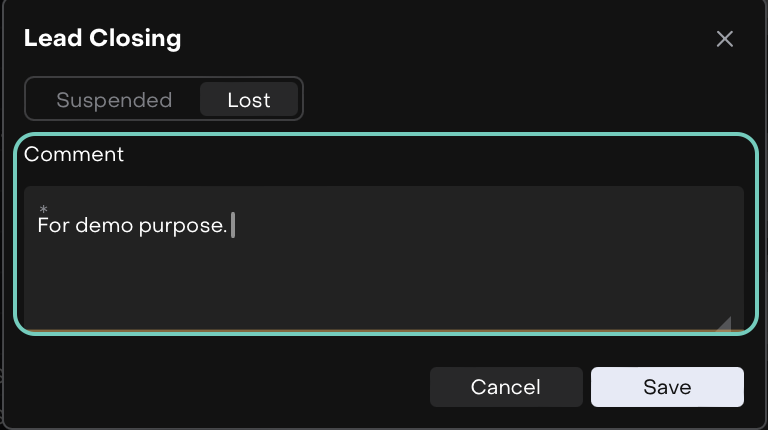
Comment Field for Suspended/Lost Leads
Now, add comments when a lead is suspended or lost. This lets you record important notes or reasons directly, making it easier to track, review and manage your history in Logs.
Notifications – Criteria Visibility Update ENHANCEMENT
BACK OFFICE
The Show Criteria option is now displayed only when “FIELD” type is selected in Notifications. When selecting other types (User, Role, Department), the Show Criteria option will no longer appear, ensuring a cleaner and accurate setup experience.

Find it under System Settings > Notifications Tab
Added Required Fields for Private Asset Transactions ENHANCEMENT
AUTHORIZED USERS ONLY
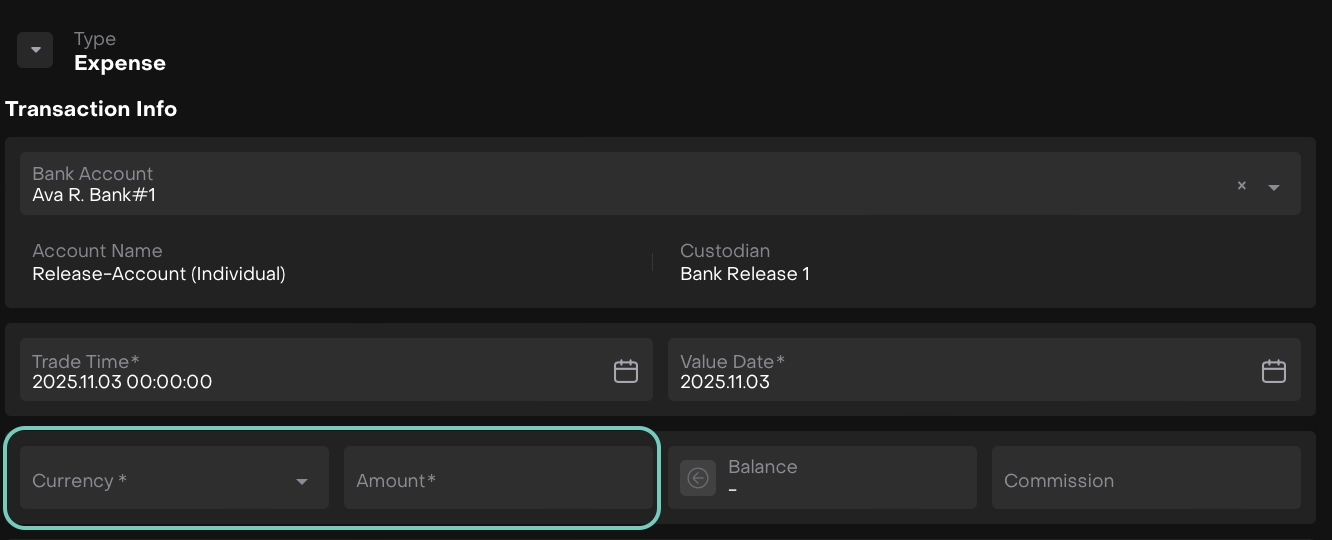
The Currency and Amount fields in Private Asset Transactions (Buy, Sell, Expense, Income) are now marked as required.
Negative Quantity for Sell Transactions ENHANCEMENT
BACK OFFICE
The validation preventing negative quantities in sell transactions has been removed. The platform will now handle quantities as absolute values.
Automatic FX Pair Download ENHANCEMENT
BACK OFFICE
FX pairs missing in the platform, will now be automatically downloaded when needed. This ensures all currency pairs are available when creating FX orders without manual intervention.

Other minor bugs and fixes have also been resolved to ensure a smoother experience.
This release highlights the key updates and features in Reluna v4.25. For more details, check the platform or Contact Support. We hope you enjoy the new features!
