
Create Reverse Stock Split
Introduction
A Reverse Stock Split is a corporate action in which a company reduces the number of its outstanding shares by consolidating them into a smaller number of higher-value shares. The company’s total market capitalization remains unchanged, while the per-share price increases proportionally. Reverse stock splits are often used to meet exchange listing requirements, enhance perceived share value, or consolidate low-priced shares.
On the platform, Reverse Stock Splits can be created and managed by specifying the split ratio, handling fractional shares and applying optional price adjustments, ensuring accurate portfolio and instrument valuation.
🔗 Learn here the difference between Stock Split & Reverse Stock Split.

Corporate actions are not supported for Private instruments.
Permission Requirements
Tab / Feature | Permission Levels |
Instruments | View, Modify, Create |
Corporate Actions (On Instruments) | View, Modify, Create |
Corporate Action (On Orders) | View, Modify, Create |
Key Terminologies
Term (A-Z) | Description |
|---|---|
Action Date | The date when the corporate action becomes effective. |
Adjustment Days | The number of days before the Action Date for which historical prices should be adjusted. |
Announcement Date | The date when the corporate action is announced to the public or shareholders. |
Compensation Price | The price at which fractional shares will be compensated, if applicable. |
Corporate Action | An event initiated by a company that affects its securities (e.g., ticker change, stock split). |
Corporate Action Type | Defines if the action is Mandatory (applies to all holders) or Voluntary (requires holder decision). |
Current Instrument | The existing instrument (old ticker) before the corporate action. |
Fraction Handling Method | The method used to deal with fractional shares resulting from the corporate action. Options include:
|
Instrument | A financial asset like a stock, identified by its ticker symbol or ISIN. |
New Instrument | The new instrument (new ticker) replacing the current one. |
Price Adjustment | Adjusts the historical price of the original instrument from the Action Date using the adjustment coefficient. |
Price Adjustment Factor | A coefficient used to adjust historical prices of the instrument from the Action Date to reflect the impact of the corporate action. |
Ratio From | The original ratio of shares before the corporate action. For example, the number of shares held before a stock split. |
Ratio To | The new ratio of shares after the corporate action is completed. |
👉 New to some terms? Check our full Platform Glossary for quick definitions.
Create Reverse Stock Split
Before you can apply a corporate action to an Order, you must first create the corporate action under the Instrument. Once created, it will appear for selection when creating or updating relevant orders.
Go to Instruments tab > Find Corporate Actions tab.
Click + icon to Create New Corporate Action.

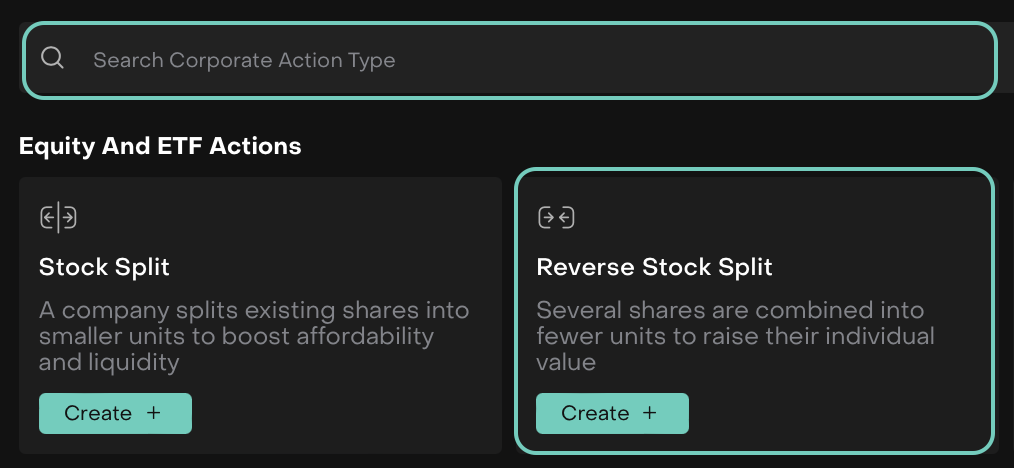
A window opens, choose the Corporate Action Type.
Search/Select Reverse Stock Split.
Then, click on Create + button.
🔗 Learn here on how to create Stock Split.
A form opens where you can input the mandatory(*) field details.
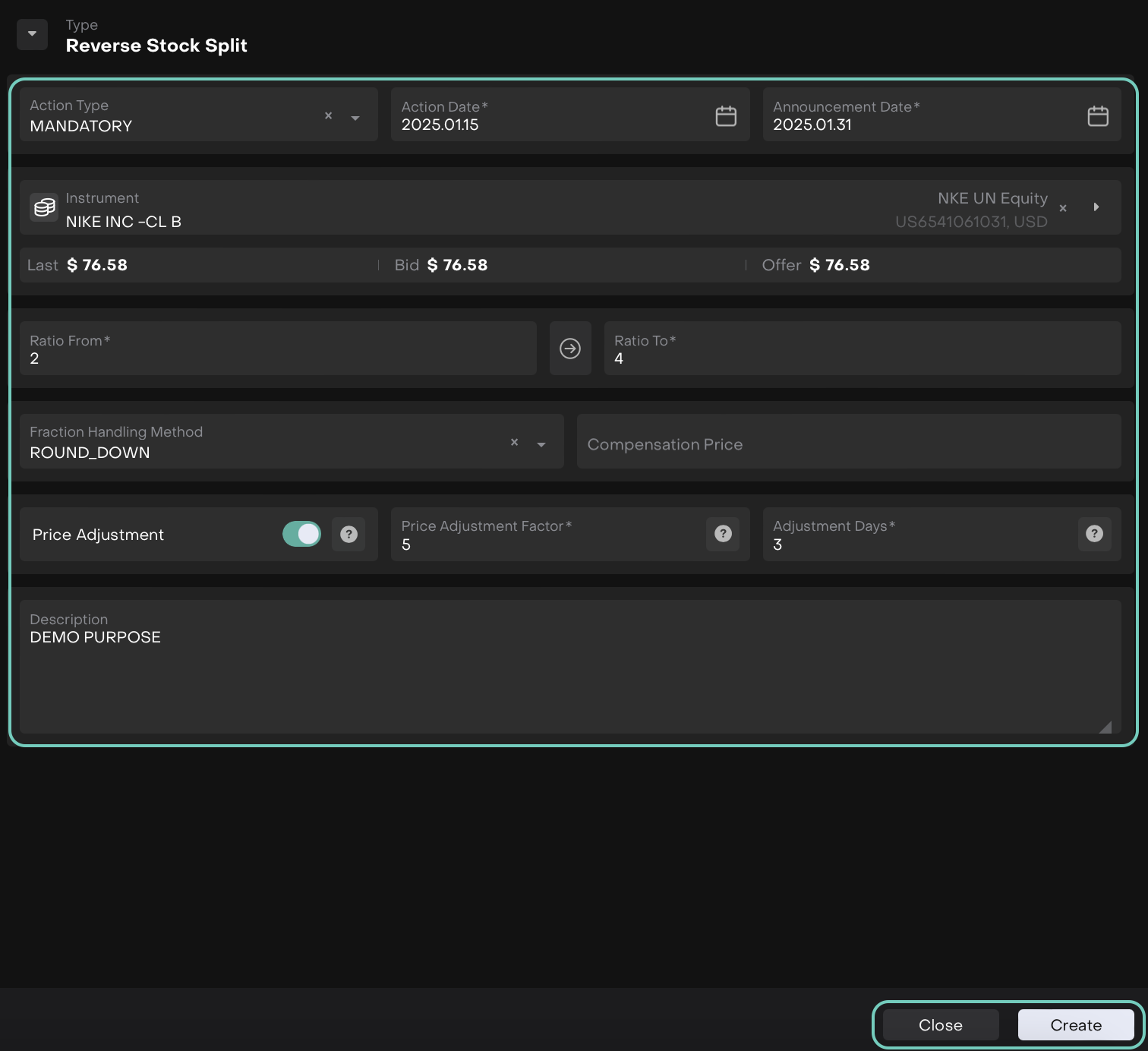
Review the reverse split ratio, effective date and instrument selected.
Then, click Create to finalize the record or Close to discard the changes.

Check the portfolio or instrument summary to confirm the new number of shares and the updated stock price. This should reflect the correct post-reverse split data.
Check Corporate Actions on Instruments
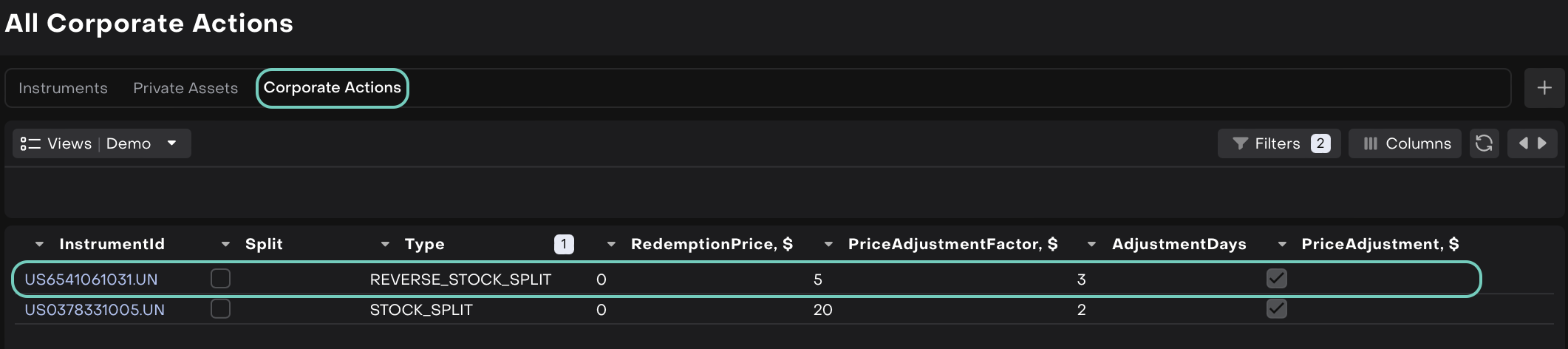
Go to the Corporate Actions tab Dashboard under Instruments.

You can filter the results by Instrument ID, Type, etc to narrow down the search.
Double-click to open the created entry on table or Edit the created entry > Update.
Corporate actions Stock Split and Reverse Stock Split are now related with Split order.
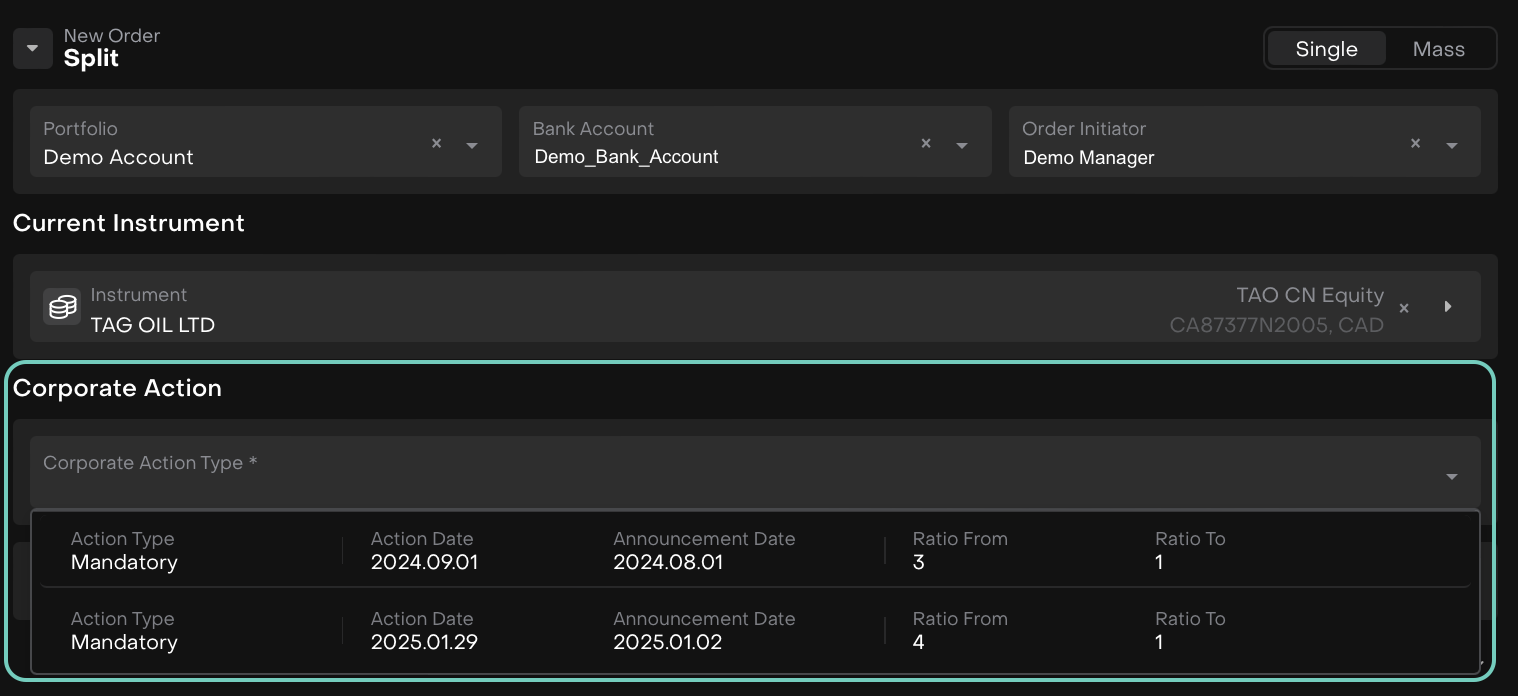
Find it under: Transactions > Order tab > Create New Order > Select Split