
Currencies Widget
AVAILABLE IN: 

Introduction
The Currencies Widget shows the distribution of your portfolio’s assets by currency. It helps you quickly see your currency exposure, understand which currencies dominate your portfolio and identify concentration risk.
How to Use the Widget
See which currencies have the largest and smallest allocations.
Understand concentration and diversification across currencies.
Interactive Analysis:
Hover over the pie chart to get specific currency details.
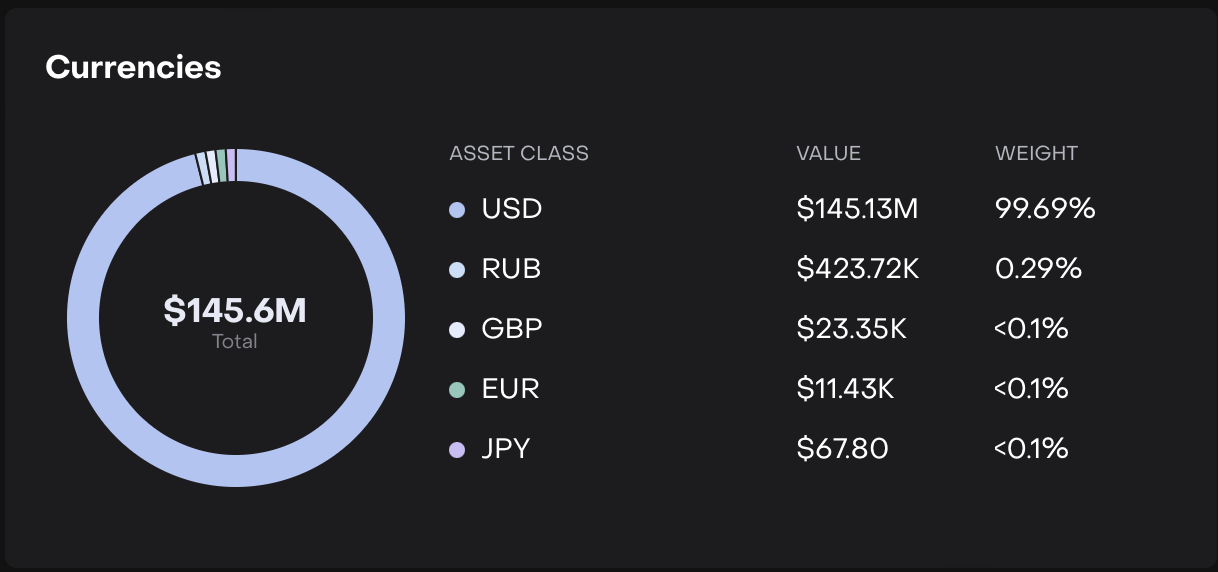

It updates based on selected portfolio, date, bank accounts or base currency.
Pie Chart View
Displays a pie chart representing the total portfolio value by currency.
Each currency segment is distinctly colored.
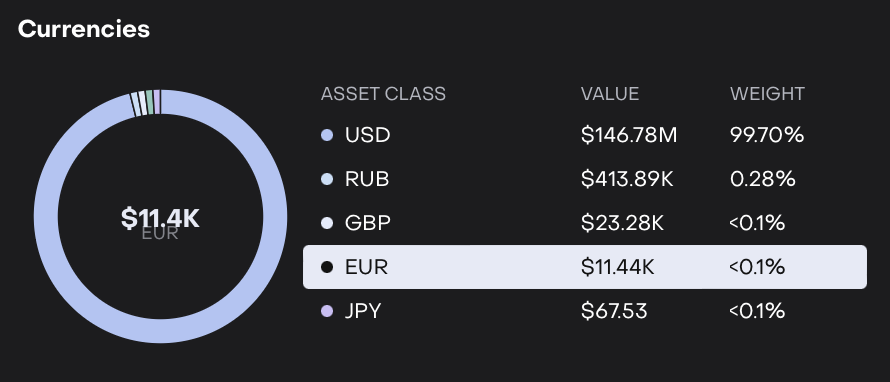
Hover over the pie chart:
Shows detailed breakdown for each currency, including Value ($) and Weight (%).
List View
Shows all currencies with their Value ($) and Weight (%) in a table.
Hovering over a currency highlights the corresponding pie chart segment.
Can be sorted alphabetically or by weight for easier comparison.