
Manage Internal Cash & Security Movements Order
AVAILABLE IN:
Introduction
Internal cash movement and internal security movement are financial operations where one party (the lender) provides funds or securities to another party (the borrower), with the understanding that the borrower will repay the principal along with interest over a set period. These movements occur between virtual bank accounts that are part of a single omnibus account and are used for internal tracking and management.
Since they are not processed through market sources, these movements cannot use traditional identifiers and are neither reported to external banks nor received from them.

Both virtual bank accounts shall relate to 1 Omnibus bank account.
Key Functionality
Internal cash and security movement orders are non-trading orders handled entirely within the platform.
Back Office: Create and execute internal cash and security movement orders.
Client / Portfolio Manager / Sales Manager: View orders and track performance.
Clients: Cannot initiate internal cash or security movement orders.
Key Terminologies
Term (A–Z) | Definition |
|---|---|
Borrower | The party receiving cash or securities from the lender, with an obligation to return it. |
From Bank Account Balance | The platform displays the available cash or security quantity in the lender’s account. |
Lender | The party providing cash or securities to the borrower. |
Omnibus Account | A single account linking multiple virtual bank accounts for internal tracking. |
👉 New to some terms? Check our full Platform Glossary for quick definitions.
Create an Internal Cash Movement Order
Navigate to Orders tab and create new order by clicking on + icon.
Select Internal Cash Movement.
A form opens, fill in the required fields(*).
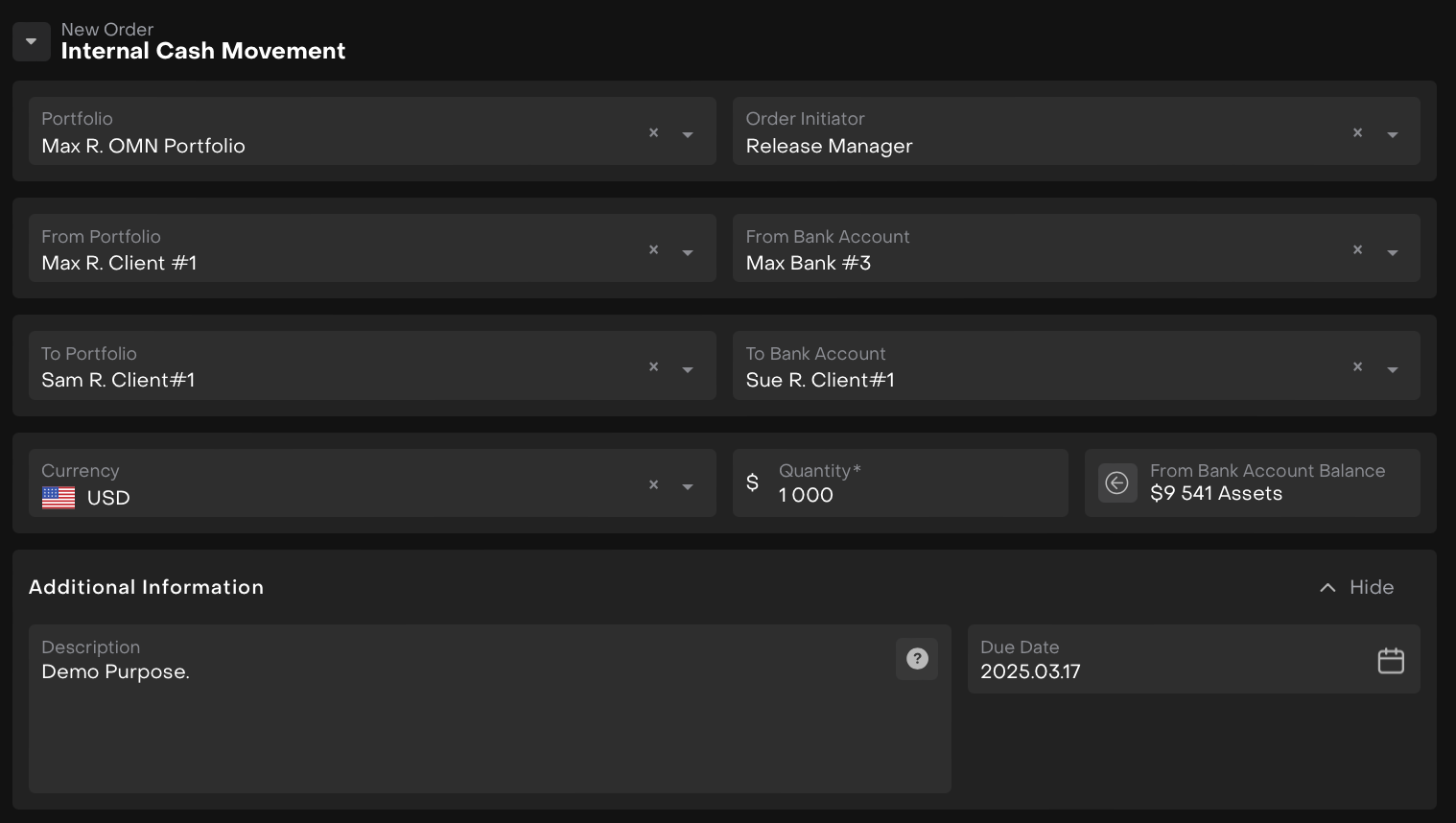
The platform will validate the following:
Only bank accounts linked to the same Omnibus Bank Account can be selected.
The platform checks the available cash balance in the lender's account to ensure it’s sufficient to cover the loan.
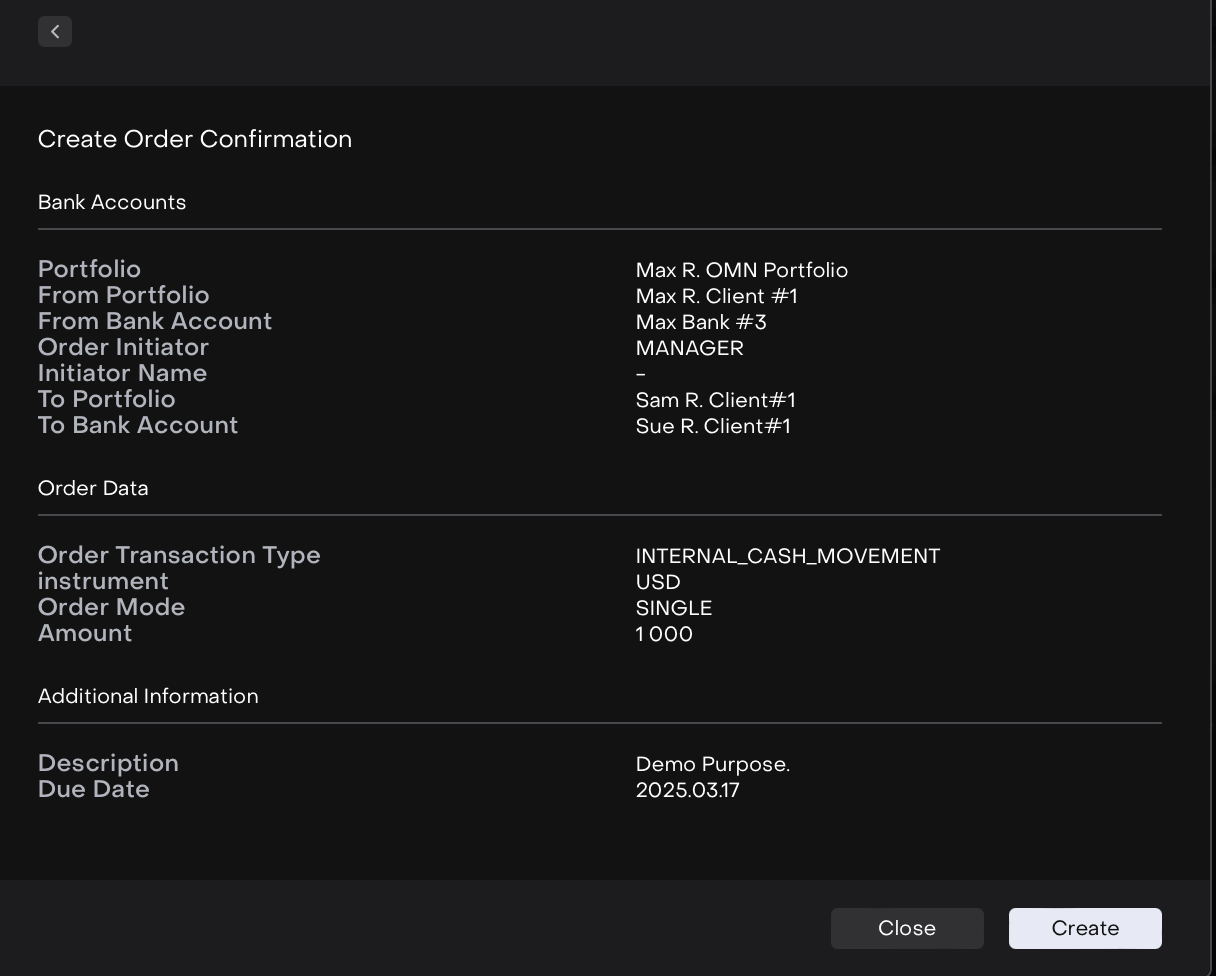
Once all details are filled out and validated, click Create Order to finalize the internal cash movement order.

The Internal Cash Movement order has been created.
Expected Outcome After Execution
For the Lender: The available balance of cash will be decreased.
For the Borrower: The available balance of cash will be increased.
For the Omnibus Account: The position of the omnibus account will remain unchanged.
Create an Internal Security Movement Order
Navigate to Orders tab and create new order by clicking on + icon.
Select Internal Security Movement order.
A form opens, fill in the required fields(*).
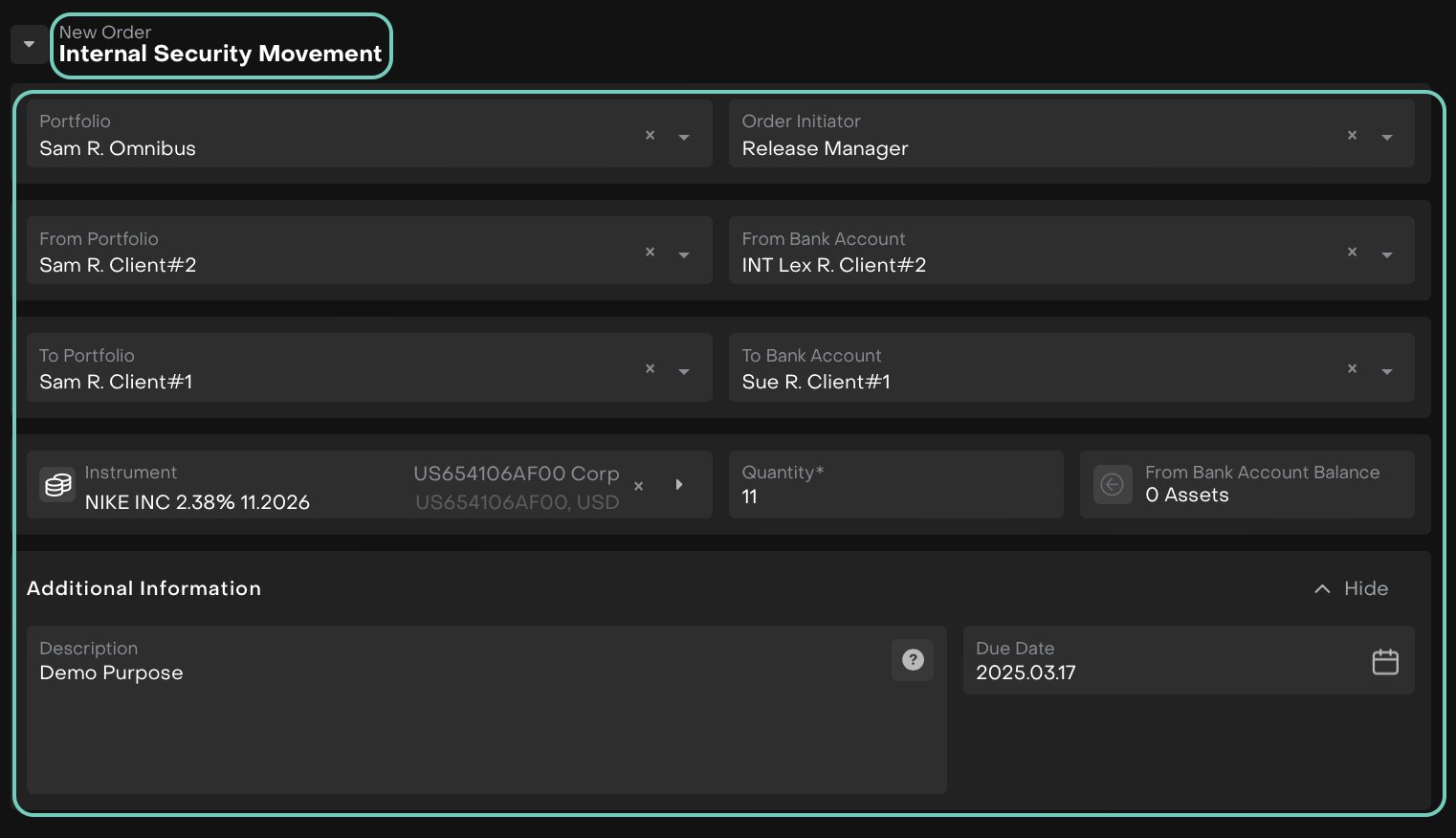
The platform will validate the following:
Only bank accounts linked to the same Omnibus Bank Account can be selected.
The platform checks the available quantity of the security in the lender's account to ensure sufficient quantity is available for the movement.
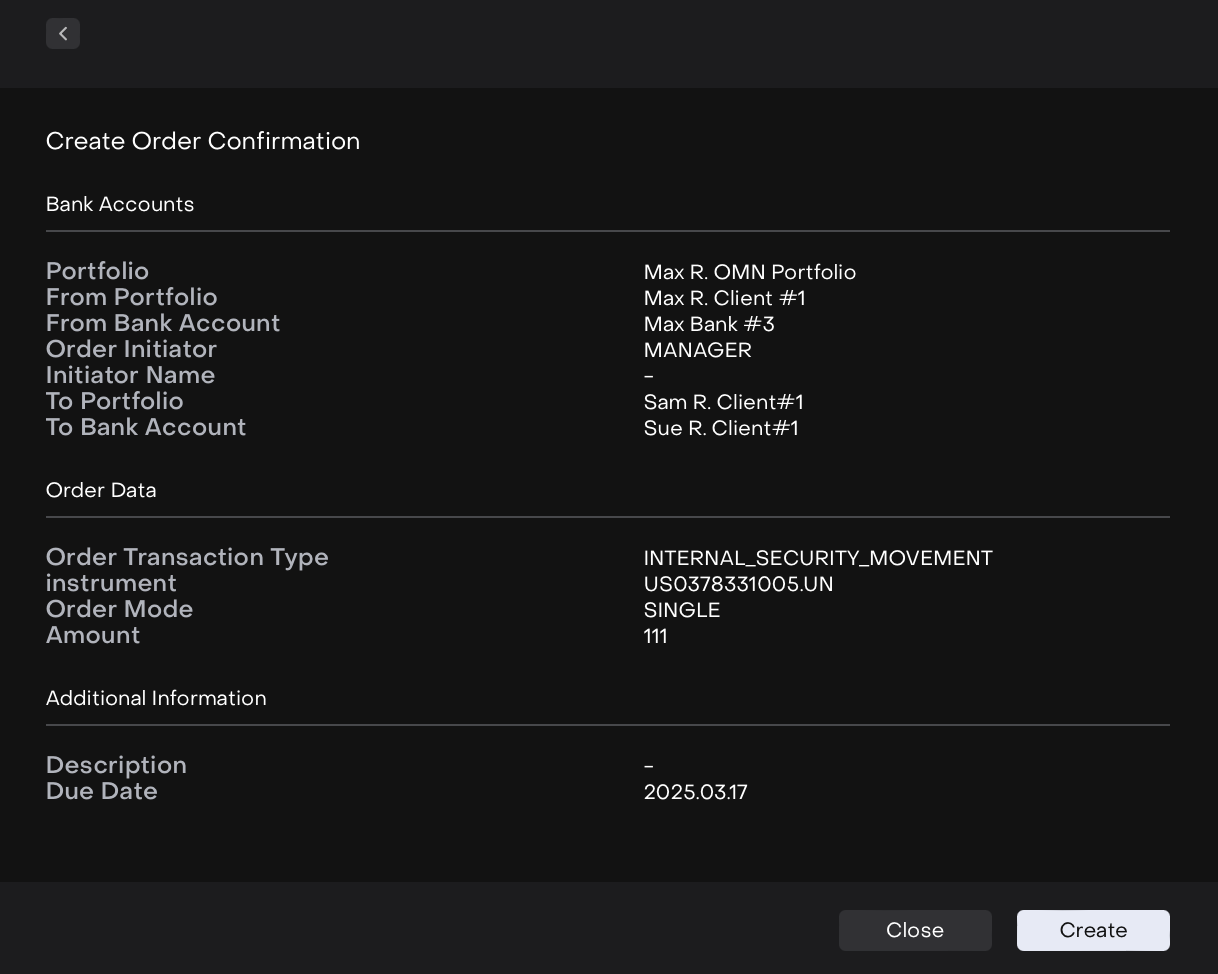
Once all details are filled out and validated, click Create Order to finalize the internal security movement order.
The Internal Security Movement order has been created.
Expected Outcome After Execution
For the Lender: The available quantity of security will be decreased.
For the Borrower: The available quantity of security will be increased.
For the Omnibus Account: The position of the omnibus account will remain unchanged.