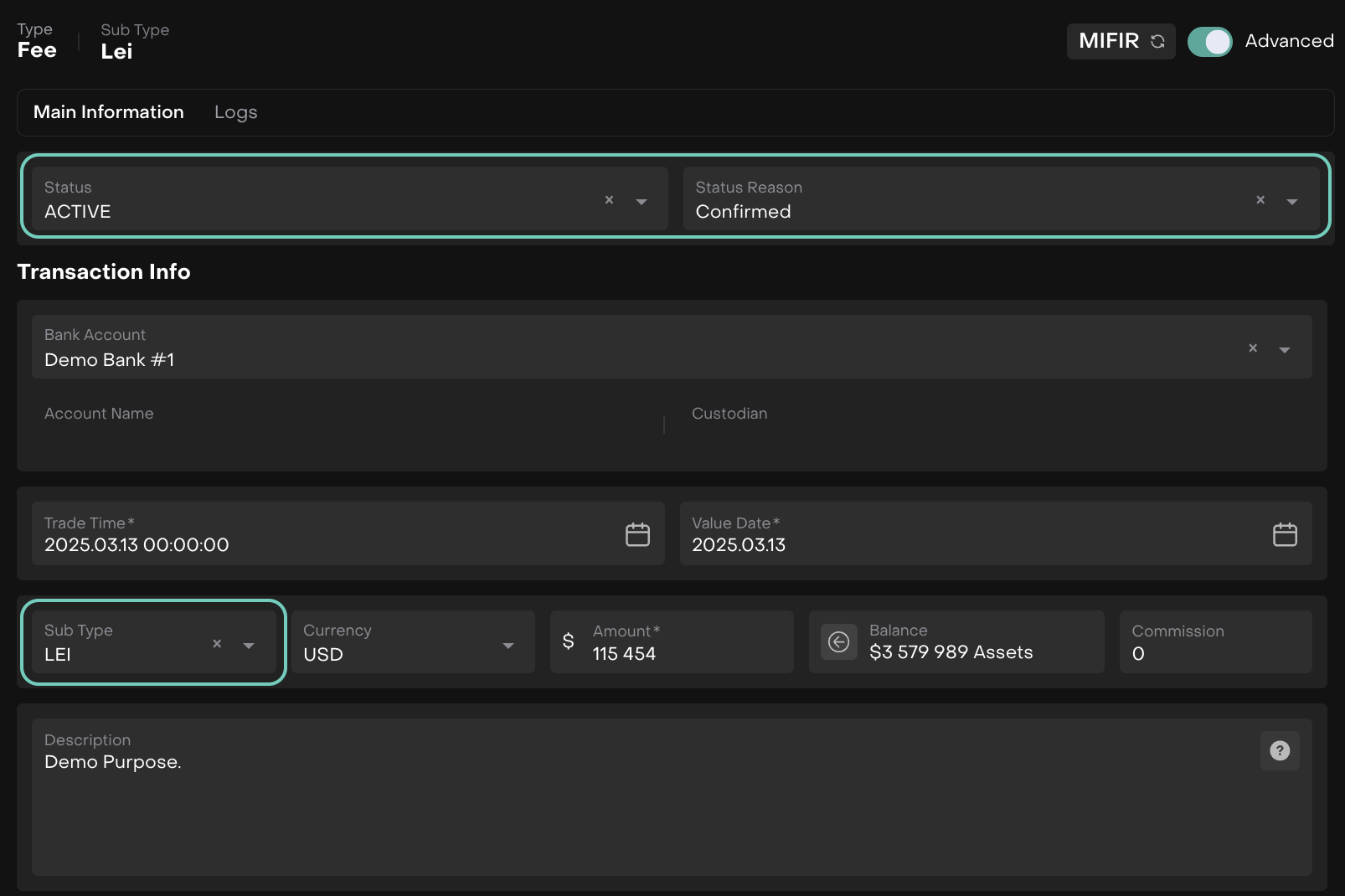
LEI Fees
Introduction
LEI fees are recurring charges applied when clients renew their Legal Entity Identifier (LEI) annually. These fees ensure compliance with regulatory requirements and are managed at the mandate level.
🔗 To learn about on how to Execute/Apply Fees, click here.
👉 New to some terms? Check out full Glossary for quick descriptions.
Set Up LEI Fees

Fees must be set up at the Mandate level first.
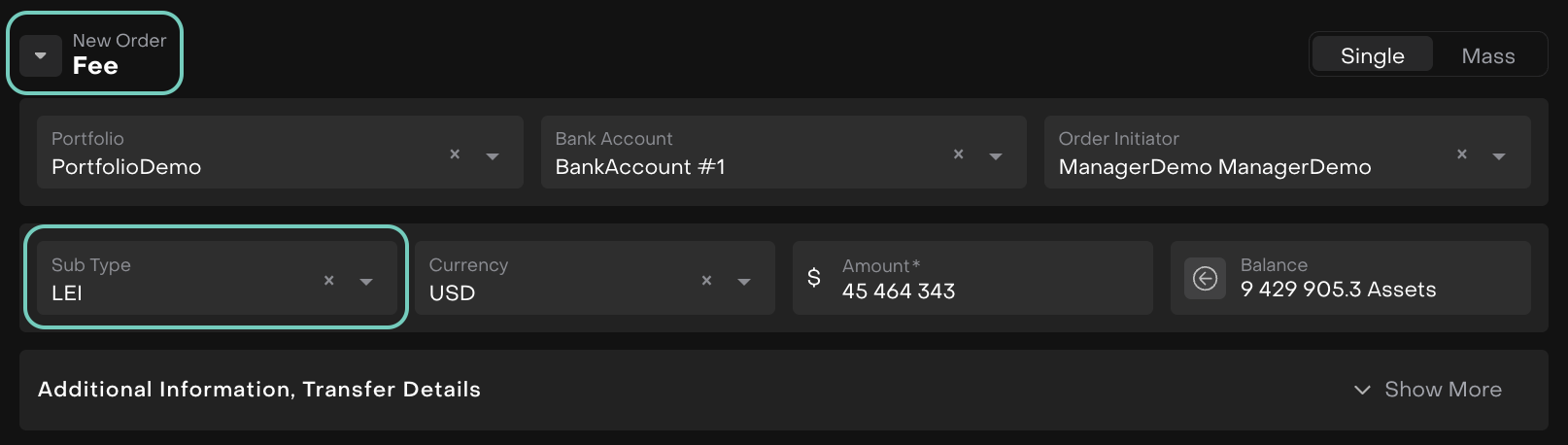
Create a Fee Order with Subtype = LEI Fee
Navigate to Transactions > Find Orders tab.
Select Create Fee Order, and choose LEI as the subtype.
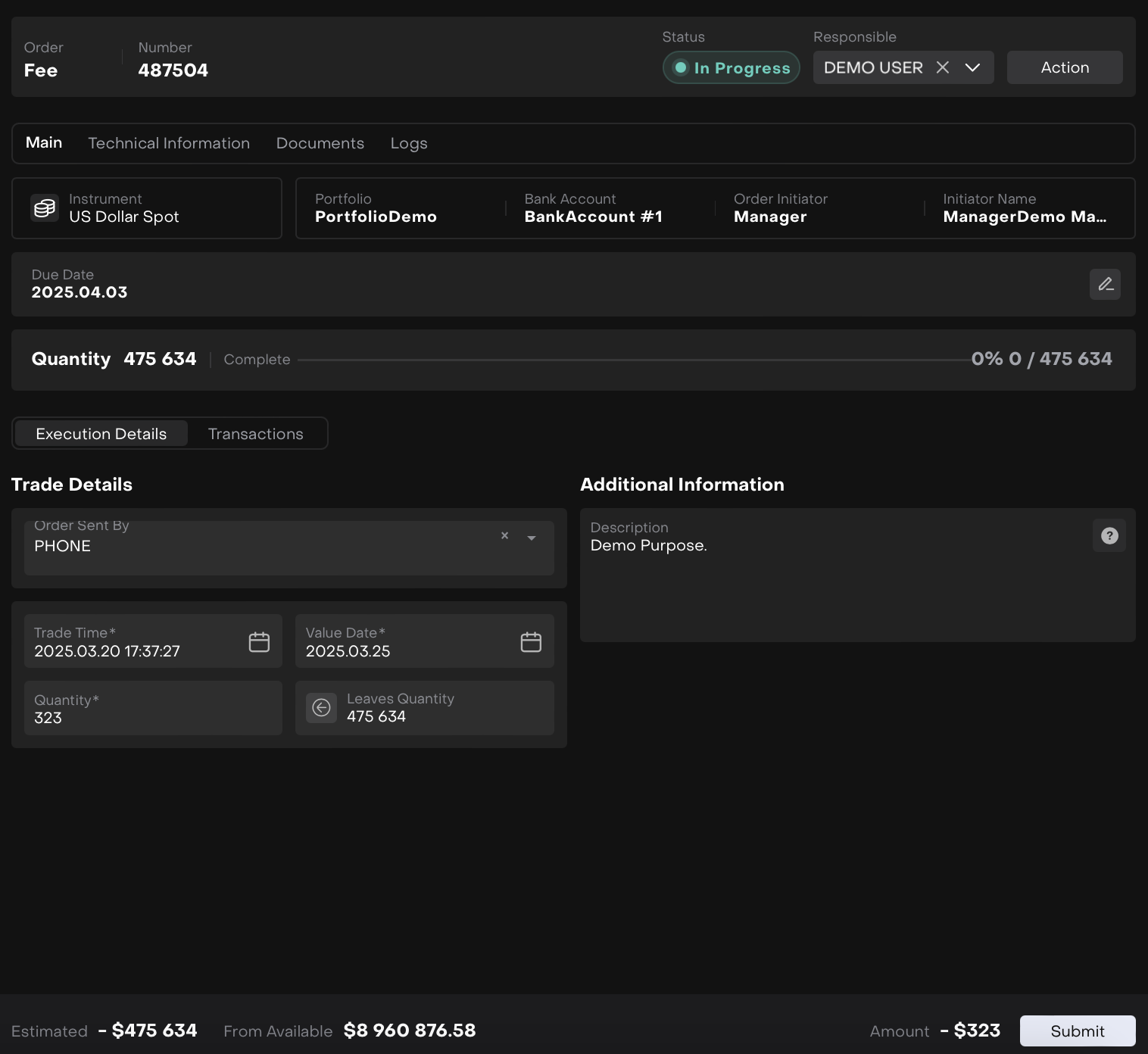
Execute the Order
Once the order is created, execute the order to trigger the fee calculation.
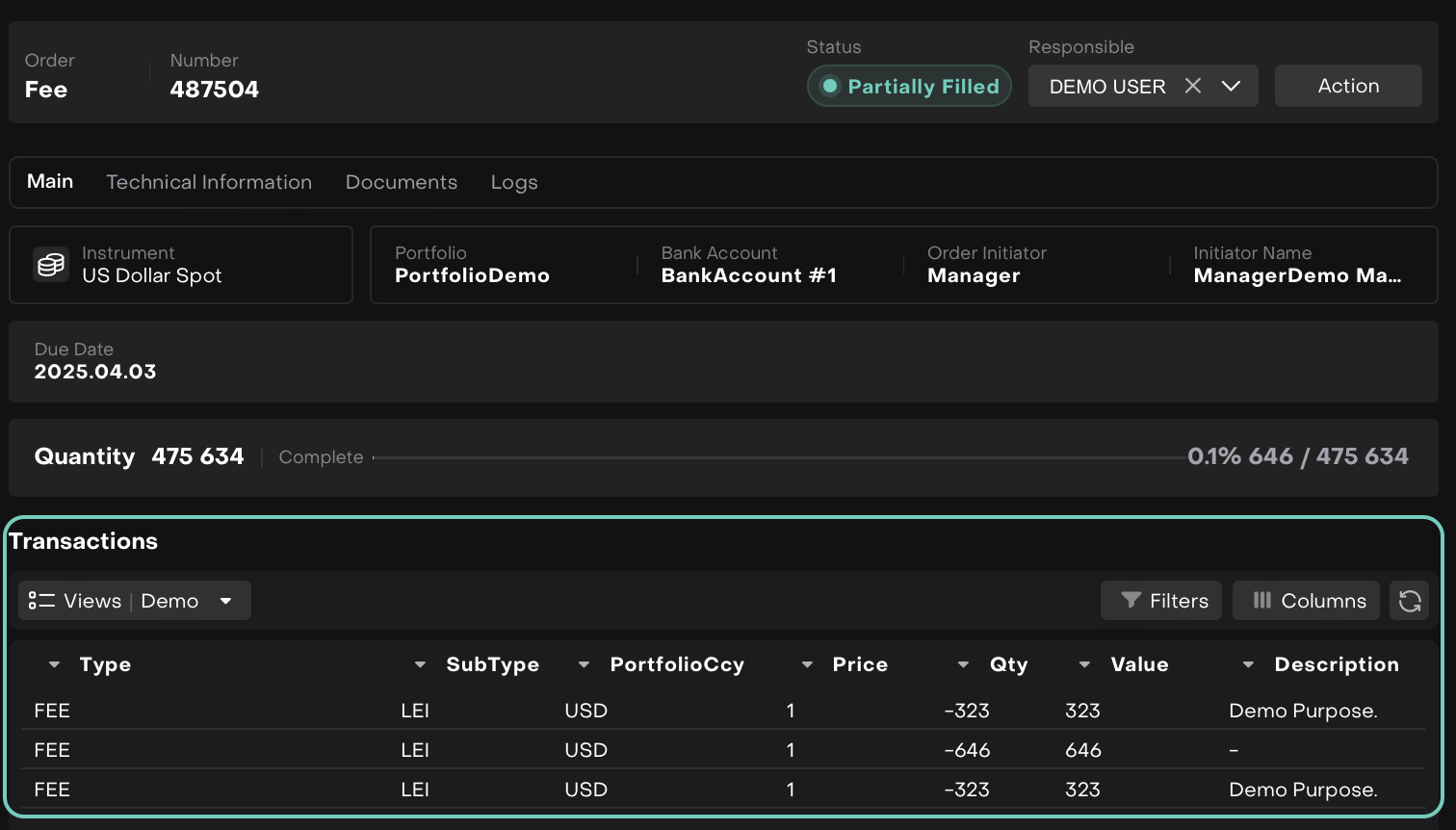
Platform Generates Transactions
The platform creates a transaction in Active/Order status.
Match Order Data with Bank Data
Ensure the order data matches the relevant bank data for accurate processing.
OR
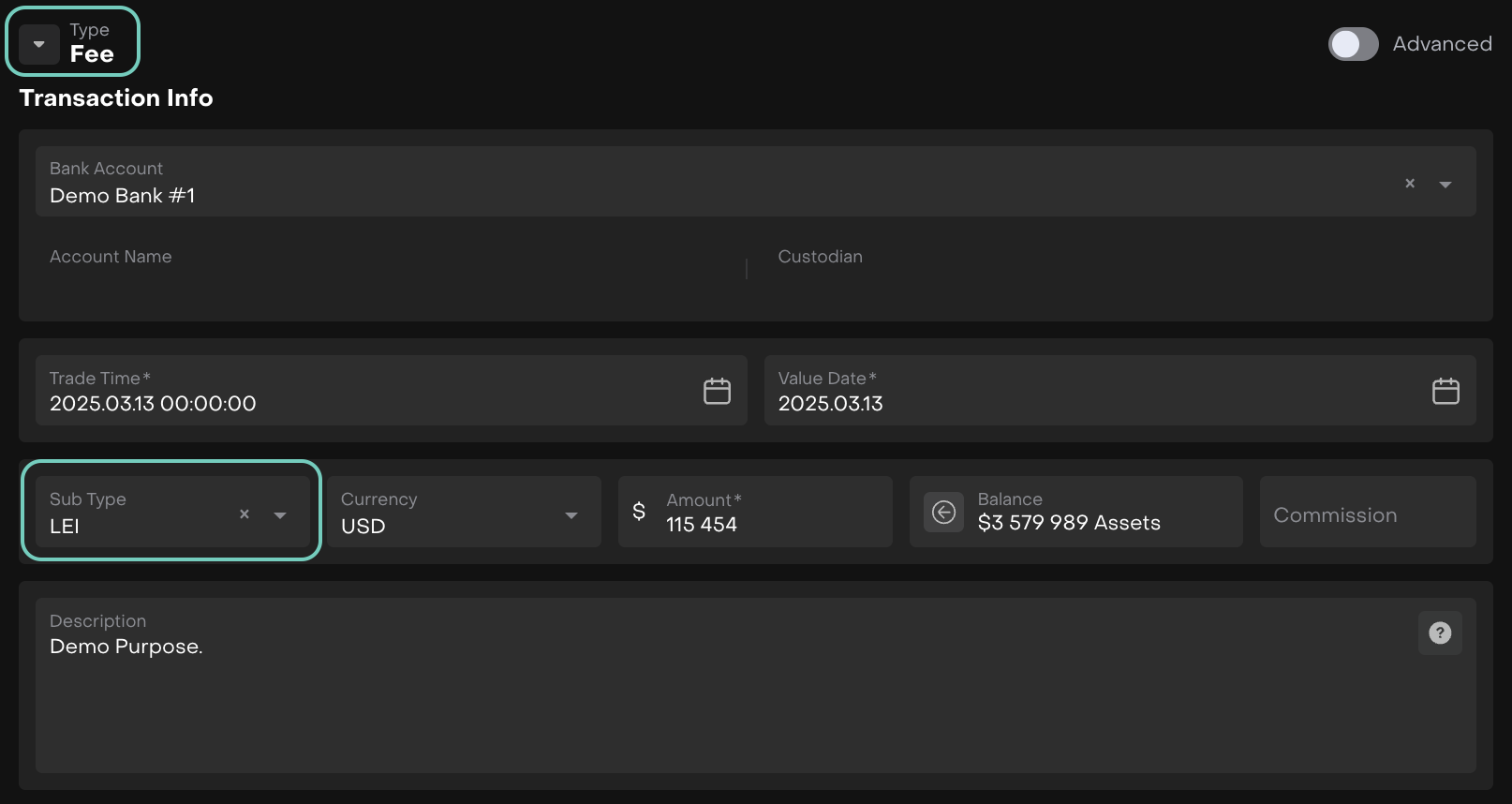
Create a Fee Transaction with Subtype = LEI Fee
Navigate to Transactions and create a fee transaction under LEI sub type.
Manage Fee Statuses
Work through the fee’s statuses, ensuring it moves to Confirmed when required.