
Manage Funding Cost & Cash Interest
Introduction
This guide explains how negative cash positions are handled within the portfolio accounting platform. When a client’s cash balance becomes negative, they are effectively borrowing funds from the broker (through margin lending or repo), which generates financing costs. To calculate these costs accurately and reconcile them with the broker’s data, the platform displays the following key parameters:
Funding Cost — the actual expenses incurred on negative cash,
Reference Cash Interest — the theoretical interest rate applied to capital,
Interest Differential — the difference between the actual and theoretical values,
Repo Charge — the corresponding figures reported by the broker.
The purpose of this guide is to provide Portfolio Managers, Back-office teams and clients with a clear understanding of how financing costs are calculated and how platform values can be matched against broker statements.
Key Terminologies
Term (A–Z) | Definition |
|---|---|
Accumulated Funding Cost | Total funding cost accumulated over time based on your portfolio’s daily cash balance. Grows when cash is negative and decreases (or turns positive) when earning interest on positive balances. |
Base Rate | Benchmark or reference interest rate used as the starting point for funding cost and cash interest calculations. |
Diff | Difference between Difference between |
Funding Cost | The platform calculates a small daily cost based on your position value.
|
Funding Spread | Additional percentage applied to or deducted from the base rate by the custodian, adjusting the final funding rate. |
Leverage | Difference between |
Reference Cash Interest | Benchmark interest earned on positive cash balances: |
Repo Charge | Daily financing cost applied to repo (repurchase agreement) transactions. Calculated as the sum of |
👉 New to some terms? Check our full Platform Glossary for quick definitions.
How Funding Cost & Cash Interest Works
View and manage funding cost and cash interest information from three key locations:
1. From Custodians Page
Navigate to Custodians > Select Custodian > Find Funding Rates tab.
Enter the required fields and click the + icon to add a New rate or use the three-dots (…) menu to Edit or Delete an existing one.
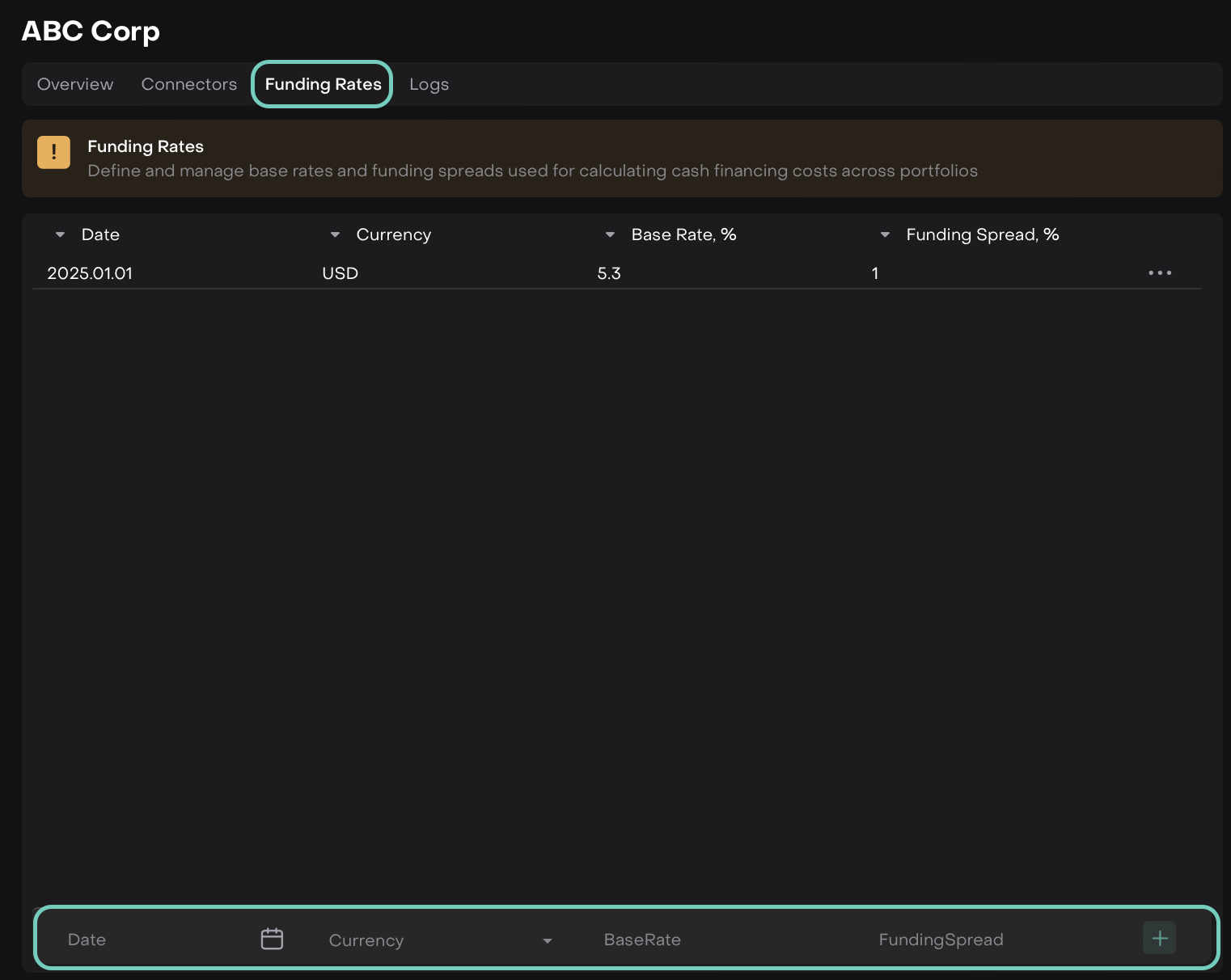
Field | Meaning | Example Value |
|---|---|---|
Date | The effective date on which the funding cost or interest rate applies. | 2025-01-01 |
Currency | The currency for which the funding rate and cash interest calculations are applied. | USD |
Base Rate, % | The benchmark reference rate provided by the custodian. Used as the base for interest or funding calculations. | 5.30 |
Funding Spread, % | The additional percentage added by the custodian over the base rate to calculate your total funding cost. | 1 |

Input values can have up to two decimal places.
📎 To learn more about Custodians, click here.
Once added, these inputs define how your daily funding cost or cash interest will be calculated for portfolios' bank accounts using this custodian.
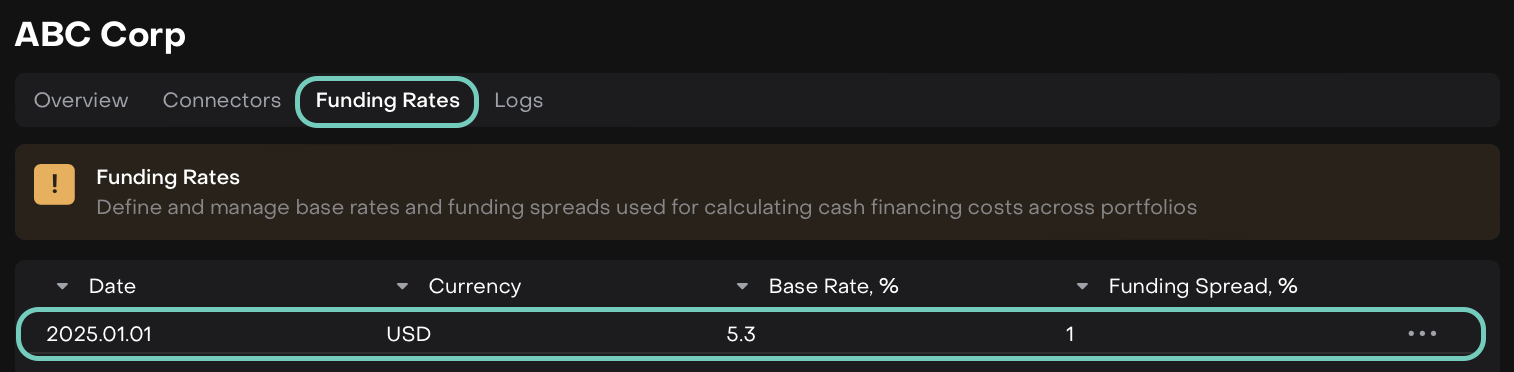

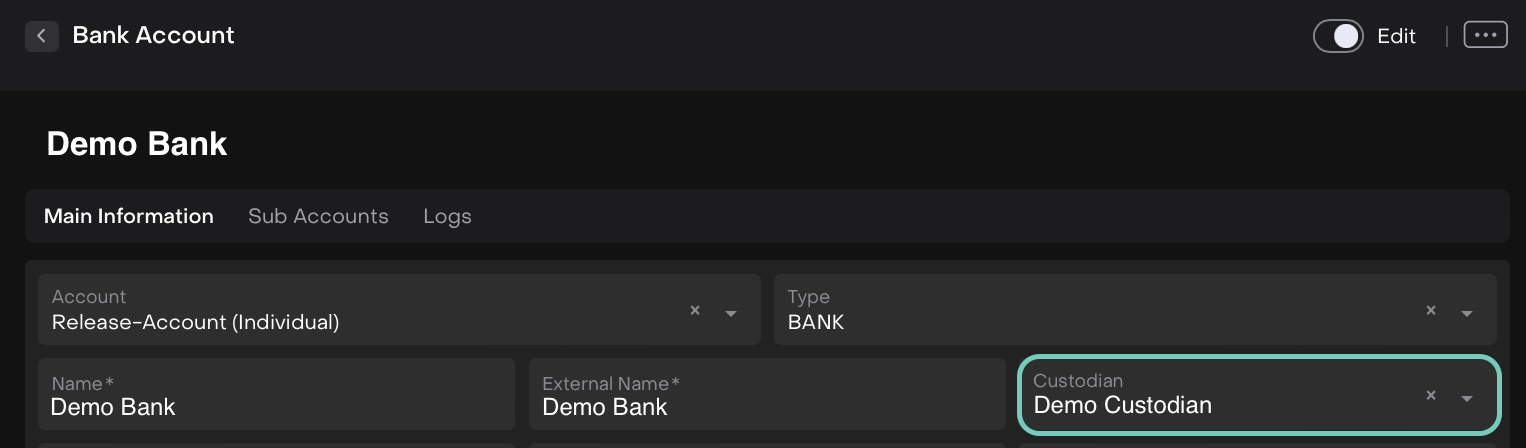
To Check the Rate: Open Bank Accounts (under Accounts) > locate the Custodian field > open the Custodians tab to view the rates.
2. From Portfolios Page
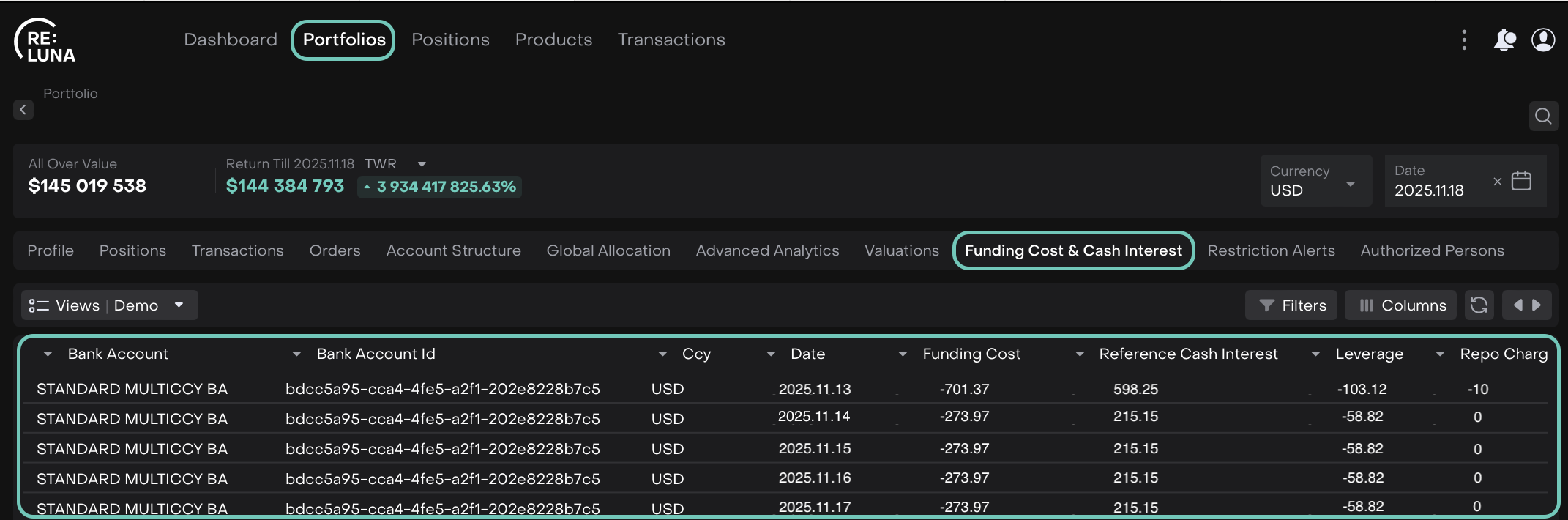
Go to Portfolios > Select a Portfolio > Find Funding Cost & Cash Interest tab.

The following table appears with calculations.
Here, you can see the portfolio-level impact by:
Viewing daily and accumulated funding values
Reviewing interest calculations across different dates
Tracking how your portfolio’s cash activity impacts interest
3. From Positions Page
Access positions via Portfolios > Select Portfolio > Positions tab.
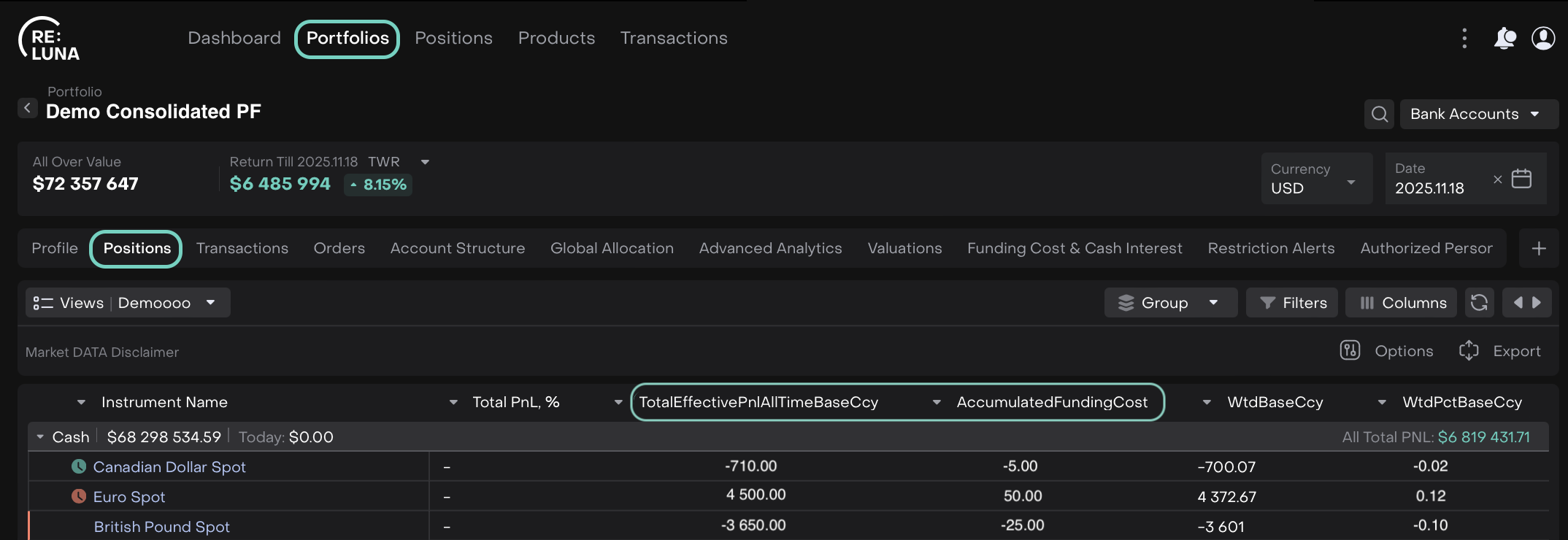
Or,
Positions from main menu.
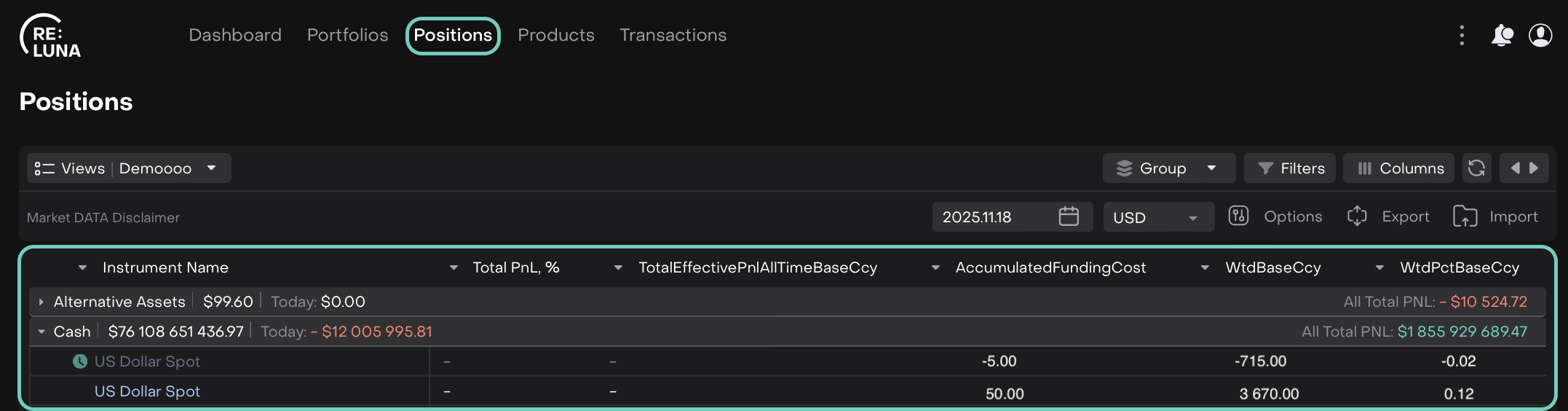
Each position now includes Funding Cost and Cash Interest fields, automatically distributed based on the portfolio’s calculations.