
Manage Tax Orders
Introduction
Tax Orders in the platform are used to record, allocate and manage all tax-related charges applied to a portfolio or a specific security position. These include statutory taxes such as Withholding Tax, Sales Tax and Other regulatory based taxes that affect the portfolio’s cash flows and performance.
Tax Orders ensure that all tax obligations are correctly attributed either:
At the Cash level, where taxes reduce the cash balance and impact the Cash PnL, or
At the Security level, where taxes apply to a specific instrument (e.g., dividends, coupons, corporate actions) and affect the Security PnL of that position.
Permission Requirement
Platform Name | Permission Level |
|---|---|
Orders (tab) | View, Modify, Create, Delete |
Non Trading Orders | View, Modify, Create, Delete |
Create Tax Order
Go to Transactions > Find Orders tab > Click + icon.

Or,
Go to Portfolios > Find Orders tab > Click + icon.

Now, select Order Type as Tax and fill in all the required fields(*).

Security-assigned Tax Orders only require the total amount, no quantity or per-unit price calculations are needed.
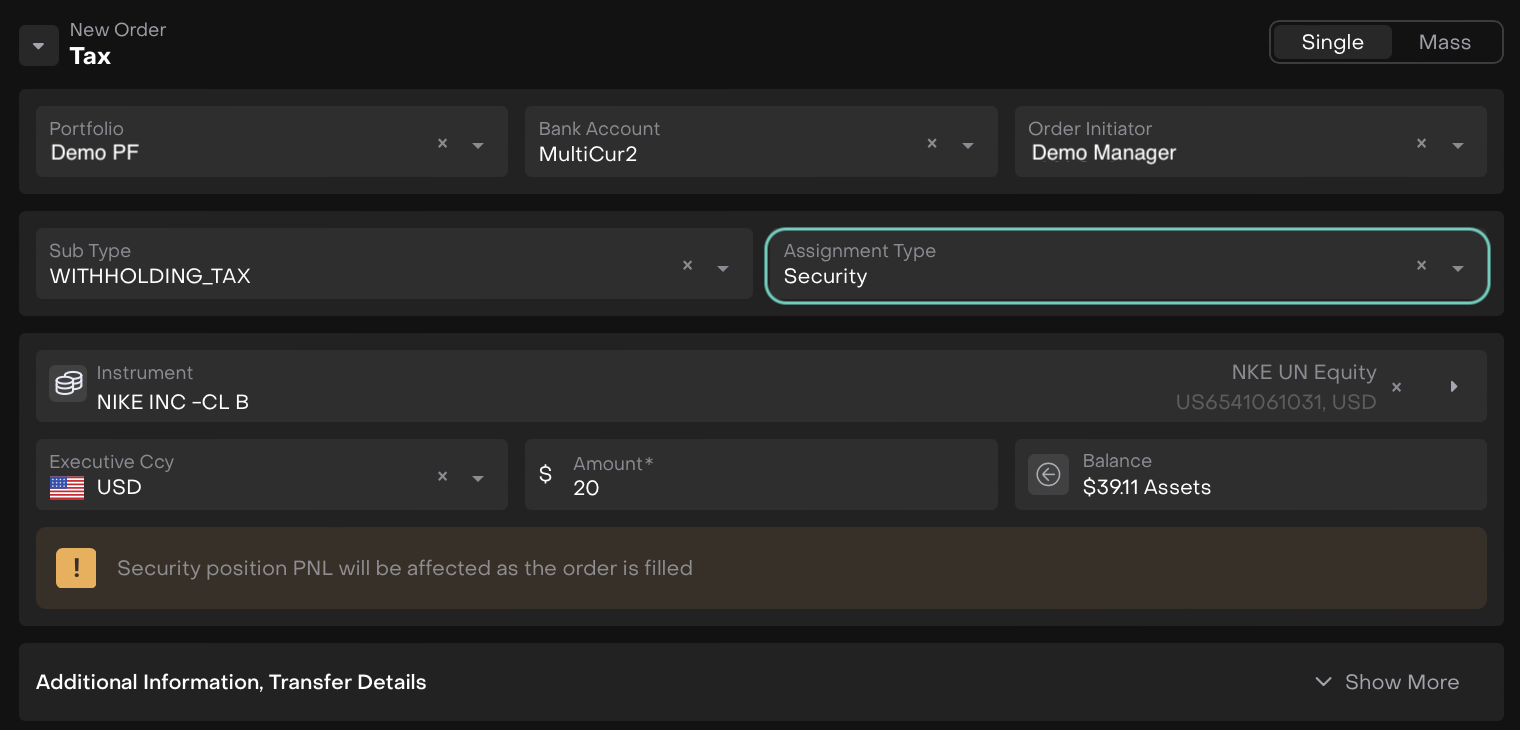
When Assignment Type = Security
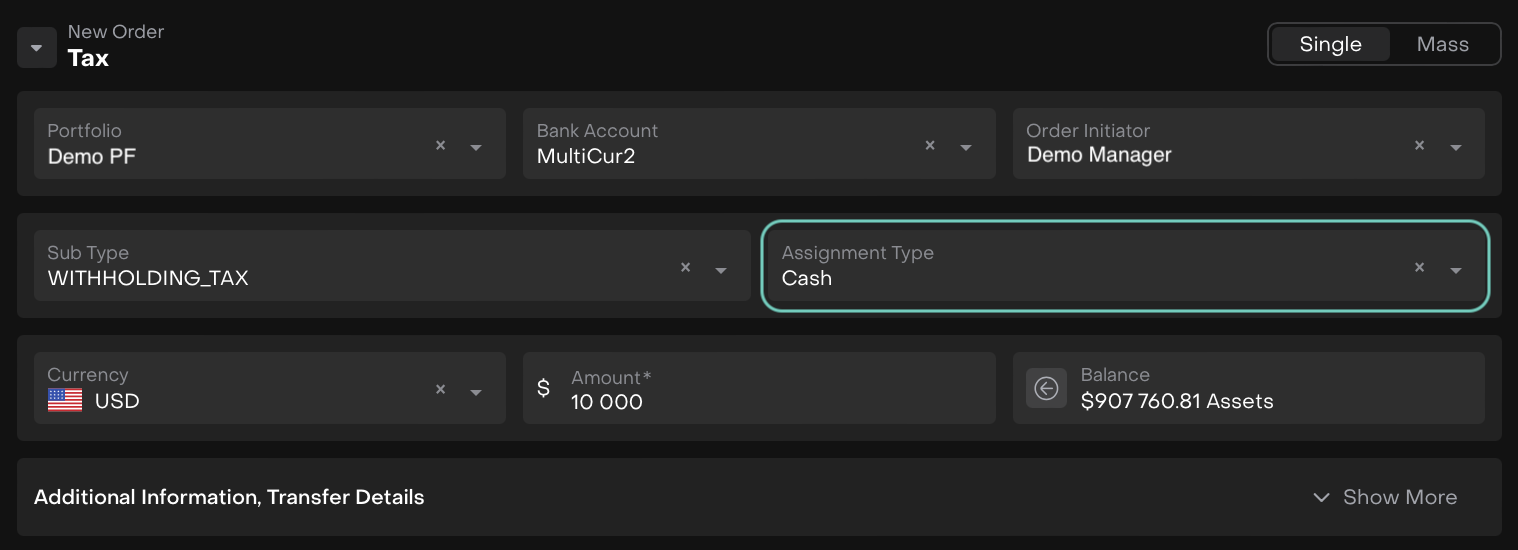
When Assignment Type = Cash
Once filled, click on Create Order.
Review the confirmation screen and confirm by clicking on Create again or to discard click Close.
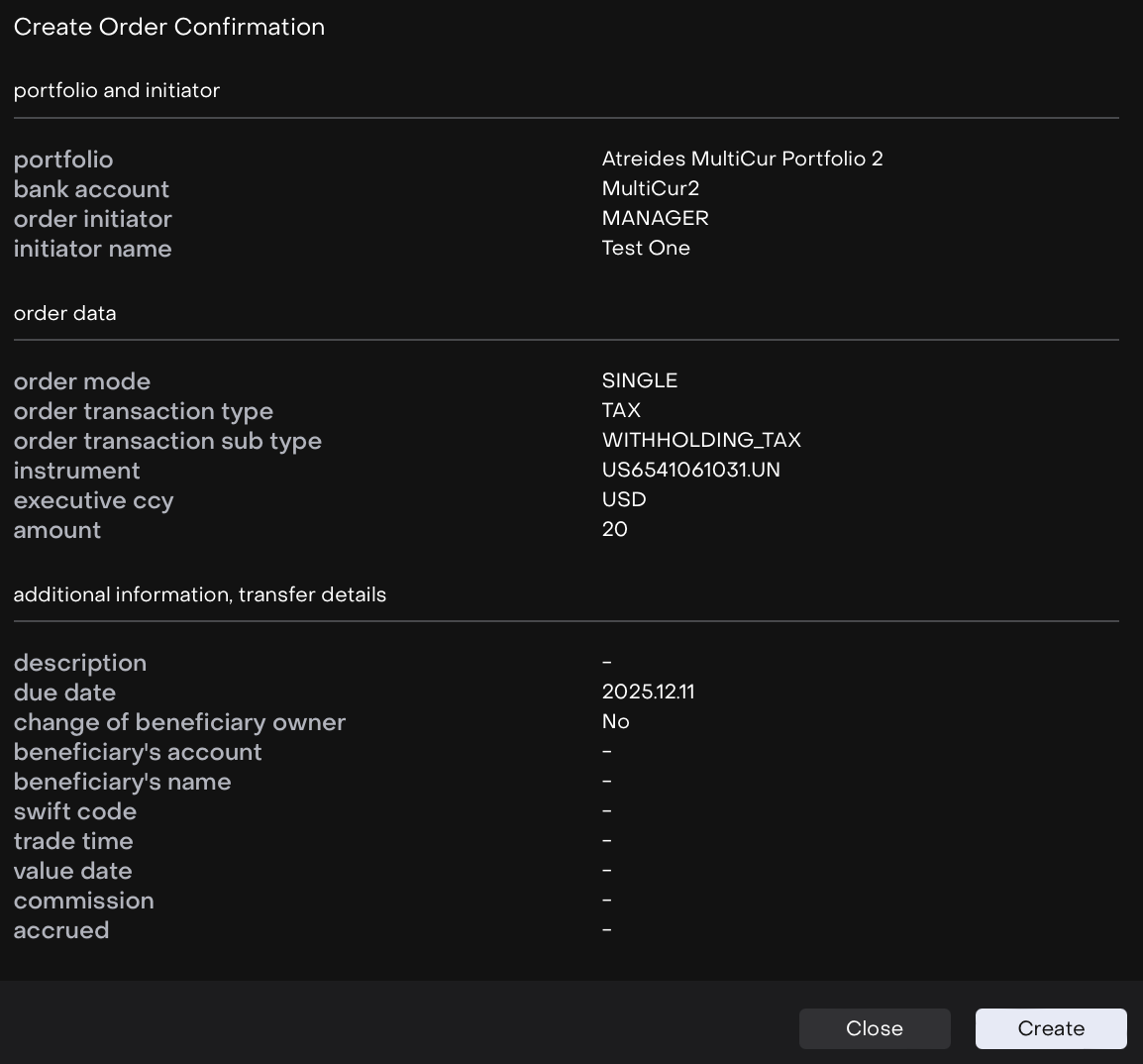
The created entry will appear on the list.
Execute an Order
Order execution is available to both the order’s assignee and initiator, ensuring that authorized users can handle the process efficiently.
Follow these steps to successfully execute an order on the platform:
On the list, double click to open to further execute the order or click on … dots to Assign To.

Use the Assigned To Me action to claim the order and take responsibility for its execution.
Once the order is picked up, click the Start Working button to edit the execution form.
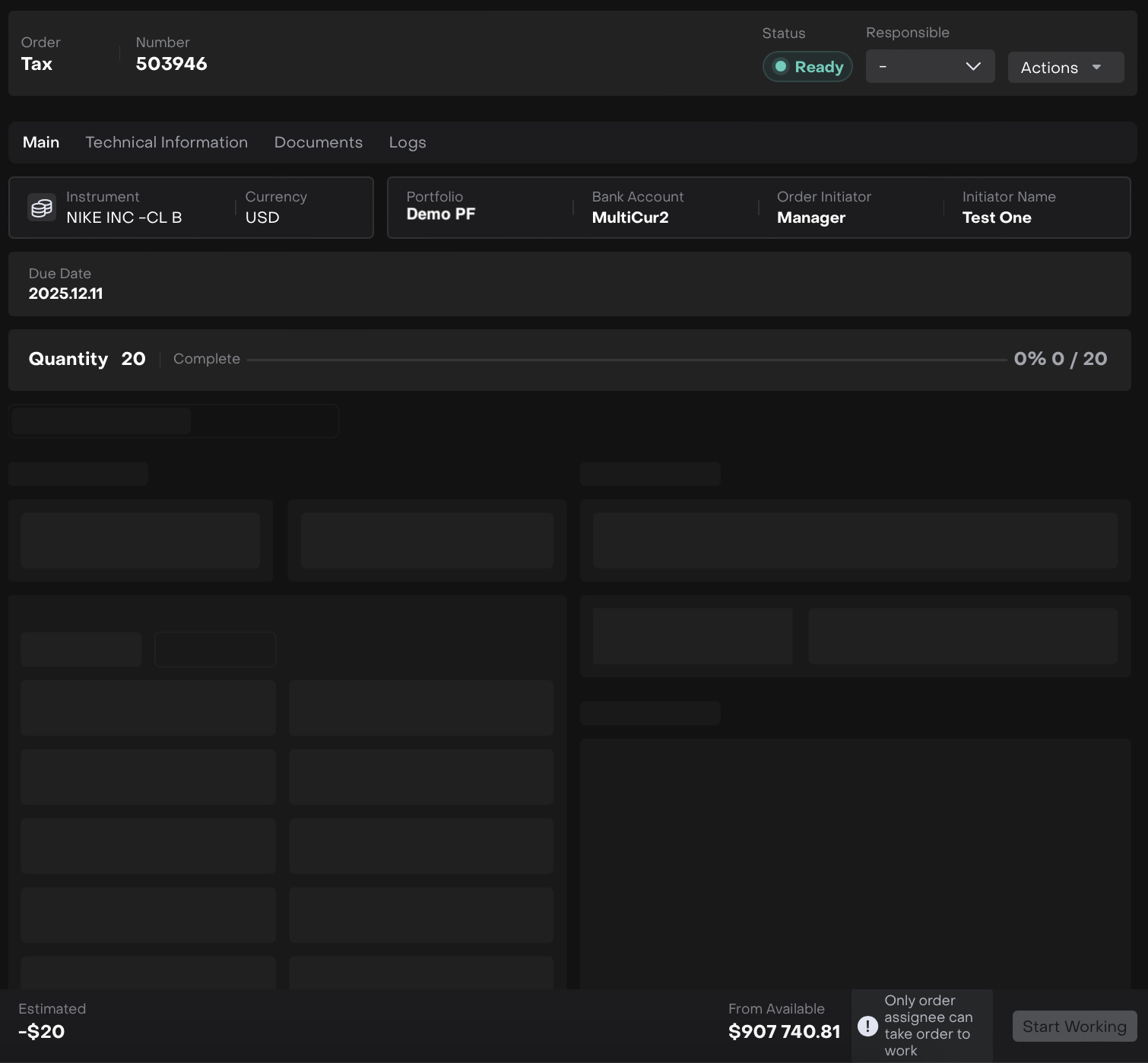
The order execution form opens, fill in the required fields as shown below.
Then, click Submit button to confirm the execution.
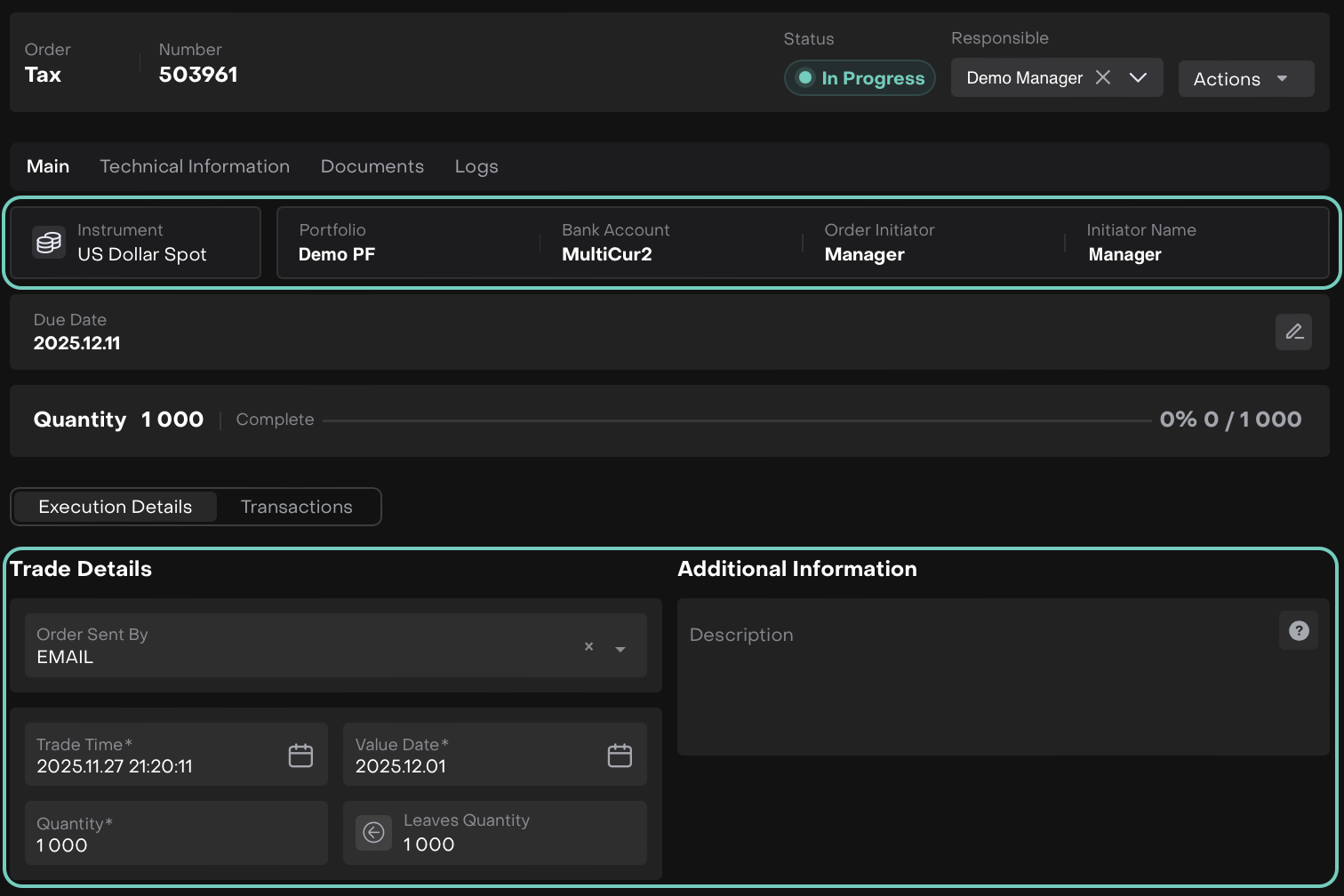
When Cash is getting Executed
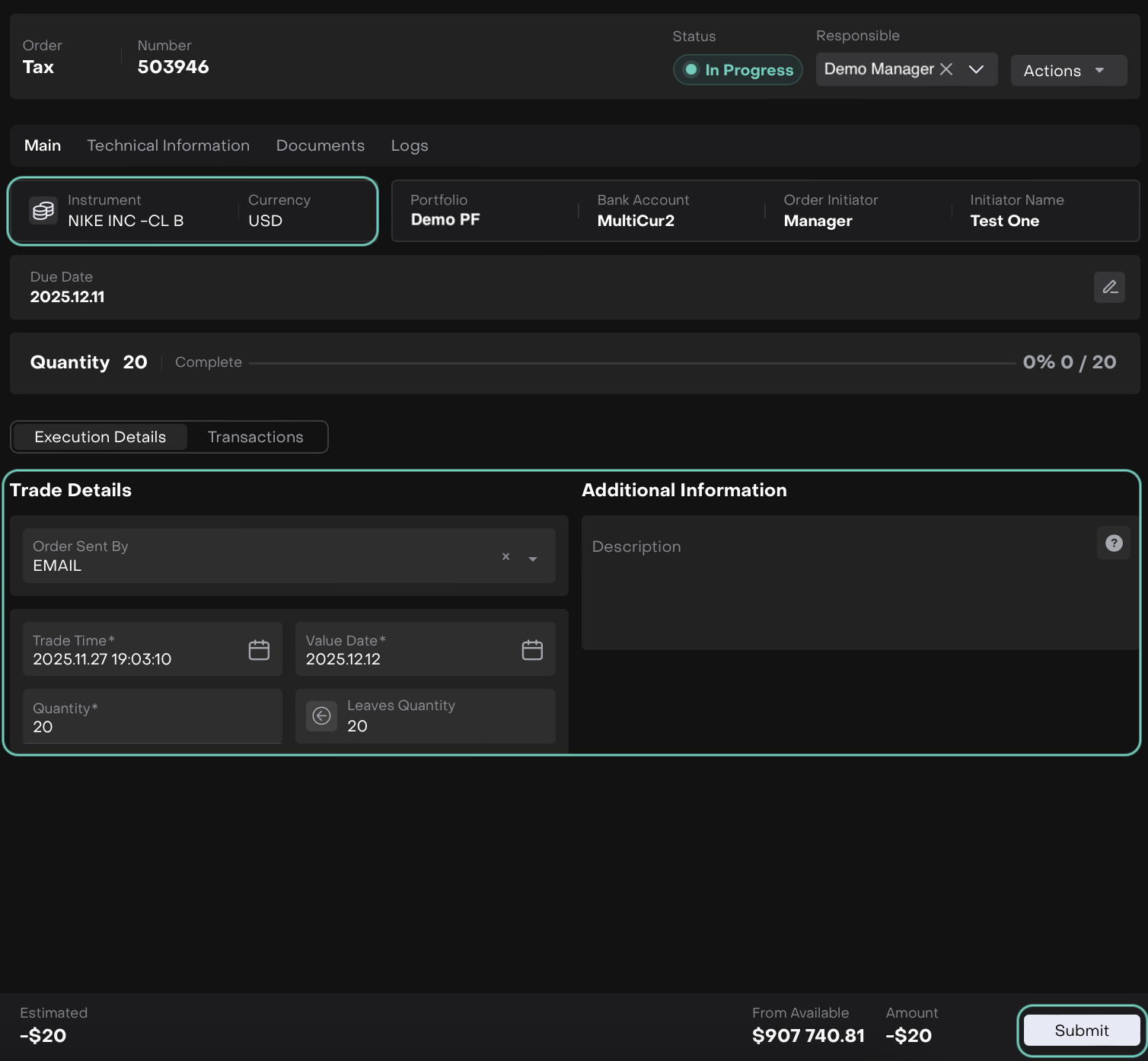
When Security is getting Executed
Click Submit to confirm.
Once submitted, the order will automatically be set with status Filled.
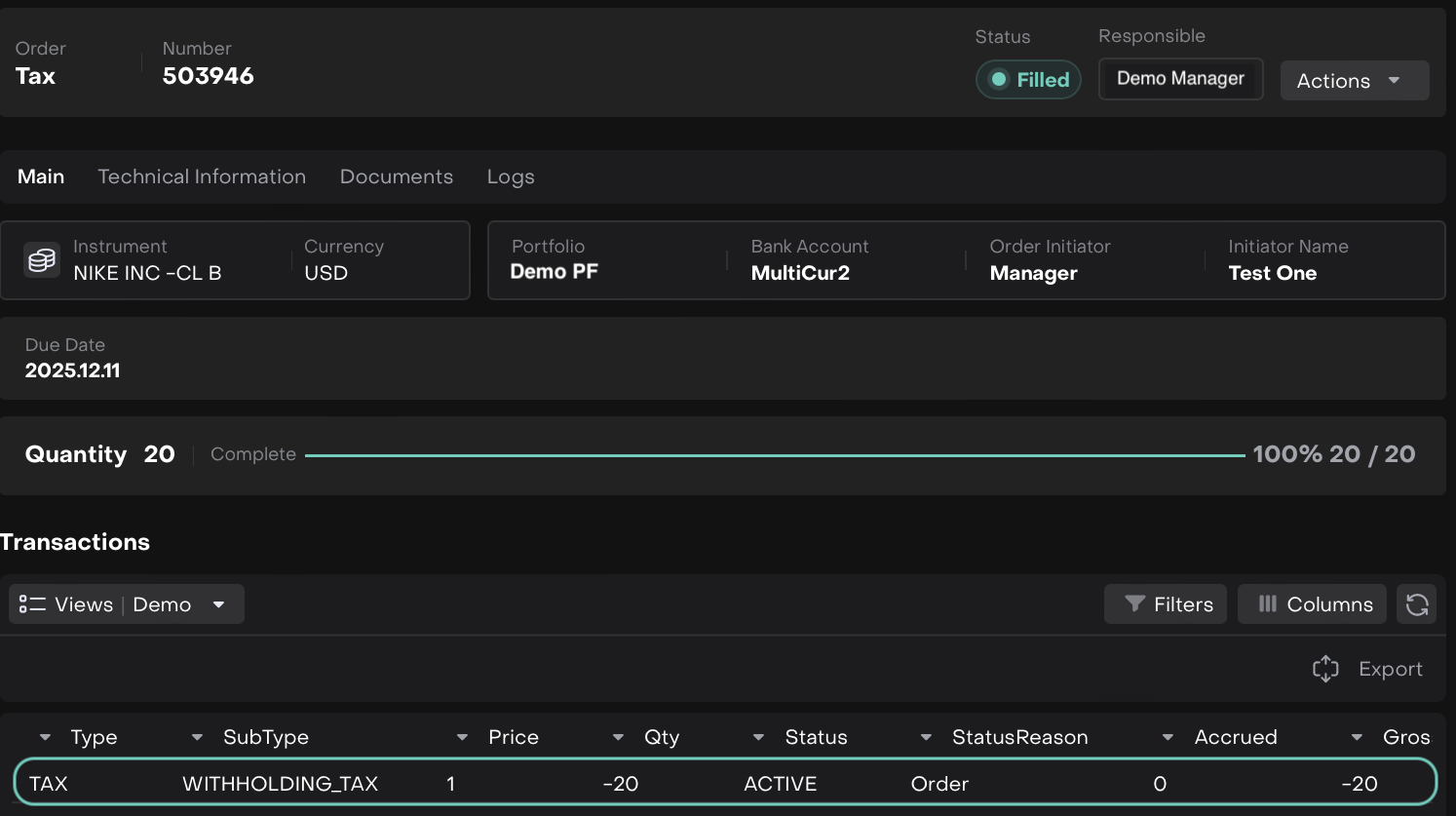

The order will be marked as Done once all transactions are matched with Custody Data.
PnL and Post-Execution Behavior
Cash Assignment:
The Tax order amount will be reflected in the Cash PnL of the selected portfolio.
Cash balances are updated accordingly.
Security Assignment:
The Tax order amount will be reflected in the Security PnL for the selected instrument.
Only the total amount is required; no per-unit or price calculation is needed.
Security positions are updated to reflect the tax impact.