
Other Fees
Introduction
A miscellaneous fee applied for services or charges that do not fall under predefined fee categories.
🔗 To learn about on how to Execute Fees, click here.
👉 New to some terms? Check out full Glossary for quick descriptions.
Set Up Other Fee
Navigate to Accounts > Mandates tab and select the mandate you want to update.
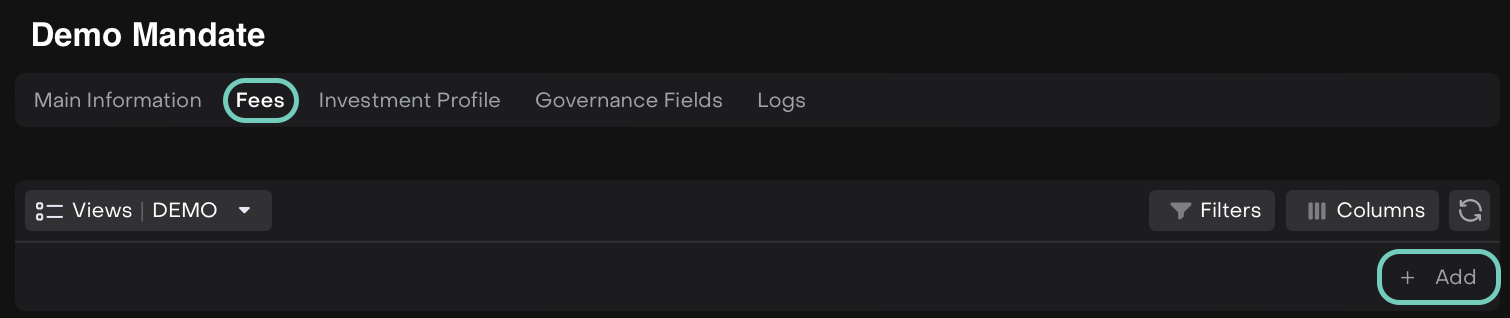
Toggle Edit mode on, go to the Fees tab and click the + Add button.
In the form that opens, select Other in the Type field.
Fill in the other required fields such as:

Rate % - Enter the fee rate as a percentage.
Ccy – The currency in which the instrument is executed.
Min Amount –
Toggle Enabled – Enter the minimum fee amount in the field.
Toggle Disabled – Not required.
Frequency – Defines how often the fee is applied (e.g., Annually, Monthly, One-time, Quarterly, Semi-Annual).
Click Save to apply the changes or Cancel.
The fee has been added and is visible on the list.
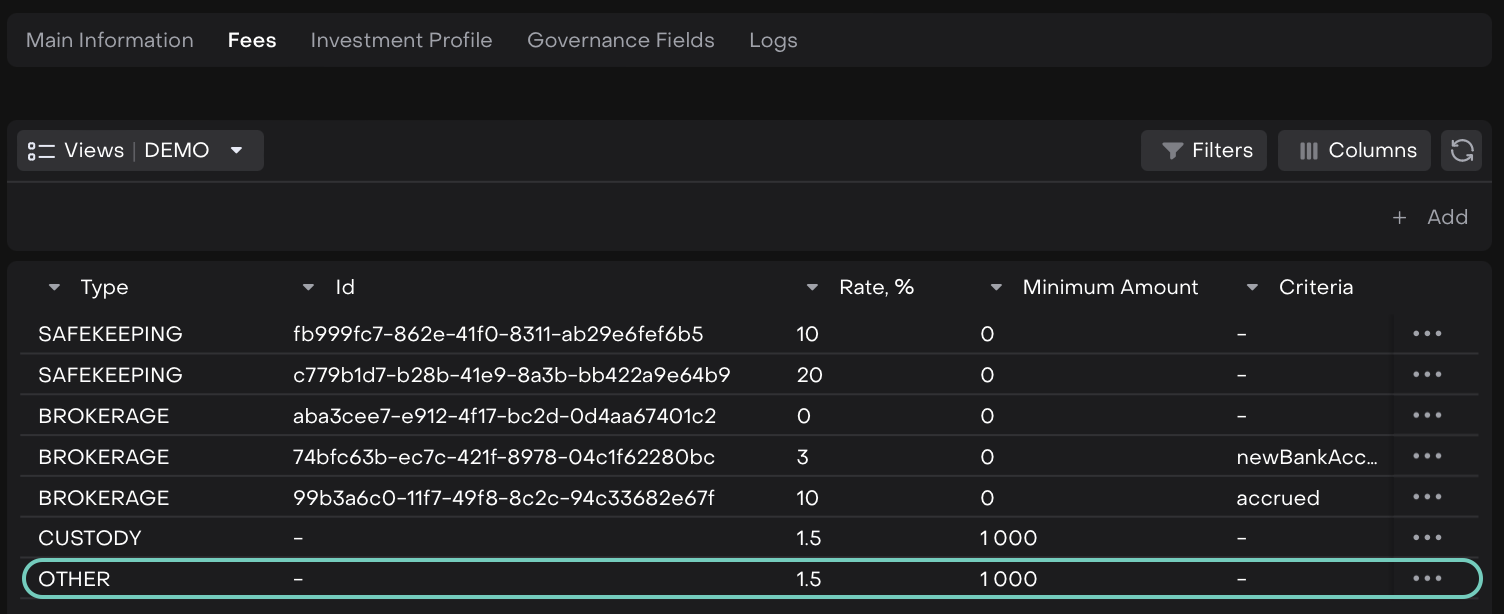

You can further Edit or Delete the entry by clicking on the (…) dots.