
Regions Widget
AVAILABLE IN: 

Introduction
The Regions Widget provides a visual representation of the geographic distribution of your portfolio’s assets. It allows you to quickly see which countries or regions contribute most to your portfolio’s value and weight.
How to Use the Widget
Identify which regions have the highest asset allocation and contribution to portfolio value.
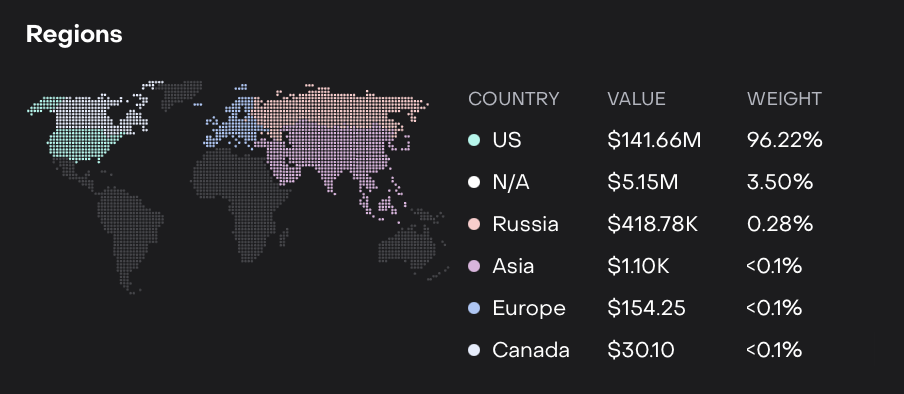

The world map highlights countries with distinctive colors based on their allocation or importance.
Hover over a country to:
See its value ($) and weight (%).
Highlight the corresponding country in the list view of the widget.
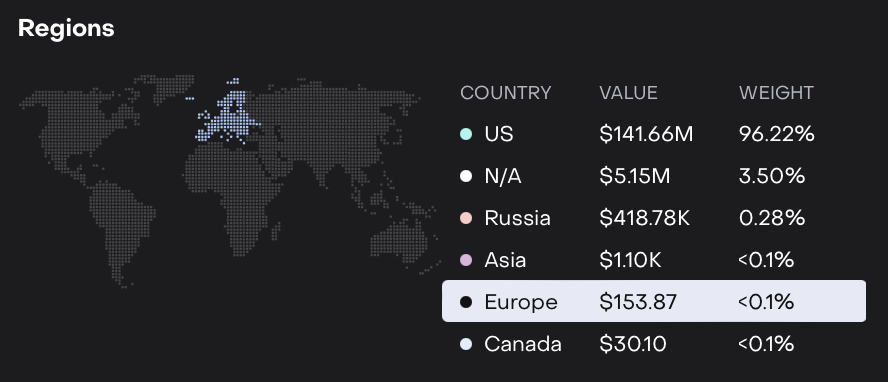
Click on a country to focus only on that region, dimming other countries for easier comparison.

The widget updates automatically based on selected portfolio, date, currency and bank account filters.