
Strategies Promotion
AVAILABLE IN: 
Introduction
Promoting helps you increase visibility, reach more potential investors and attract new subscriptions. It’s a simple way to put your strategy in front of the right audience and boost engagement.
Accessing a Published Strategy
Go to the Marketplace.
Click on the strategy you have published.
🔗 Learn more here on how to Manage Marketplace.
On the strategy page, you will see three main options:

Promoting a Strategy
Clicking Promote takes you to the Product Promotion order page, where you can:
Review strategy details (name, type, risk rate, projected returns).
Share the strategy with other users on the platform.
Highlight the strategy for clients to increase subscriptions.
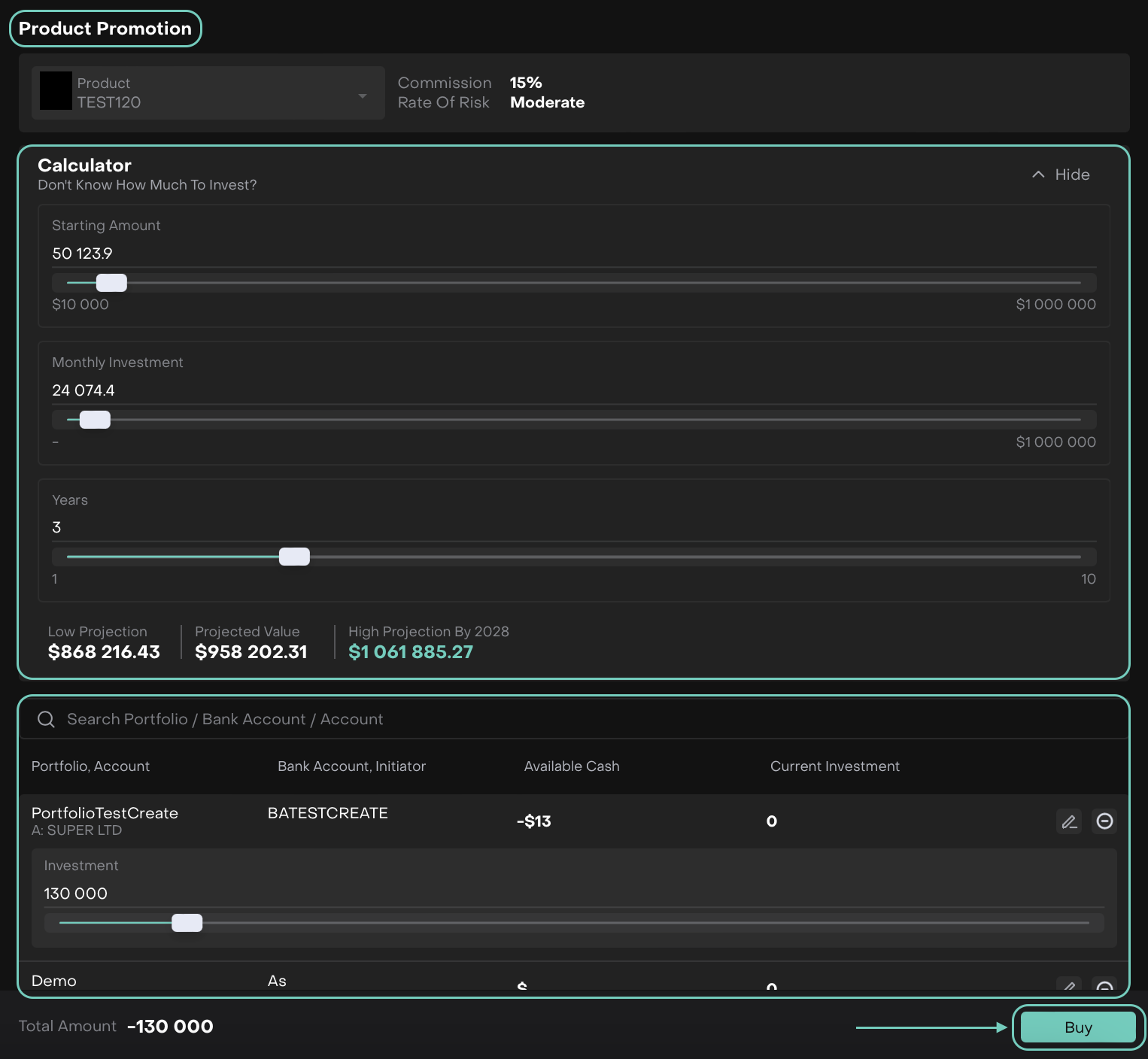

Promotion does not affect your investment, it only improves visibility on the Marketplace.
From the dropdown (pencil icon), select to whom the proposal should be sent — either the Client or the Manager.

Then, click Buy. Reconfirm the order creation by clicking on Create or Close to go back.

When proposal is submitted, the recipient (Client or Manager) receives a notification and can view the offer directly in the platform.
Once created, click on three dots menu to edit further or Execute the order.
🔗 Learn more here on how to Execute Order.

Execute the order and fill in the Trade Details.
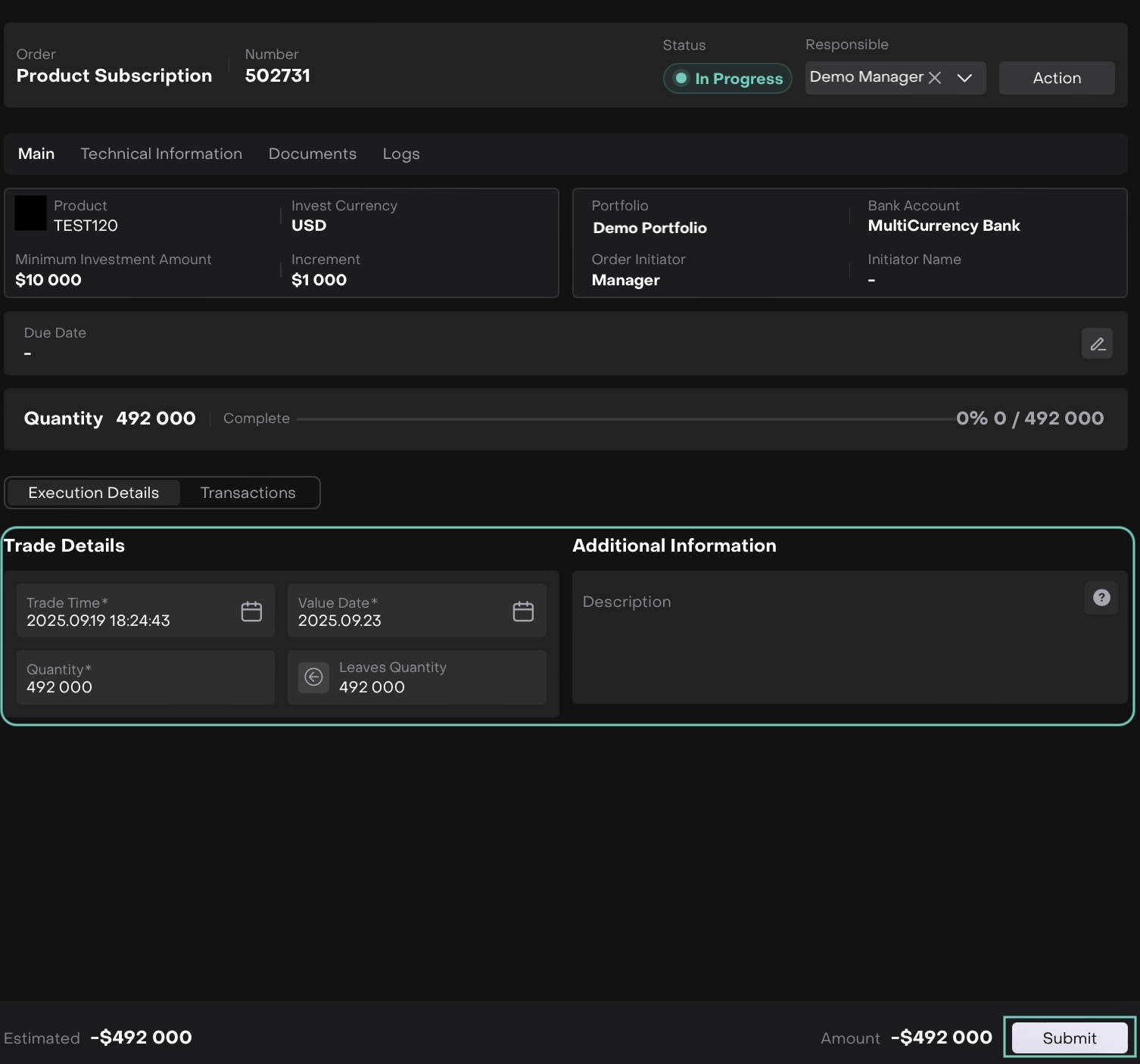
Click Submit to confirm.
Once executed, the quantity is complete and the transactions appear.
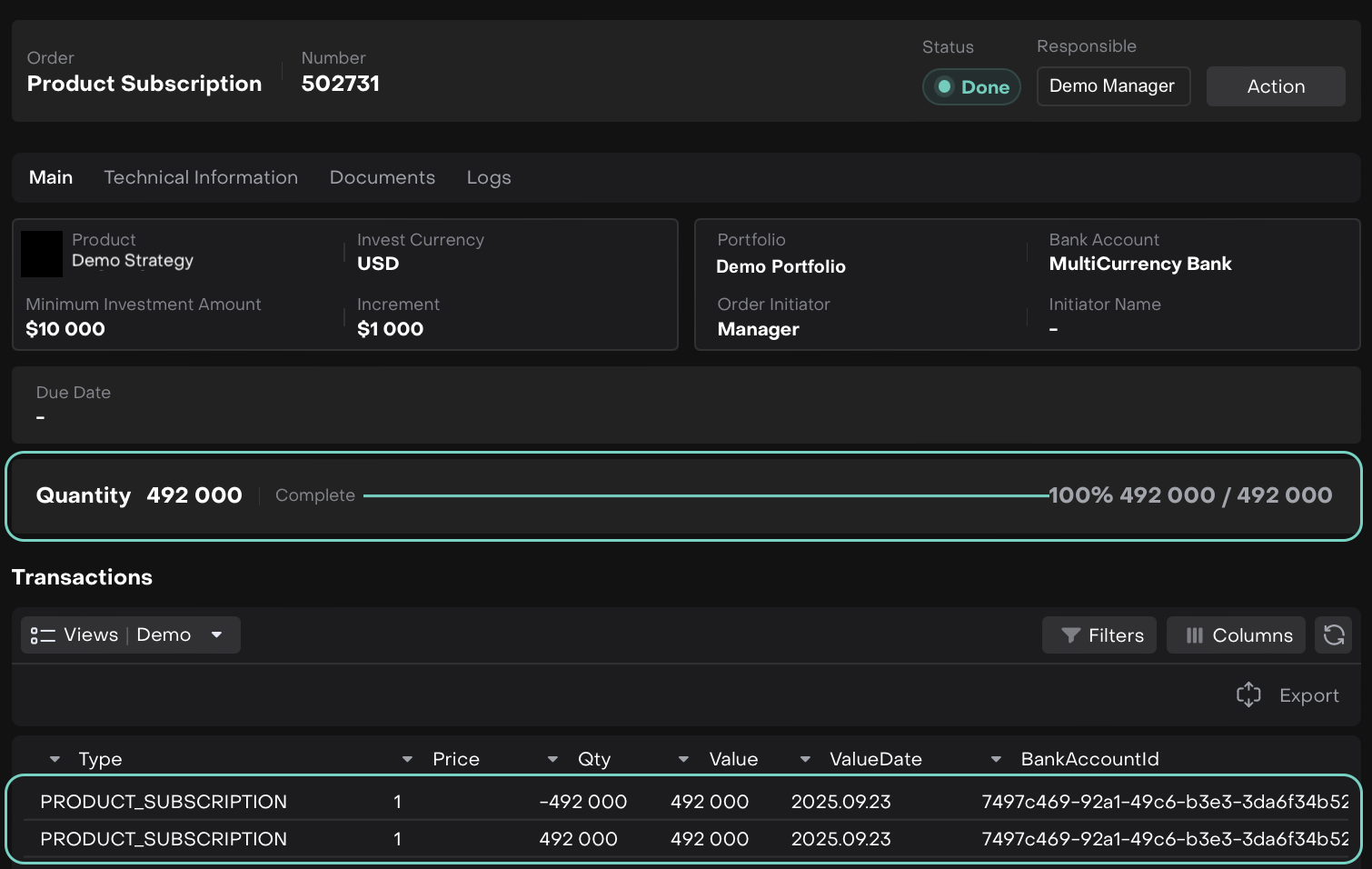
The Manager can review the list of all proposals and track their status both from the Strategy page or Dashboard.

'Promotion You Made' Widget
🔗 Learn here on how to enable/manage dashboard widgets.