
Transactions Status Breakdown Widget
AVAILABLE IN: 

Introduction
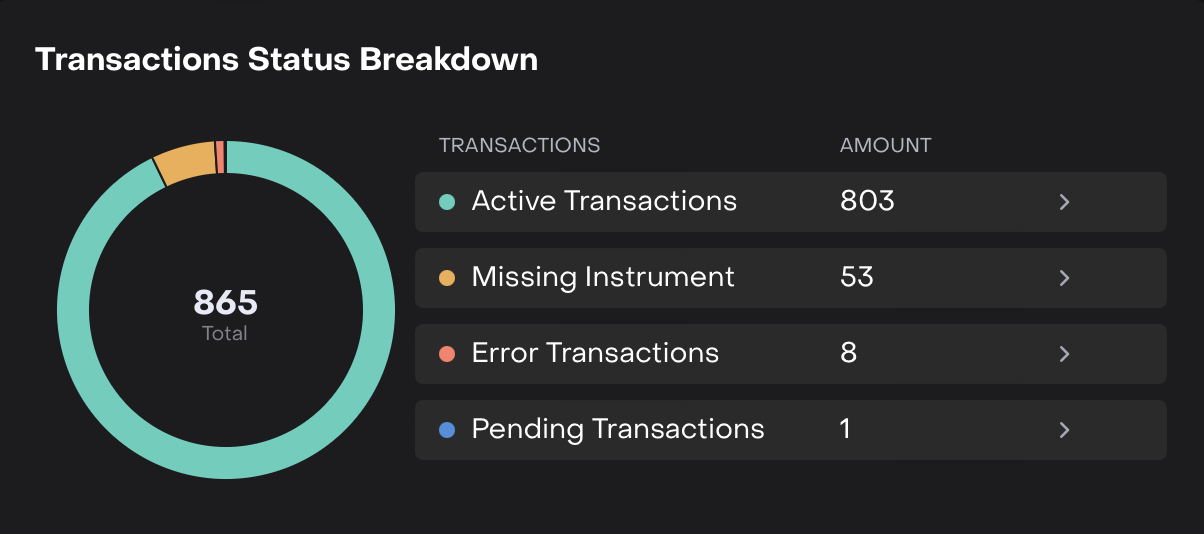
The Transactions Status Breakdown Widget gives you a clear overview of all transaction statuses in your portfolio. It helps you quickly see which transactions are active, missing, pending or have errors, and provides direct access to the detailed transaction lists.
How to Use the Widget
Identify how many transactions are active, pending, missing or have errors.
Table View:
Displays each transaction status in rows.
Shows total Amount for each status.
Includes a Details Icon (>) to drill down into the specific transactions.
Interactive Navigation:
Click on the > icon automatically redirects you to the Portfolios > Transactions tab.
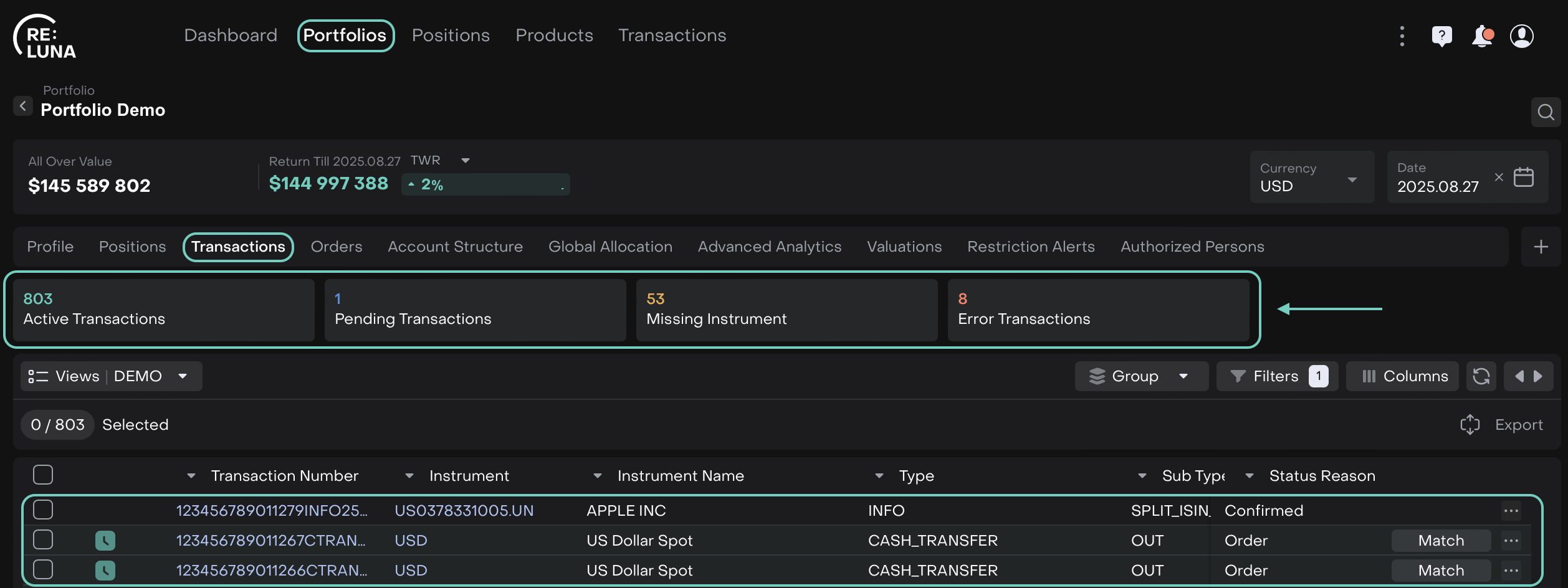
Opens the corresponding tab for the selected status:
Active Transactions
Pending Transactions
Missing Instrument
Error Transactions

The widget refreshes automatically based on portfolio selection, bank accounts, date or currency.