
Release 4.34
🔍Learn What's New:
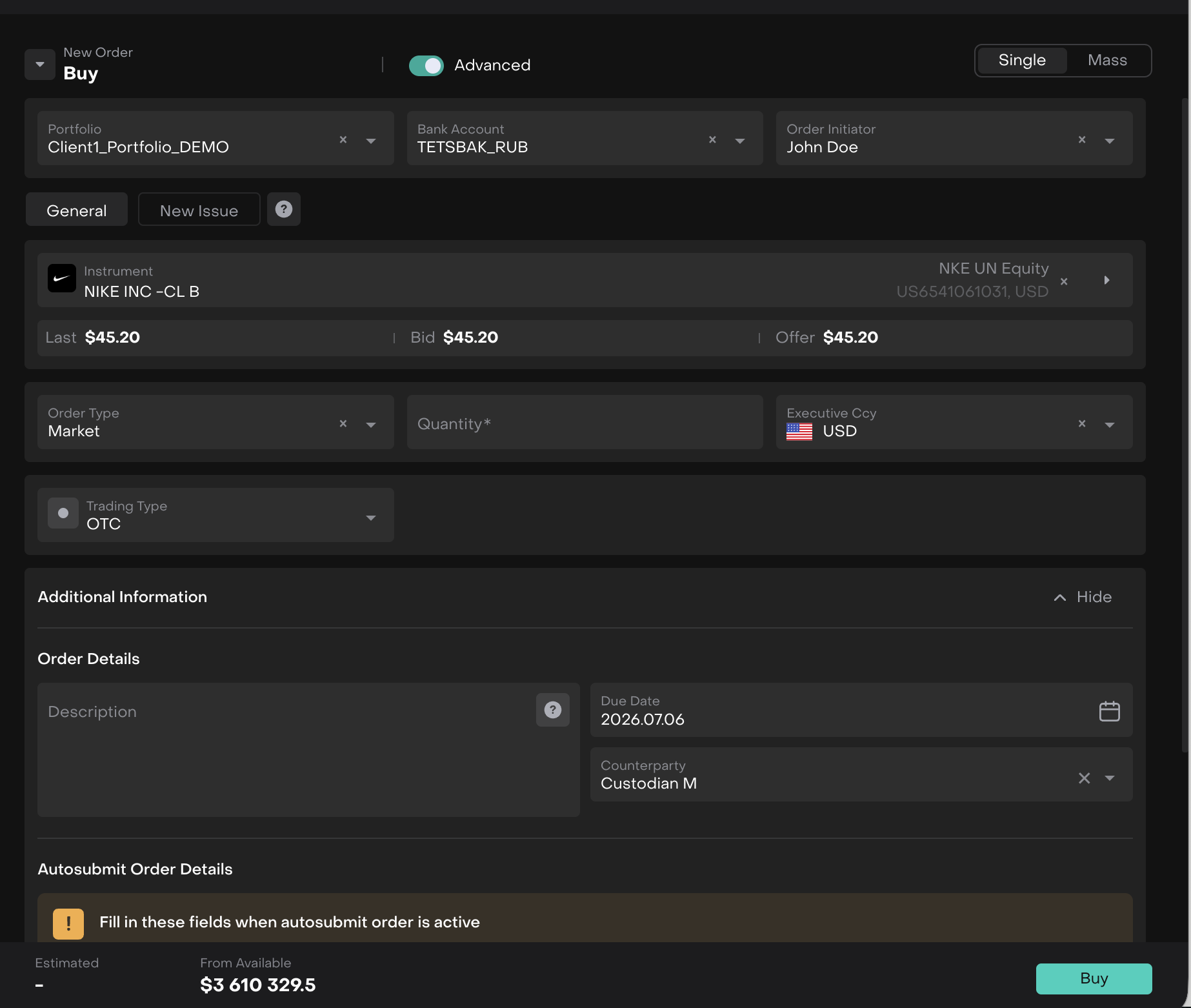
Counterparty field extended to transactions BACK OFFICE ENHANCEMENT
The Counterparty field, previously available only on orders, is now propagated to related transactions on creation, matching, and post-allocation, with an option to update linked transactions if the counterparty changes on the order. Counterparty can also be set manually when creating a transaction, and is now visible in the Counterparty field under Additional Info (advanced order form)→ Relations as well as in transaction tables.

👉 For more details, refer to the updated guides below:
🔗 https://resources.reluna.com/kb/order-management-overview https://resources.reluna.com/kb/transaction-management
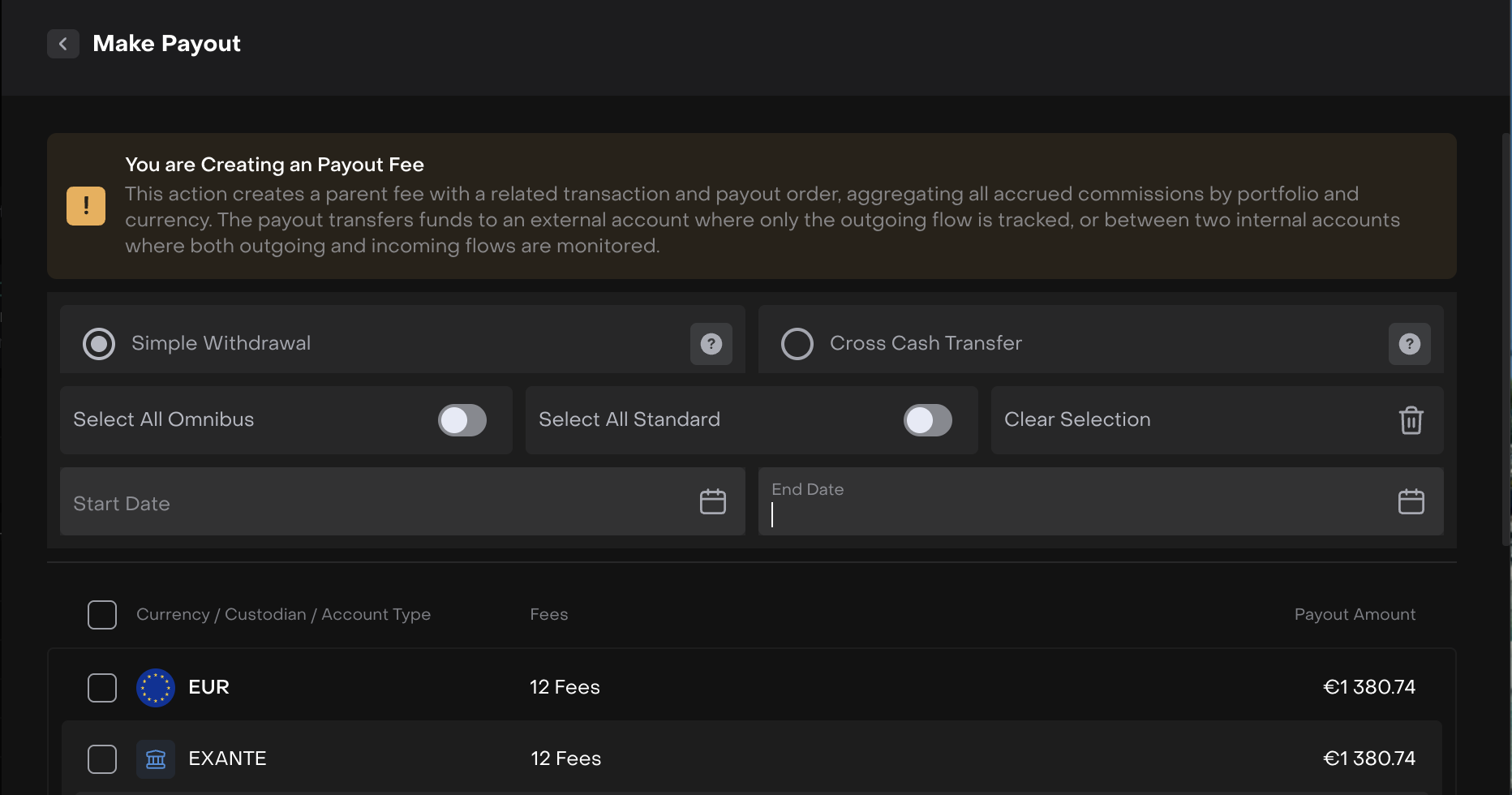
Select a date range for fee payout ENHANCEMENTBACK OFFICE
You can now select a date range when performing a fee payout, allowing partial payouts for a specific month or any custom period instead of paying out all accrued fees at once.
👉 For more details, refer to the updated guides below:
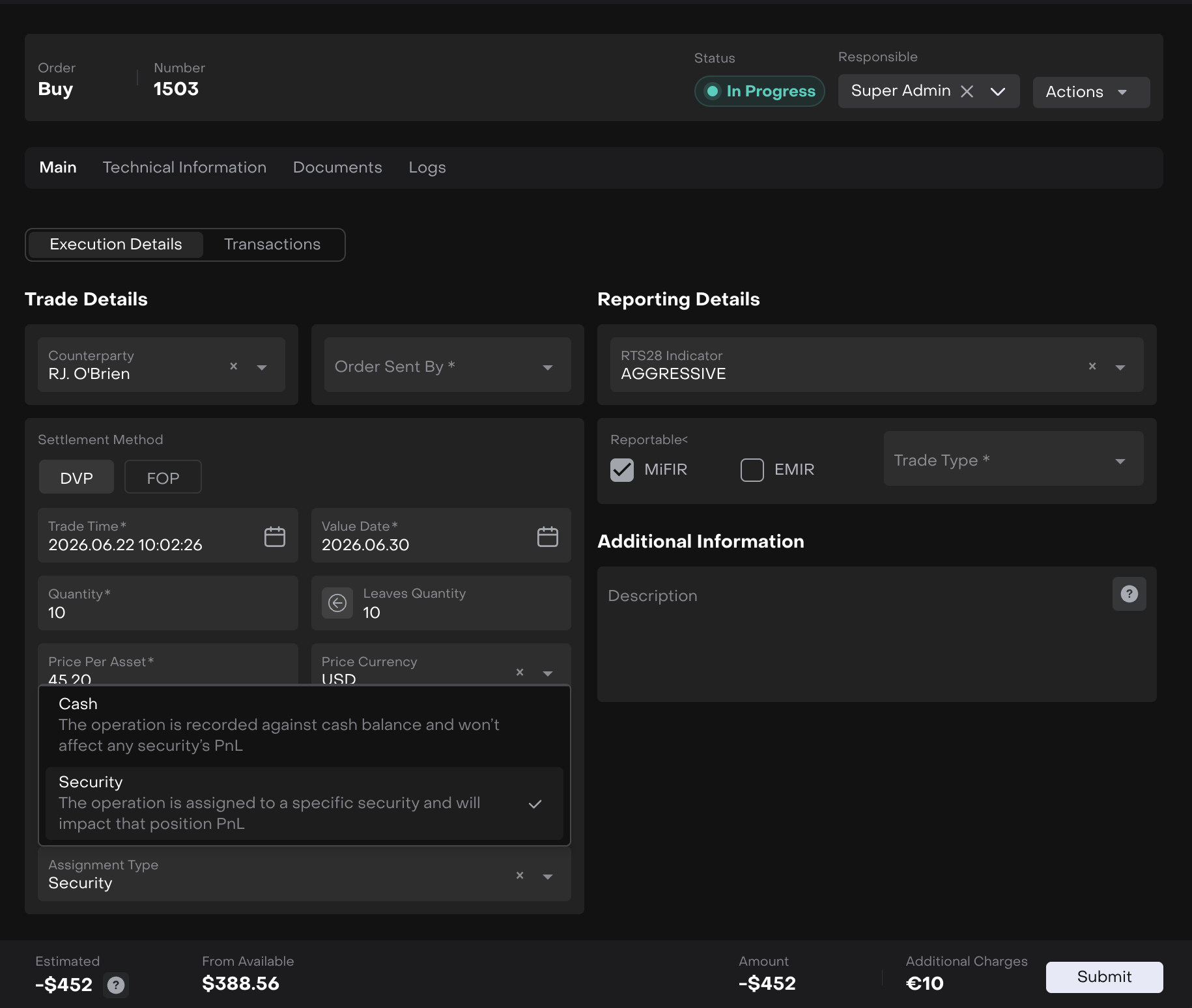
Assignment Type for Additional Charges on BUY/SELL order execution Feature Client ENHANCEMENTBACK OFFICE
When Additional Charges and Additional Charges Currency are filled in on a BUY/SELL order execution form, an Assignment Type field appears, letting you choose how the charge is applied:
Security (default) -charge is linked to the instrument and affects its Non-Cash PnL
Cash - charge is recorded against the cash balance and affects Cash PnL only, without impacting the instrument's PnL
Clearing either Additional Charges field hides and resets Assignment Type.
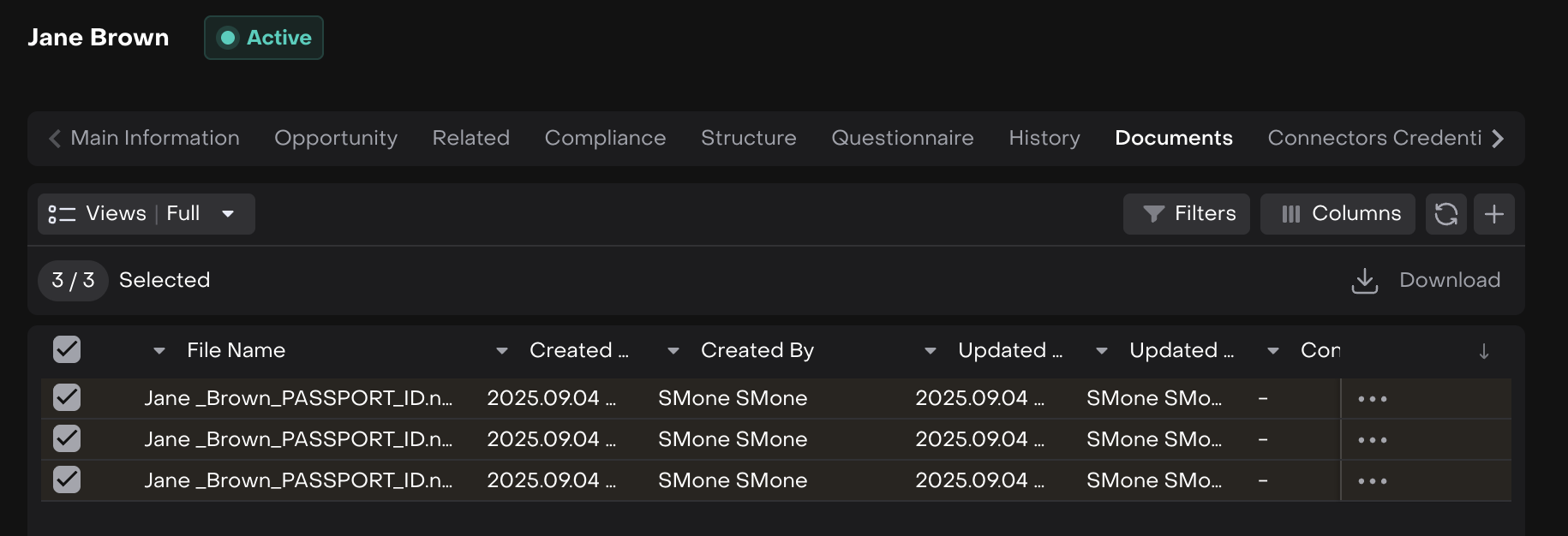
Bulk download for documents on Leads and AccountsENHANCEMENT CLIENT ADMINISTRATOR
You can now select multiple documents in the Documents card on Leads and Accounts and download them as a single ZIP archive, instead of downloading each file individually.
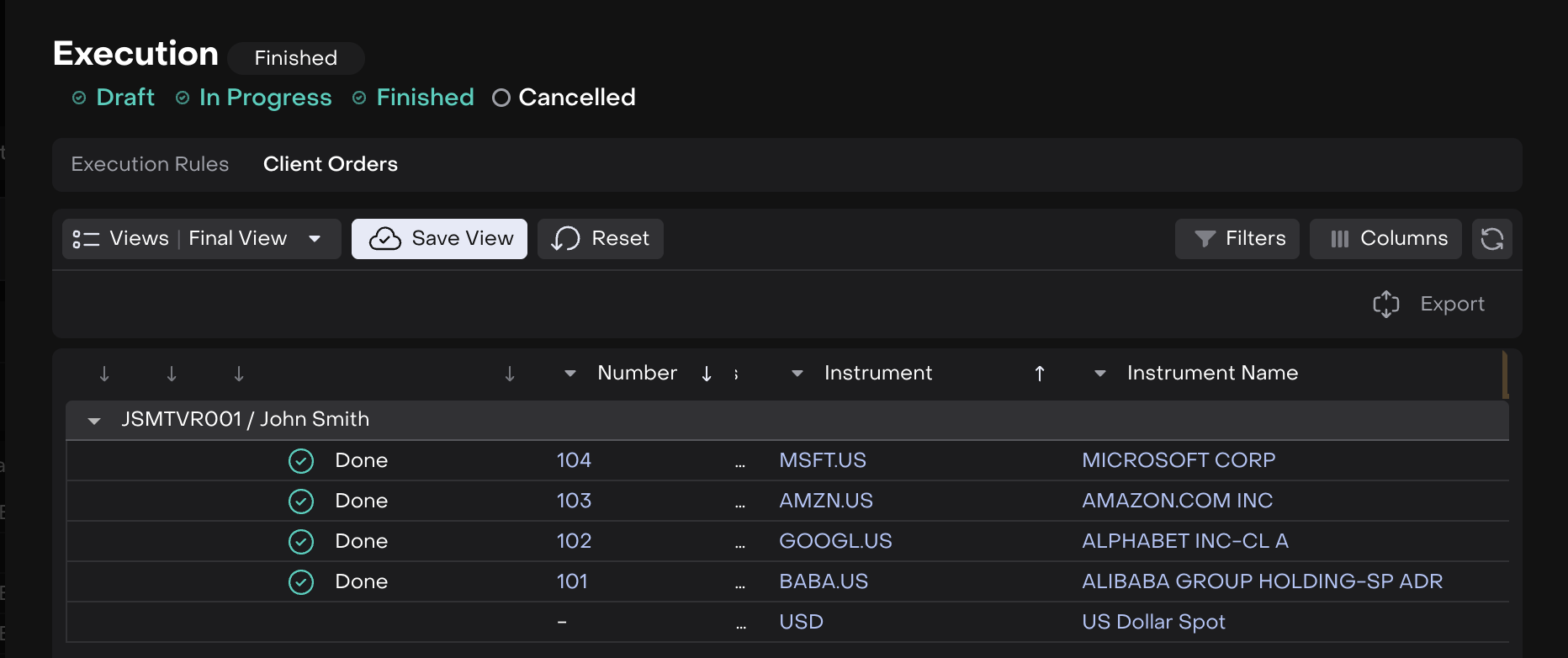
Export Client Orders table to Excel Feature Client ENHANCEMENTFINANCIAL ANALYST
The Client Orders tab in the rebalancing Execution window now supports exporting the table to Excel.
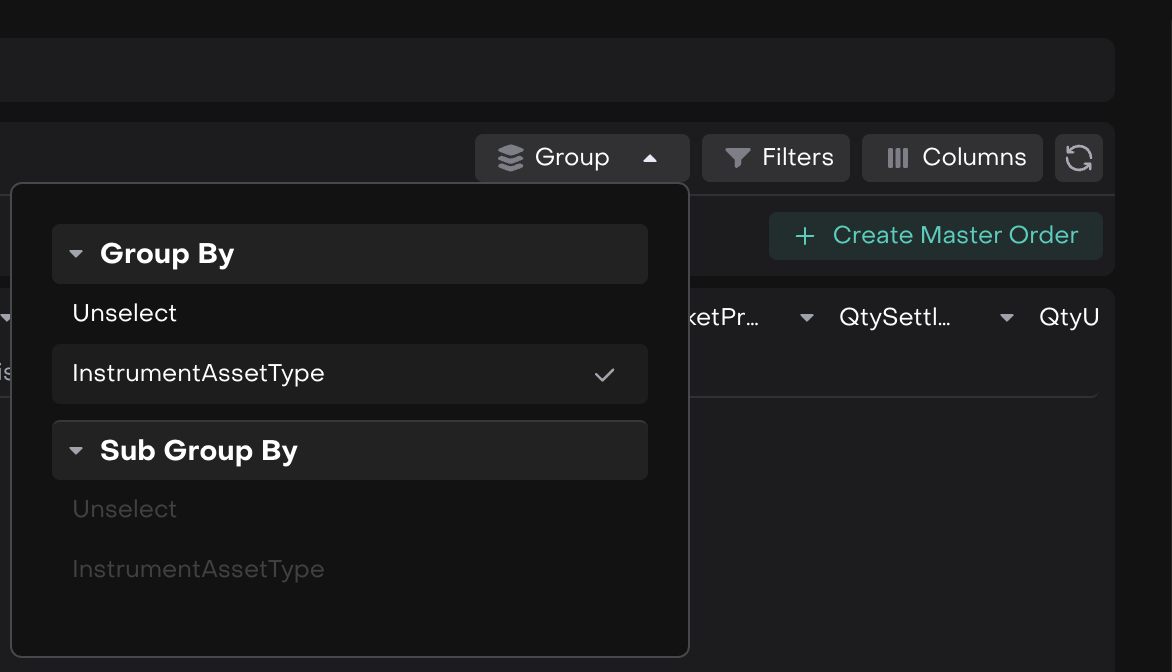
Group by Asset Type in Aggregated view ENHANCEMENTFINANCIAL ANALYST
The Aggregated view now supports grouping positions by instrument Asset Type, in addition to existing grouping options.
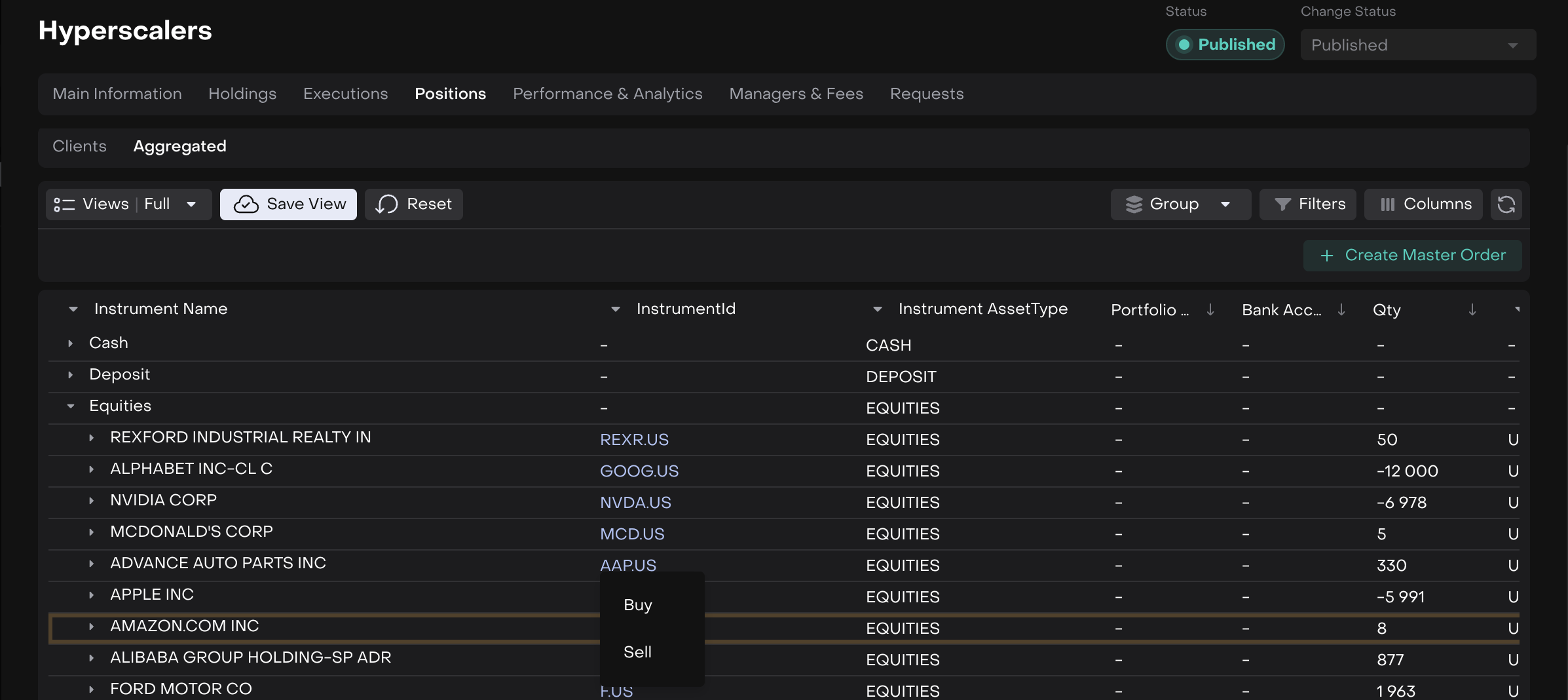
Create Master Order from an aggregated position via right-click ENHANCEMENTFINANCIAL ANALYST
Right-clicking an aggregated position now opens a Buy/Sell menu and creates a Master Order across all underlying child accounts at once, without selecting checkboxes individually.
Fixed: Exchange field hidden for OTC trading type on Master Order FIXFINANCIAL ANALYST
The Exchange field is now hidden when Trading Type is set to OTC on a Master Order - it remains available only for DMA.
Fixed: Lead creation fails with a generic error when email has a trailing spaceFIXCLIENT ADMINISTRATOR
Pasting an email with a trailing space into the lead creation form no longer triggers a "Something went wrong" error - the value is now trimmed before submission.
Fixed: Image preview when publishing changes in Marketplace FIXMARKETING
The preview of image changes now displays correctly before publishing in the Marketplace.

Other minor bugs and fixes have also been resolved to ensure a smoother experience
This release highlights the key updates and features in Reluna v4.34. For more details, check the platform or Contact Support. We hope you enjoy the new features!
