
Safekeeping Fees
Introduction
Safekeeping fees are periodic charges calculated as a percentage of Assets Under Management (AUM), applied at the mandate level to cover the secure custody and maintenance of client assets.
🔗 To learn about on how to Execute Fees, click here.
👉 New to some terms? Check out full Glossary for quick descriptions.
Set Up Safekeeping Fee

Fees must be set up at the Mandate level first.

To calculate safekeeping fee manually, ensure that Automatic Billing (toggle) is disabled on the mandate.
Navigate to Accounts > Mandates tab and select the mandate you want to update.
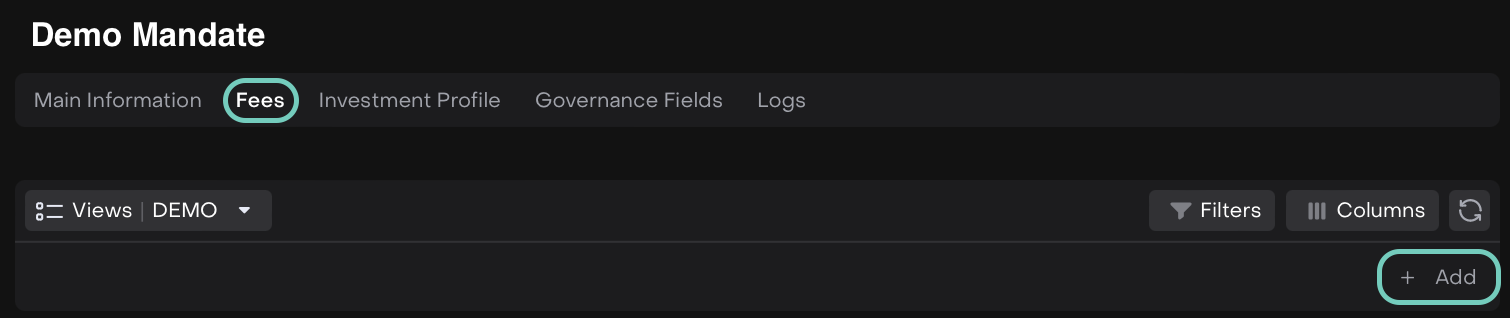
Toggle Edit mode on, go to the Fees tab and click the + Add button.
In the form that opens, select SAFEKEEPING in the Type field.
Fill in the other required fields such as:
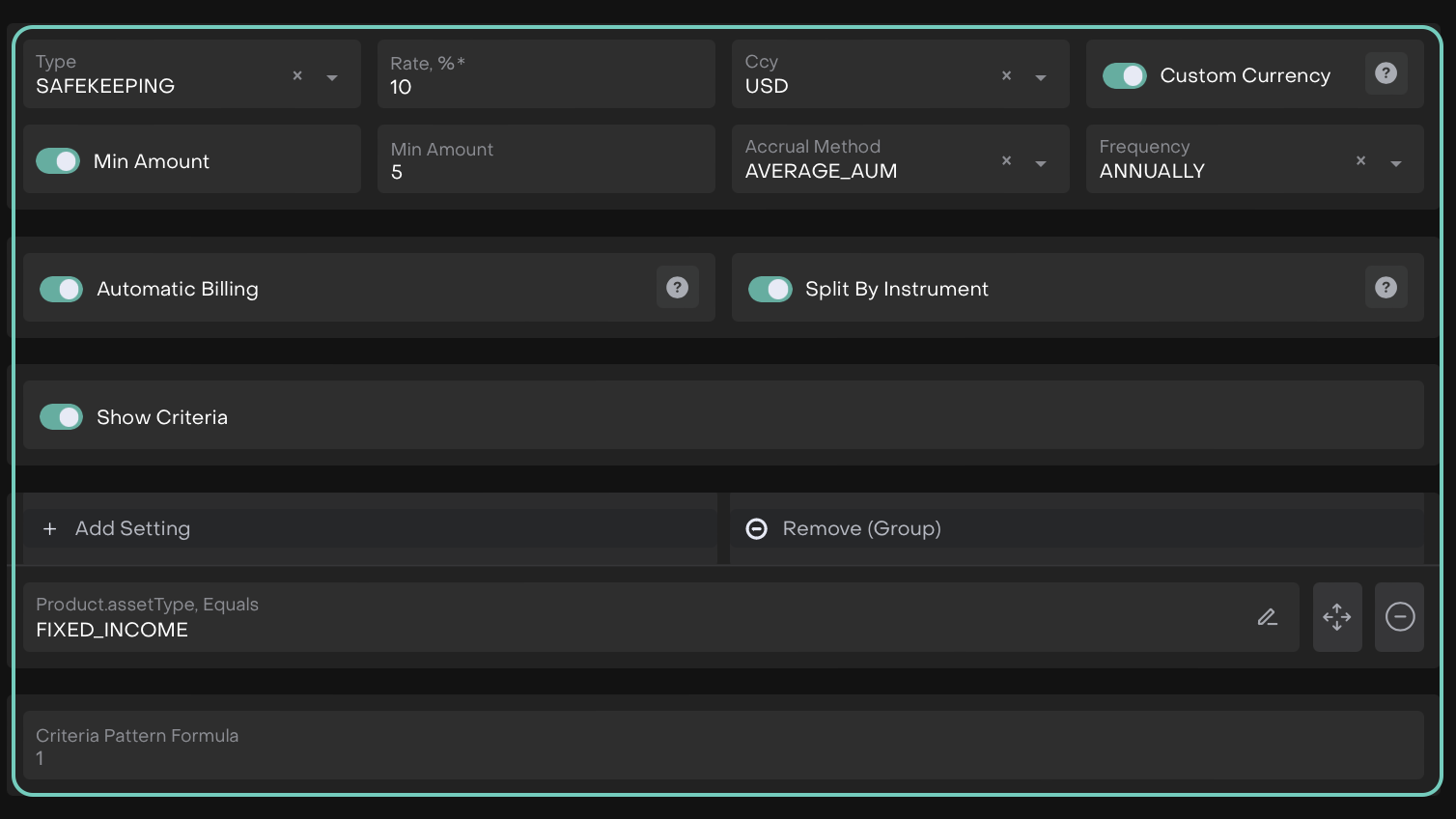
Click Save to apply the changes or Cancel.
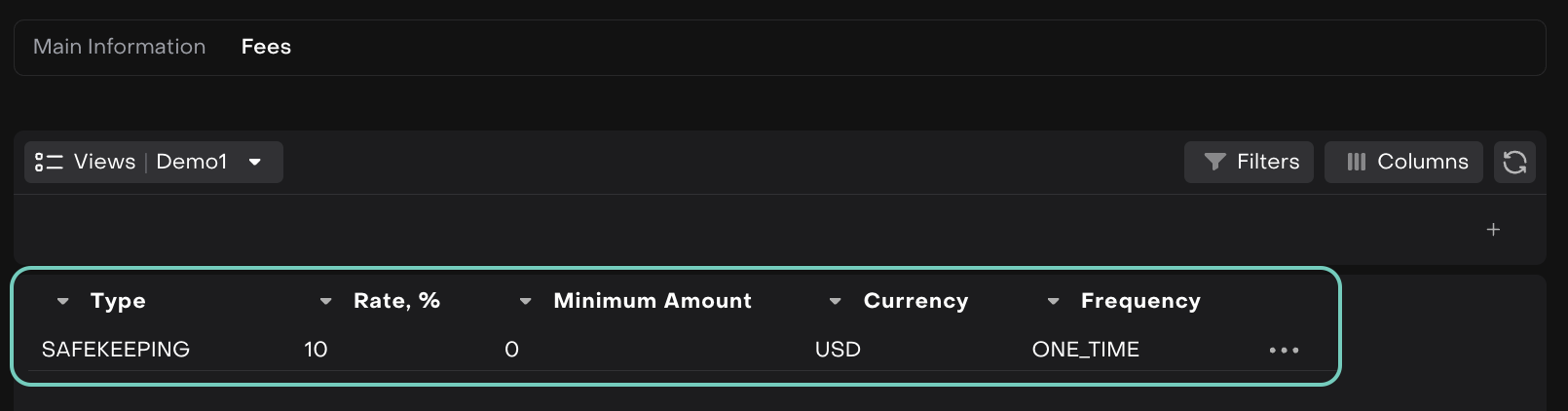
The fee has been added and is visible on the list.
You can further Edit or Delete the entry by clicking on the (…) dots.
Automate Fee Payouts
You can now automate your safekeeping fee payouts directly on the platform.
The Safekeeping Fee may have both positive (> 0) and negative (≤ 0) values, reflecting the Amount field:
If Amount > 0: The fee is created with Status = Accrued and Status Reason = Awaiting Payout, allowing you to create a Payout from this fee.
If Amount ≤ 0: The fee is created with Status = Accrued and Status Reason = Awaiting Review. Managers can review and Release it before it becomes available for payout.
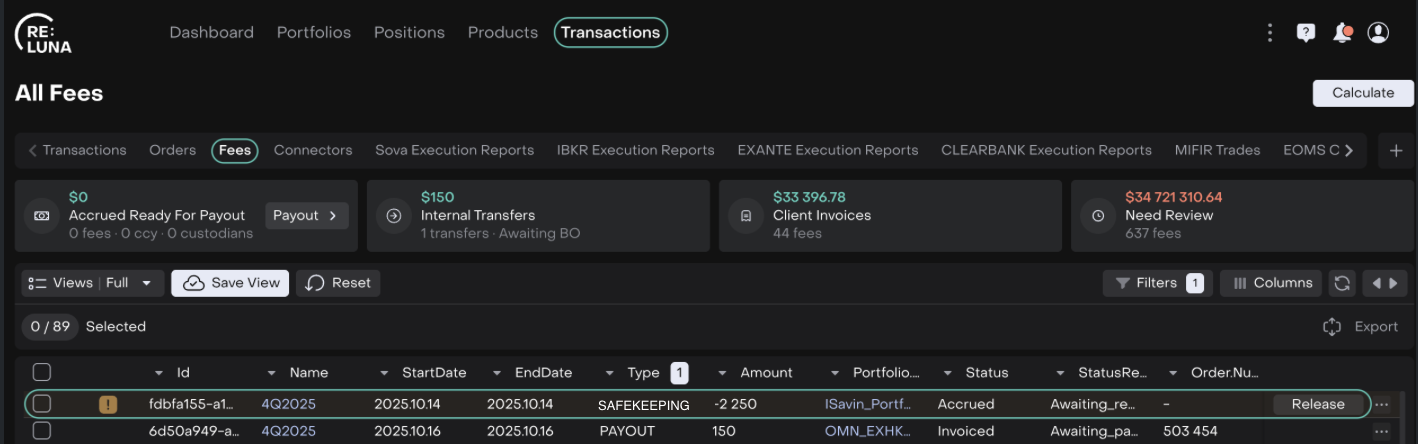
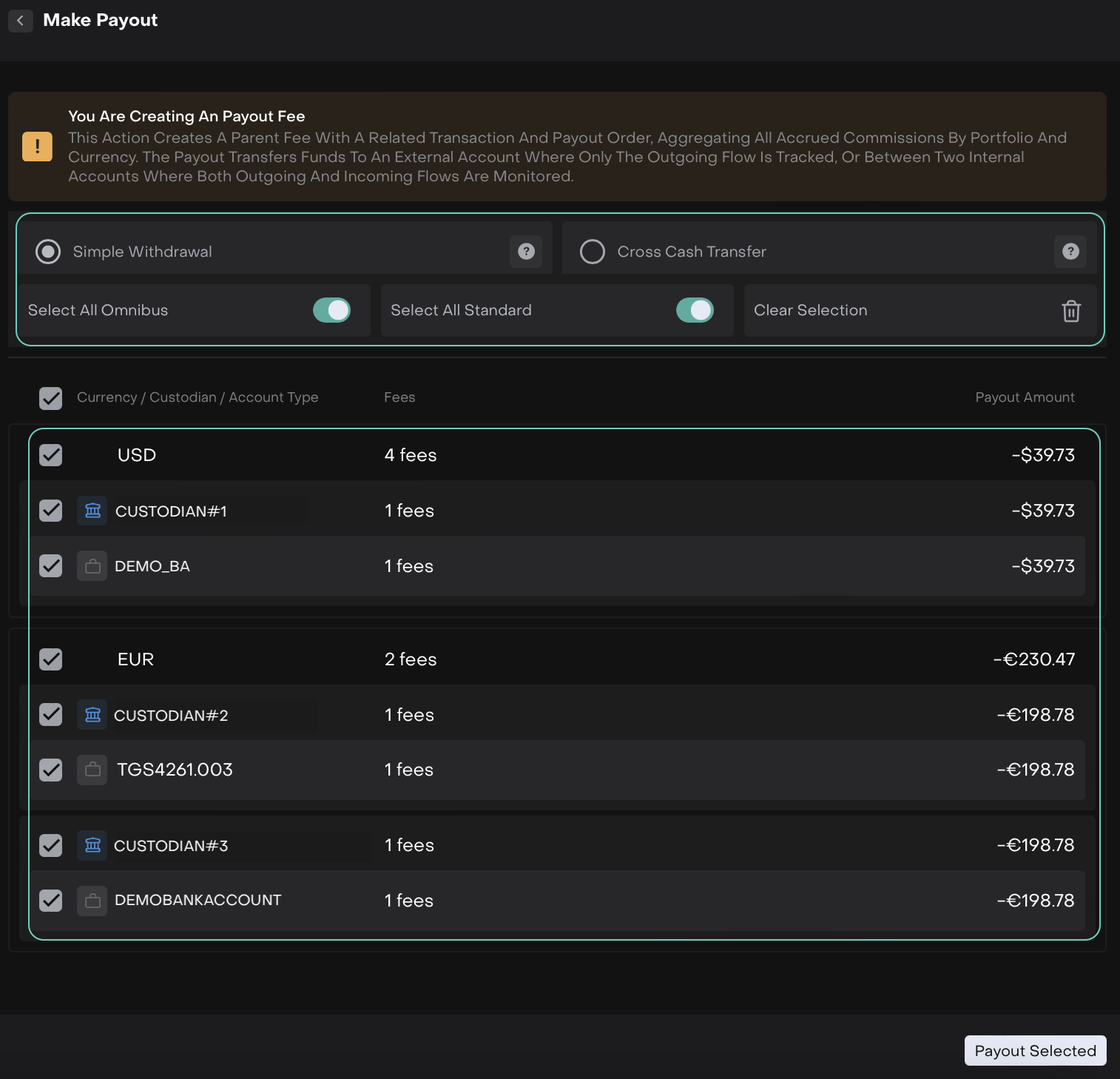
You can then generate a payout that automatically creates a Payout Fee, along with a related transaction and payout order, aggregating all accrued commissions by portfolio and currency.

Go to Transactions > Fees > Payout
Choose how to transfer funds:
Simple Withdrawal: Transfer to or from an external account (not registered in the platform).
Cross Cash Transfer: Transfer between two internal accounts, where both outgoing and incoming flows are tracked.
The Payout fee is created with the status Invoiced – Awaiting Payment, while the child fees appear as Settled – Paid Out.
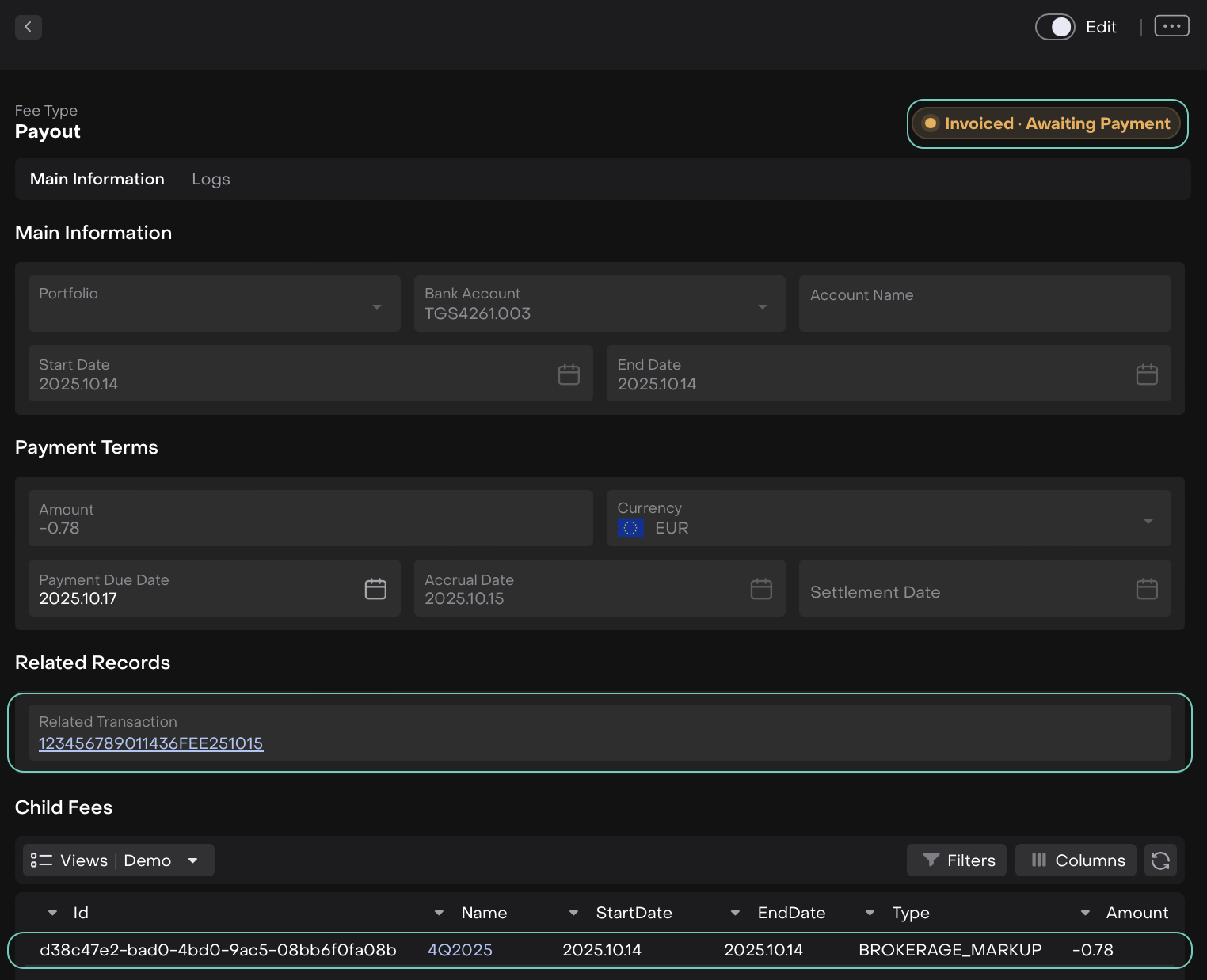
Invoice – Awaiting Payment
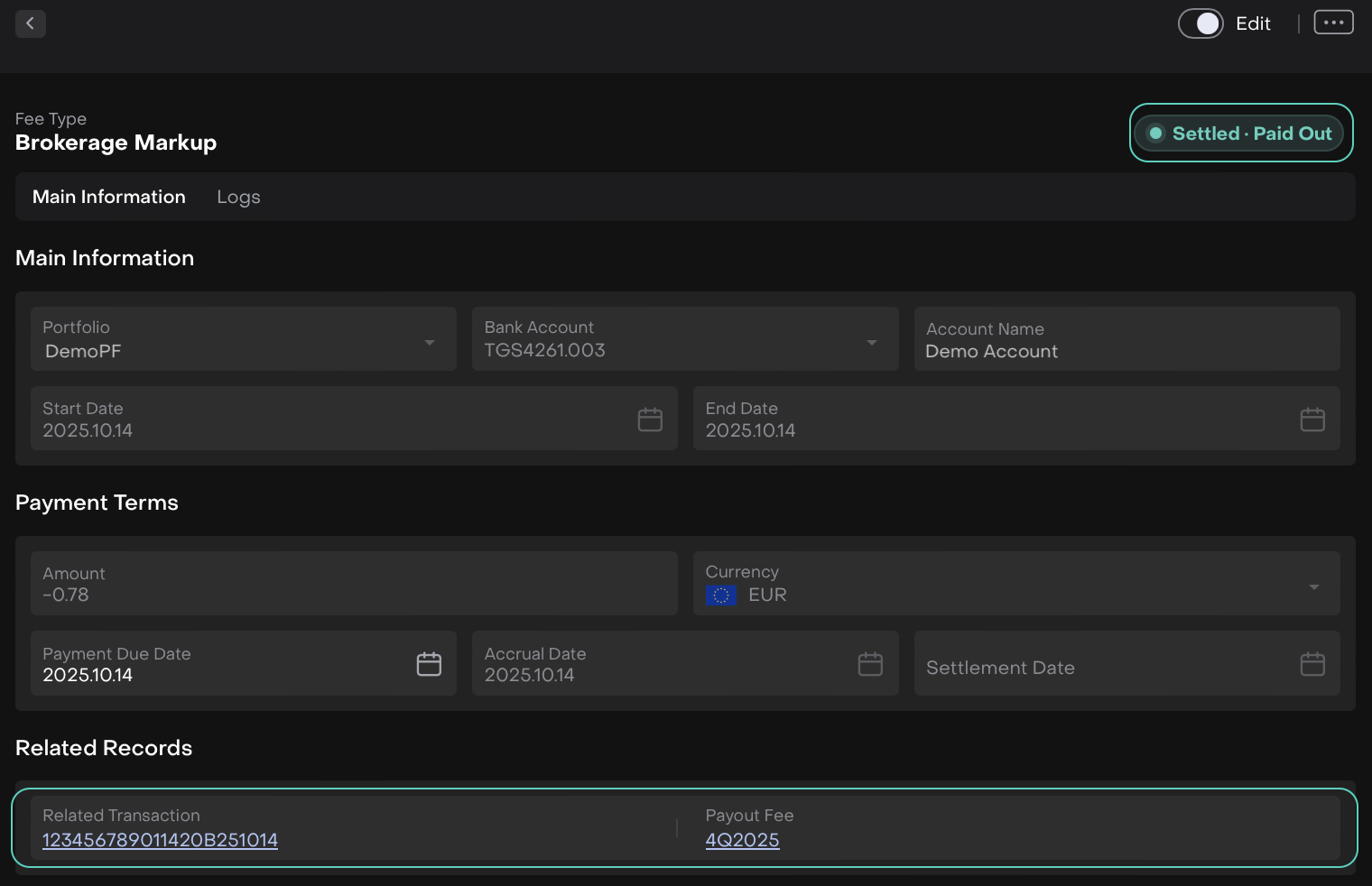
Settled – Paid Out