
Release 4.27
🔍Learn What's New:
Rollback Transactions Effortlessly ENHANCEMENT
BACK OFFICE
Control rollback of matched, allocated or approved transactions anytime, giving you flexibility and confidence to manage your transactions accurately. Keep your workflow smooth and error-free.
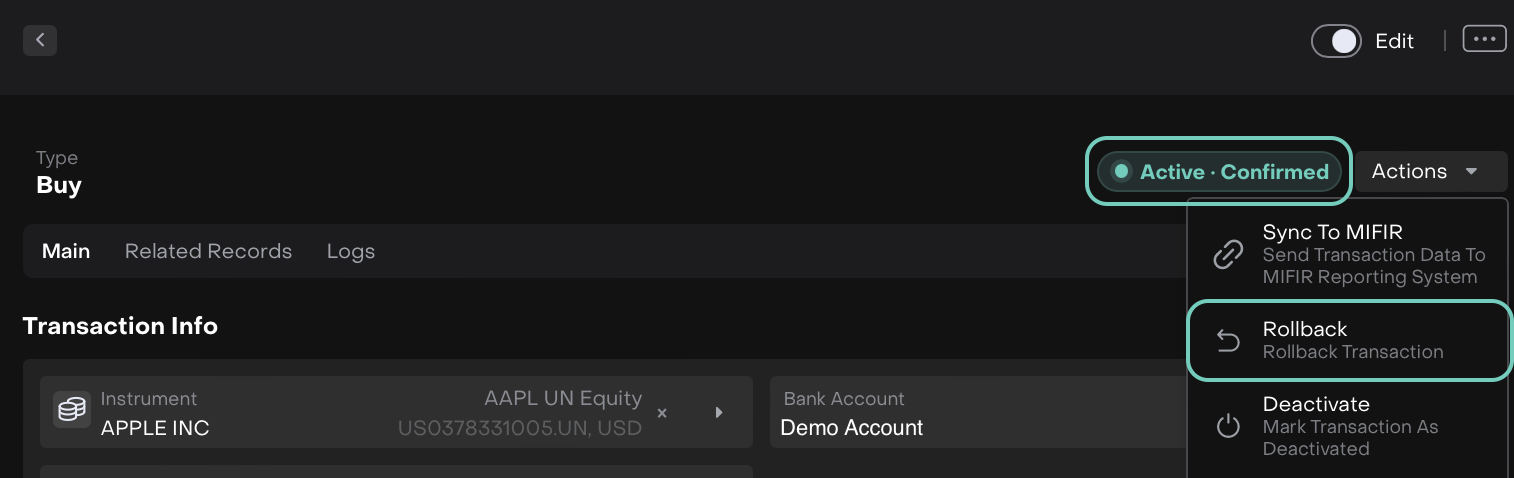
Status: Active and Status Reason: Confirmed
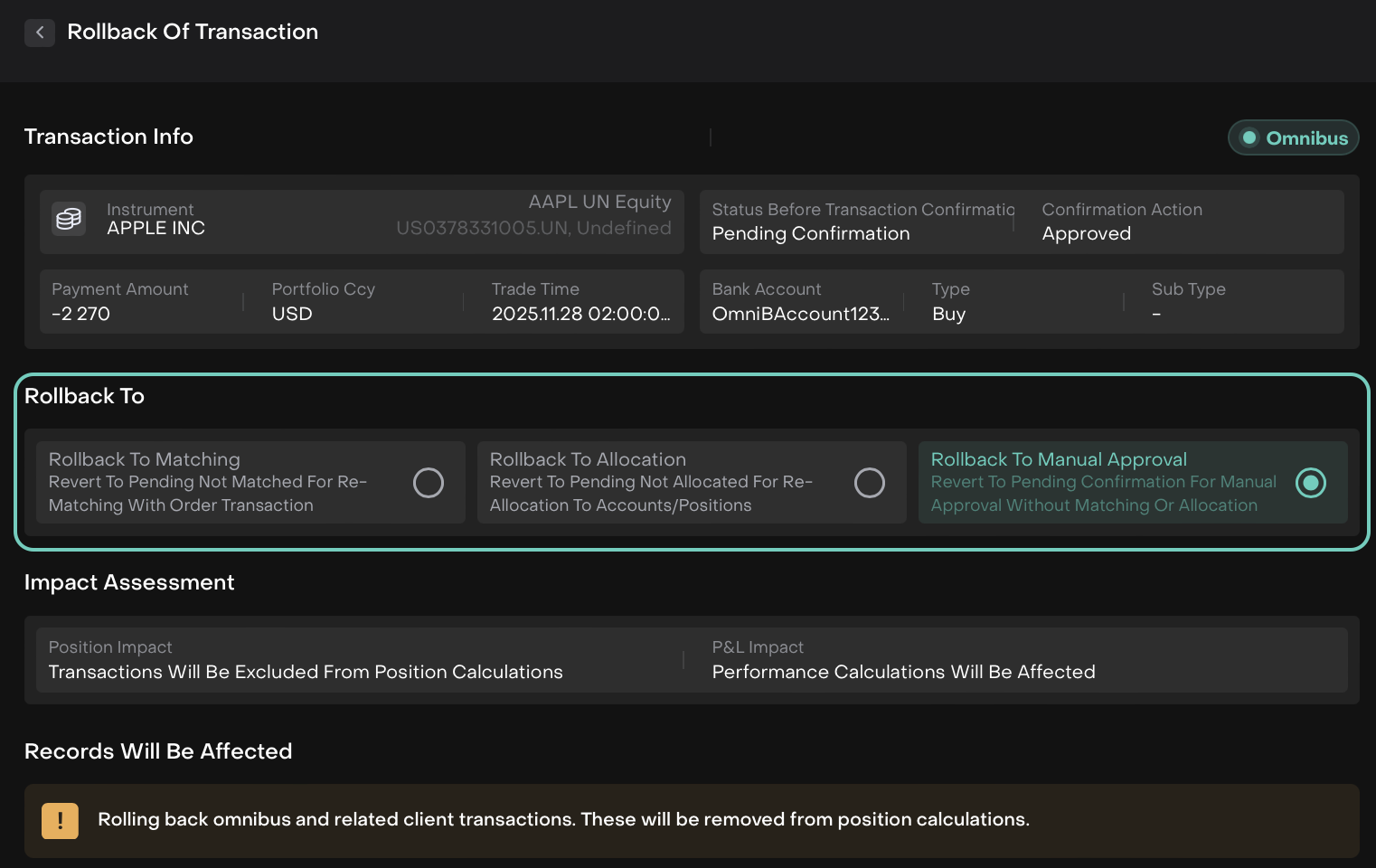
👉 For more details, refer to the guide below:
Added Fields in Positions and Updated Futures Display ENHANCEMENT
ALL USERS
See Exposure Base CCY and Exposure Instr CCY directly in your Positions view for clearer insights:
For Futures, exposure now shows as
Qty × Contract Size × Pricein both base and instrument currency.For other instruments, these fields display the Value.
Value fields for futures now reflect Unrealized PnL only, while Realized PnL continues to be included in Cash Value.
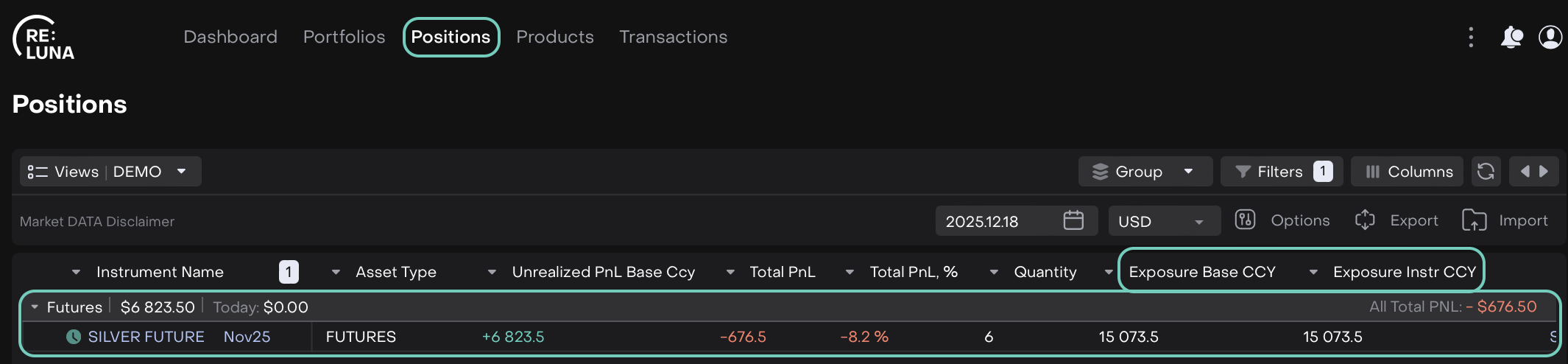

The All Over Value calculation is updated to sum all Value fields, including the updated futures Value, ensuring your portfolio totals are accurate.
Streamlined Safekeeping Fees ENHANCEMENT
BACK OFFICE MANAGER
Safekeeping fees are now automatically applied based on mandate rules, ensuring accurate, timely charges without manual effort.
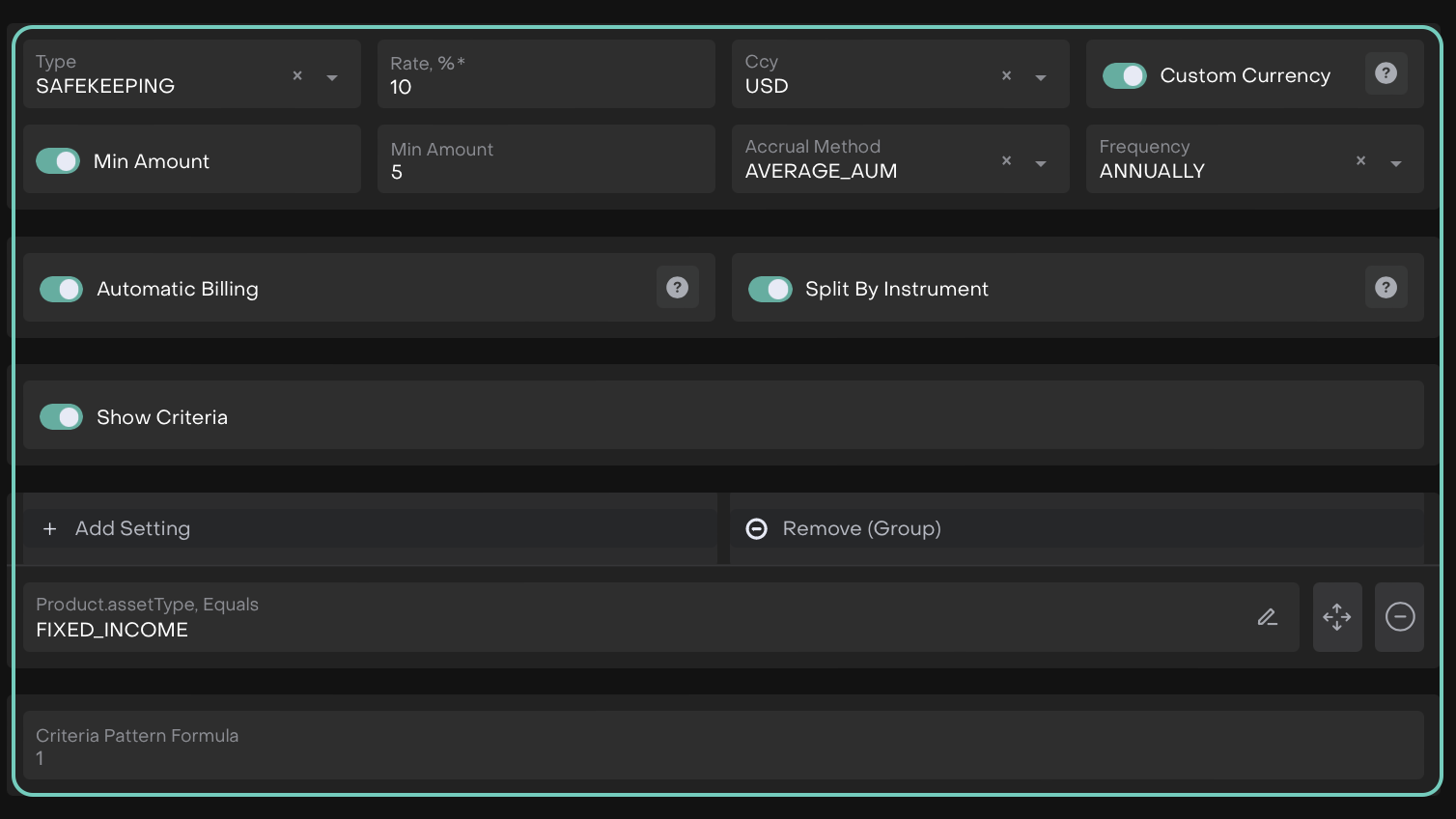
👉 For more details, refer to the guides below:
🔗 Safekeeping Fees
🔗 Calculate Safekeeping Fees
Optimize Instrument Search Experience ENHANCEMENT
ALL USERS
Find instruments faster and with confidence, with Public and Private instrument searches into a unified view.
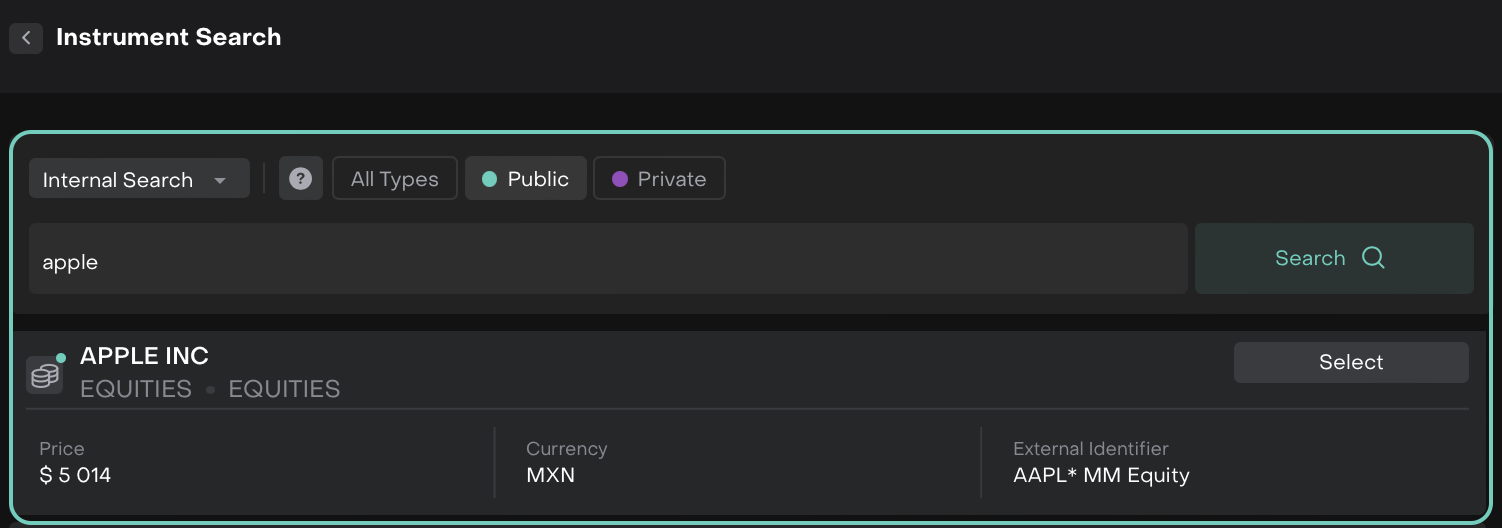
👉 For more details, refer to the guides below:
🔗 Unified Instrument Search
🔗 Create Instruments Manually
Beta version of Instrument Search in a new Market Resource
We are excited to introduce the beta version of Instrument Search powered by new Market resource.
It’s the first step in enhancing our search capabilities, and we will continue to actively develop and improve this feature in upcoming releases.
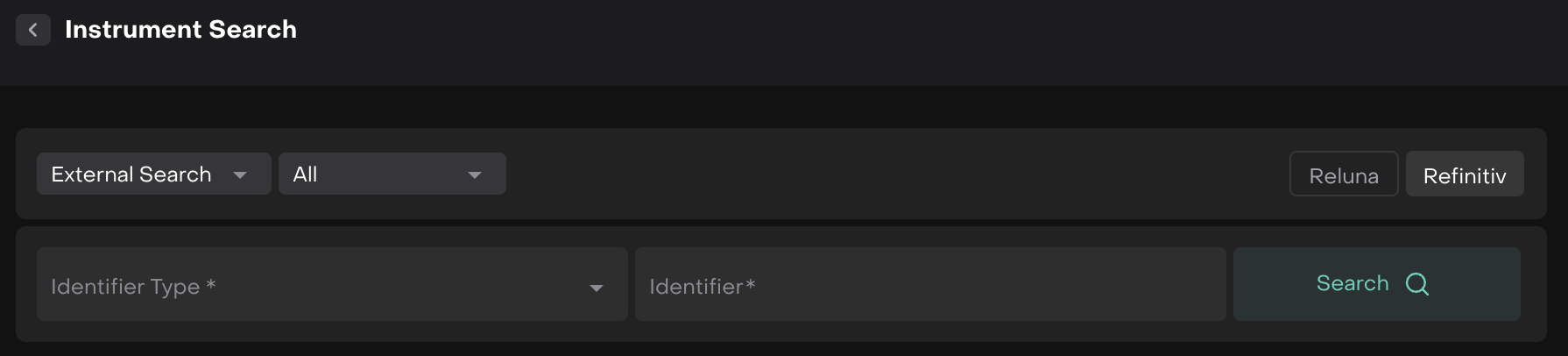
We value your experience- please share your feedback, suggestions, and any issues you encounter.
👉 For more details, refer to the guides below:
🔗 Unified Instrument Search
Income Projection Calendar Widget ENHANCEMENT
ALL USERS
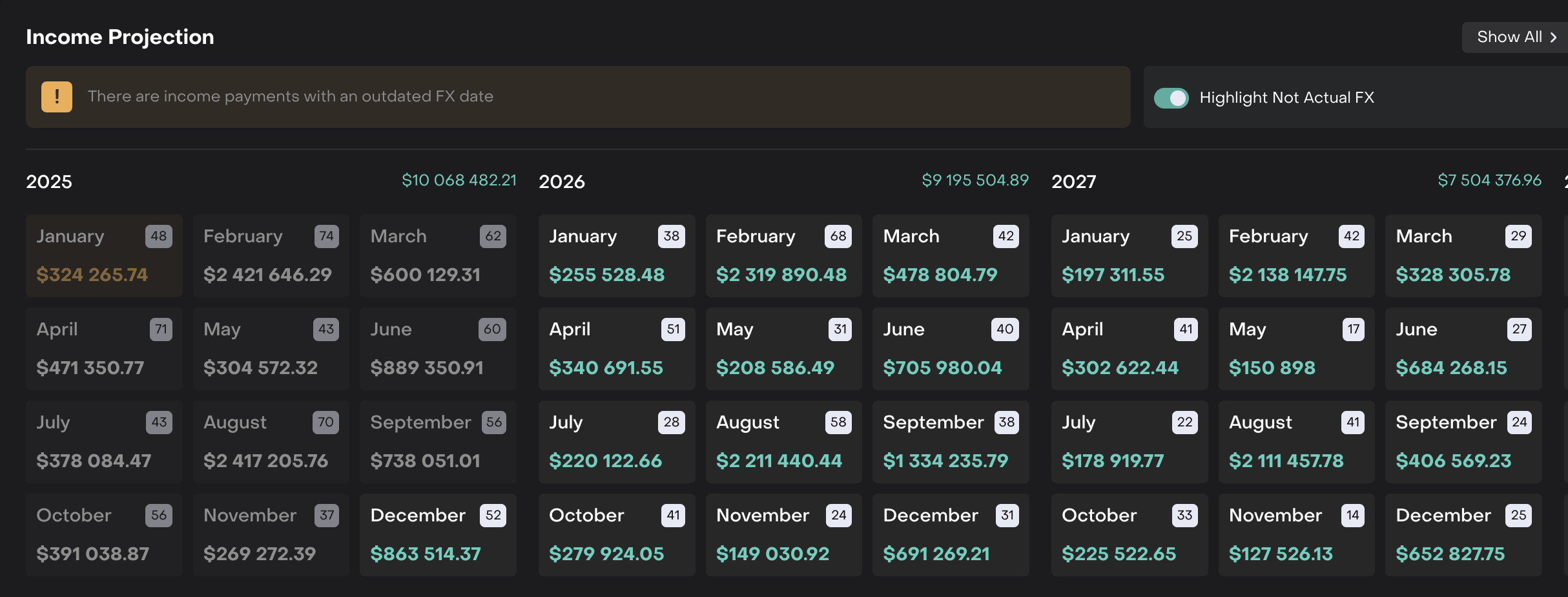
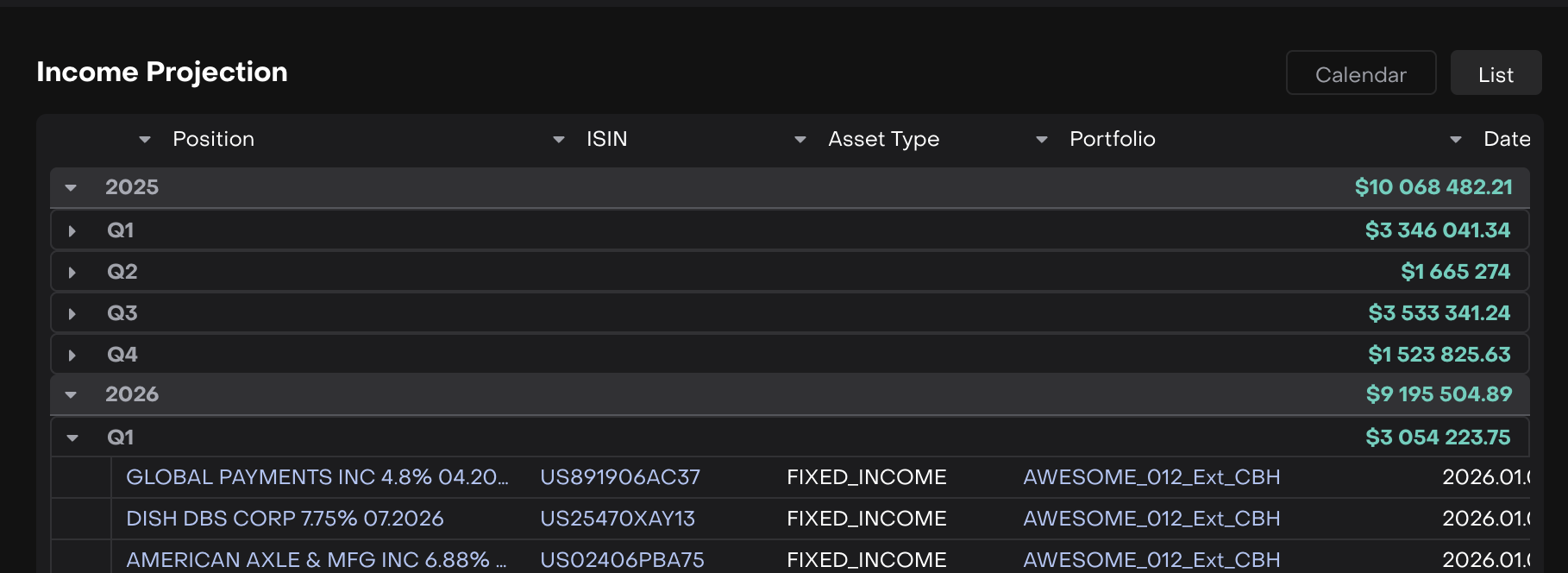
The Income Projection Calendar widget brings together all projected income streams – Coupons and Dividends in a single, easy-to-read calendar and list view.
What’s Updated:
Clear widget naming
Combined coupon and dividend income visibility
Easy identification of income types
Simple filters to focus on specific income streams
Display Bank Custodians on FX Orders ENHANCEMENT
TRADER
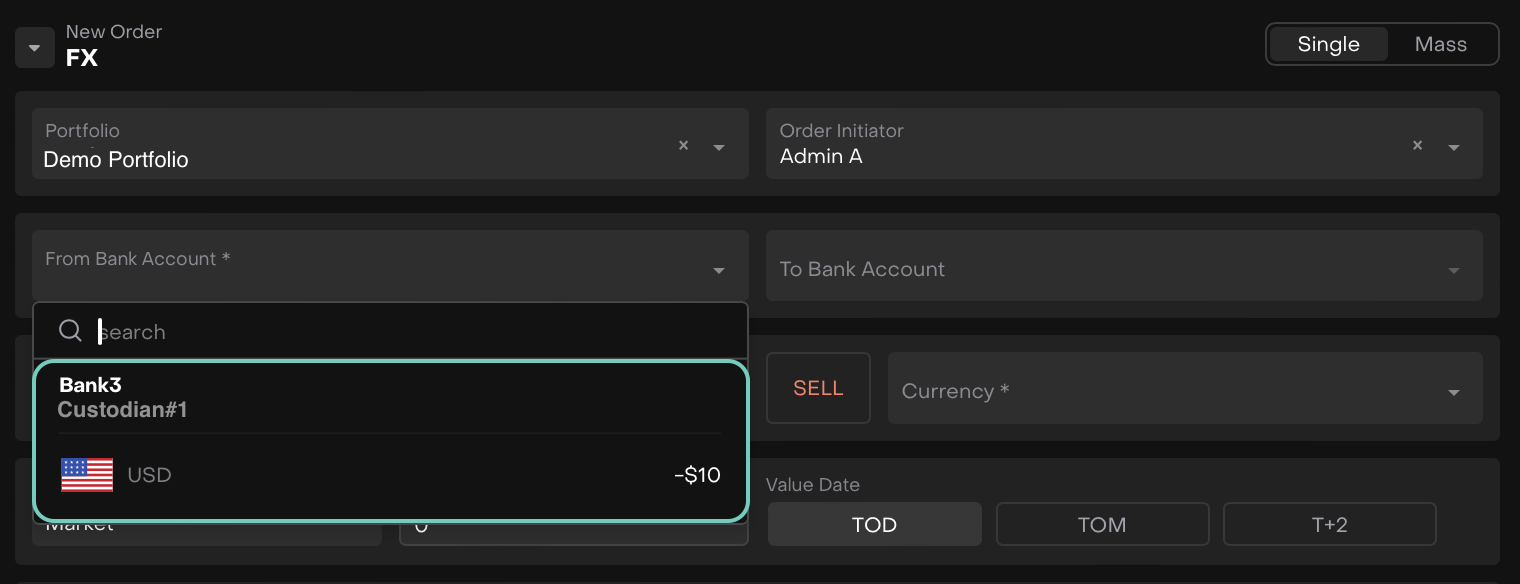
Now, the custodian bank names appear with the amounts, just like in other Order types. Easily track which bank is handling each order and simplify your review process.
Non-IBAN Payment Support ENHANCEMENT
AUTHORIZED USERS ONLY
Switch between IBAN or BIC and Account Number when creating Cash Transfer payments. The new IBAN toggle adapts required fields based on the destination country, enabling seamless payments to non-IBAN regions.

👉 For more details, refer to the guide here.

Other minor bugs and fixes have also been resolved to ensure a smoother experience.
This release highlights the key updates and features in Reluna v4.27. For more details, check the platform or Contact Support. We hope you enjoy the new features!
